

Appgraphicscanvas



What is Appgraphicscanvas?
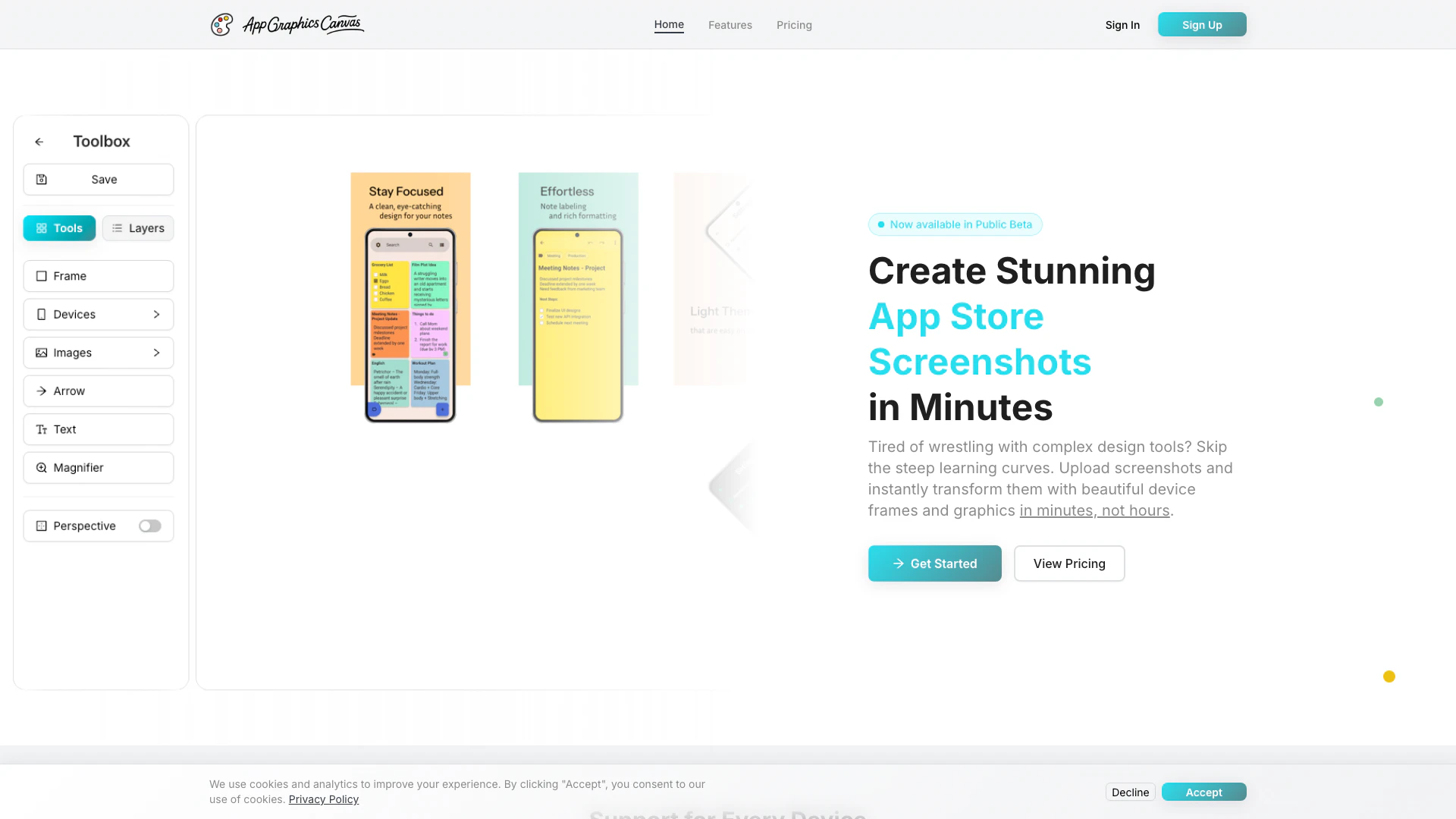
Appgraphicscanvas is an innovative online tool designed to help users create stunning mockups[1] for the App Store[2] and Google Play[3] in just minutes. It allows you to upload your app screenshots[4] and effortlessly add device frames[5], gradients, and text, all without requiring any design skills. This tool is perfect for developers looking for a quick and effective way to produce professional-quality graphics for their applications. With a simple, one-time credit package pricing model, Appgraphicscanvas eliminates the need for subscriptions, making it accessible and user-friendly.
How to use Appgraphicscanvas?
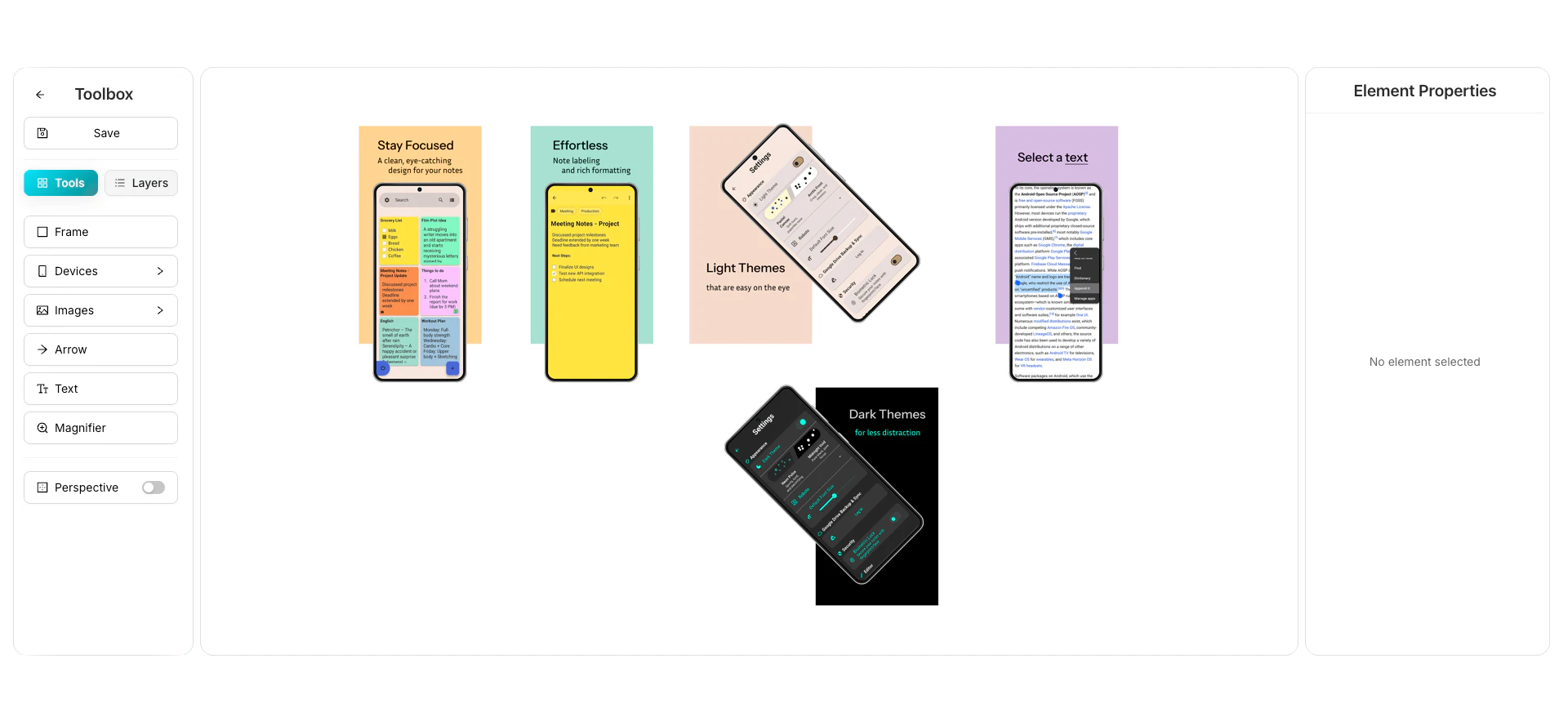
Using Appgraphicscanvas is straightforward and can be done in three simple steps: 1. Upload Screenshots: Start by uploading your in-app screenshots to the platform. You can drag and drop images in PNG, JPG, or WebP formats. 2. Choose Device & Customize: Select a realistic device frame from the available options, adjust the settings such as corner radius and shadows, and add any text or images to enhance your mockup. 3. Download & Use: Once you're satisfied with your design, export your high-quality screenshots instantly for use in your app store listings.
What are the main features of Appgraphicscanvas?
Appgraphicscanvas offers a range of powerful features designed to simplify the process of creating app mockups: - Simple Upload & Place: Easily upload screenshots and place them in realistic device frames with no complex tools. - Perfect Customization: Customize corner radius, device size, shadows, and positioning to fit your needs. - Backgrounds & Gradients: Add gradient backgrounds, solid colors, and text annotations to make your screenshots stand out. - Project Management: Save your work, manage multiple projects, and create variations effortlessly.
Who is Appgraphicscanvas for?
Appgraphicscanvas is tailored for app developers, marketers, and anyone involved in the mobile application industry who seeks to create professional app store graphics quickly and efficiently. It is particularly beneficial for those who may not possess advanced design skills but want to produce high-quality visuals for their apps. With its user-friendly interface and straightforward functionality, Appgraphicscanvas is ideal for developers who prefer a hassle-free solution over complex design software.
What are the use cases of Appgraphicscanvas?
Appgraphicscanvas can be utilized in various scenarios, including: 1. Creating App Store Screenshots: Quickly generate attractive screenshots for the App Store and Google Play to enhance app visibility and appeal. 2. Mockup Variations for A/B Testing: Develop multiple versions of app mockups to test which designs perform better in attracting downloads. 3. Marketing Material Production: Use the tool to create promotional graphics for marketing campaigns or social media posts related to the app.
Product Images
Appgraphicscanvas Pros and Cons
Pros
- Easy to Use Interface: Appgraphicscanvas offers a user-friendly interface that allows users to upload screenshots and create mockups quickly without needing design skills.
- Customizable Device Frames: Users can choose from various realistic device frames and customize settings like corner radius and shadows to fit their app's branding.
- One-Time Payment Model: The pricing structure is straightforward with one-time credit packages, eliminating the need for subscriptions and recurring fees.
Cons
No cons data detected for this tool
Appgraphicscanvas Pricing
Regular
Get started with image upload credits. 6 image upload credits, 0 project create credits. No watermarks on uploads. One-time payment.
Advantage
More uploads plus project creation. 20 image upload credits, 1 project create credit. No watermarks on uploads. One-time payment.
For the latest pricing, please visit this link: https://www.appgraphicscanvas.com/public/pricing
Prices are subject to change. Please visit the official website for the most up-to-date pricing information.
Appgraphicscanvas Compare
| Tool Name | Introduction | Pricing | Type | Rating | Launch Date | Learn more |
|---|---|---|---|---|---|---|
Tutor AI - Your personal AI tutor to learn anything | Free | September 23, 2007 | Get deal | |||
Edit your selfies to get the results you want with powerful and easy-to-use tools. Give your selfies the VIP treatment. Touch up, reshape & apply digital makeup. | Free | December 1, 2012 | Get deal | |||
2Mn+ readymade ChatGPT prompt ideas built by prompt engineers, using insights from eCommerce experts - that really work! | Free | February 6, 2023 | Get deal |



Info current as of post date. Offers and availability may vary by location and are subject to change.
Appgraphicscanvas Alternatives

Adobe Firefly is an AI-driven tool for creating unique images, videos, and audio.
- Image Generation & Editing
- AI Image Generator
- AI Photo Editor
- AI Realistic Image Generator

Picsart is a versatile platform for creating stunning visual content using AI tools.
- Image Generation & Editing
- AI Image Generator
- AI Photo Editor
- Gallery Creation Tool

Pixelbin.io is free online photo editor. Use PixelBin to edit, crop, enhance, or add background to your images. A mobile app is also available for editing.
- Image Generation & Editing
- AI Smart Crop
- AI Image Enhancer
- AI Photo Editor