
Twitter-color Created with Sketch. Amazon-color Created with Sketch. Facebook-color Created with Sketch. github [#142] Created with Sketch. meta_fill Pinterest-color Created with Sketch. ProductHunt-color Created with Sketch. Spotify-color Created with Sketch. Threads Logo Streamline Icon: https://streamlinehq.com Yelp-color Created with Sketch. Youtube-color Created with Sketch.
TopAIToolsTopAITools
  • Free Tools
  • Category
  • Leaderboard
  • Deals
  • Submit
EN
TopAIToolsTopAITools
TopAI

TopAITools

TopAITools, The Best Top AI Tools

AI Glossary|English简体中文繁體中文한국어日本語PortuguêsEspañolDeutschFrançaisTiếng Việt|Map

© 2026 TopAITools. All rights reserved.

About

  • Privacy Policy
  • Terms of use

Contact Us

business@topaitoolsreview.com
Home
AI Coding Assistants
Browsegptai
Last updated: July 21, 2026
Browsegptai logo

Browsegptai

Get deal
5.0|0 Comments|0 Saved
Introduction:
Automate web browsing tasks with AI assistance.
Launch Date:
January 19, 2023
Monthly Visits:
58
Inputs:
Text
Outputs:
Text
Supported Languages:
EN
AI Models:
GPT-3
Website
Free Trial
💼Work
AI Coding Assistants139AI Development Tools423AI Code Context Tools22Chrome Extension Development Tools5JSON Visualization ToolsAI Web Interaction Tools10
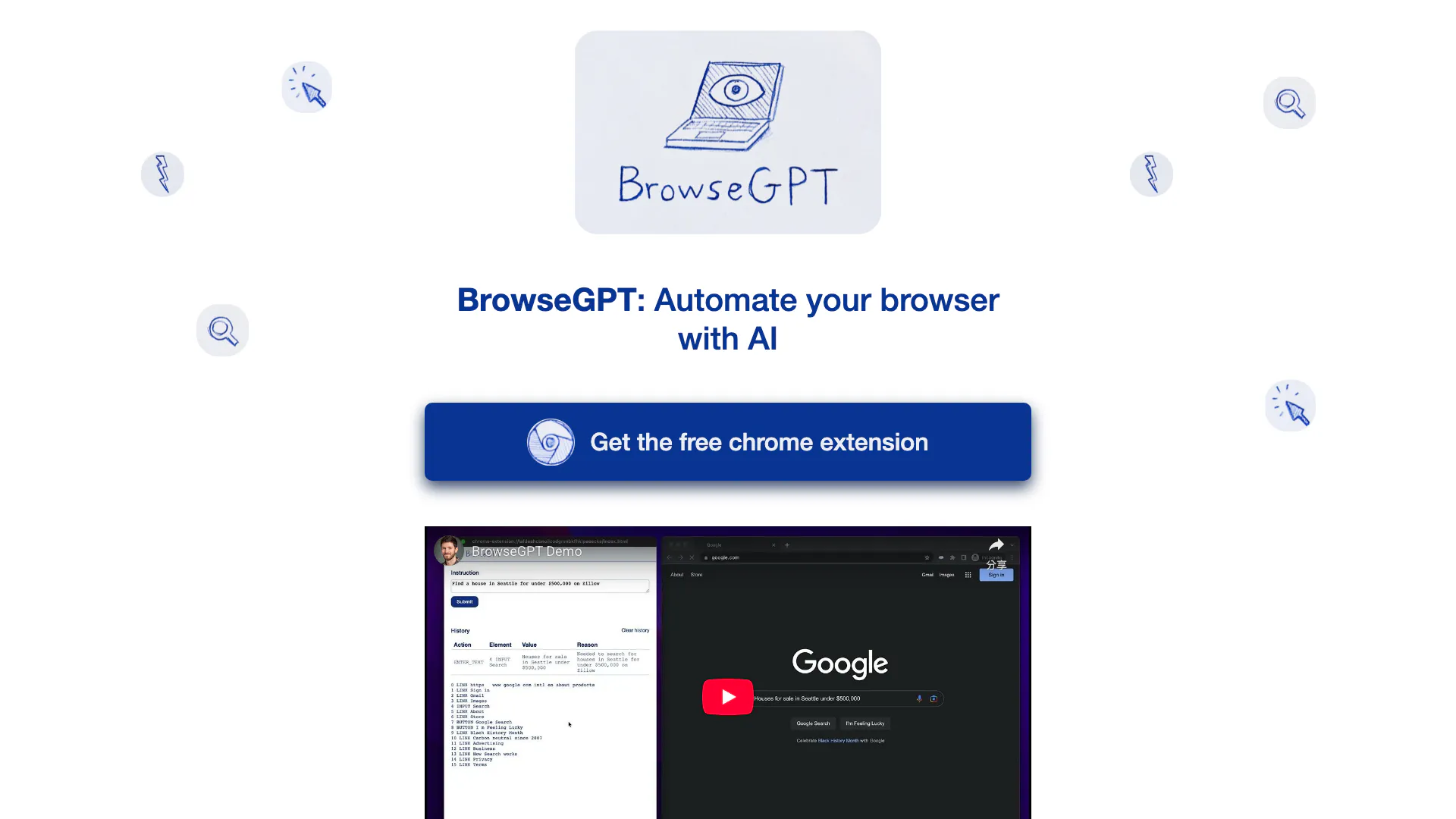
Browsegptai website screenshot showing Automate web browsing tasks with AI assi... interface and features
Use tool
Update this tool
Notion logo

Notion

Notion is an AI-powered workspace that automates tasks and enhances team collaboration.

Deepl logo

Deepl

Translate texts & full document files instantly. Accurate translations for individuals and Teams. Millions translate with DeepL every day.

Microsoft logo

Microsoft

Easily create and edit high-quality videos with Clipchamp.

Buzz Mail logo

Buzz Mail

Buzz Mail - Google Workspace Marketplace

Gemini logo

Gemini

Discover Gemini, Google's versatile AI assistant for writing and planning.

Browsegptai Overview

What is BrowseGPTAI?

BrowseGPTAI is an innovative browser automation tool that leverages artificial intelligence to perform tasks on web pages. By utilizing OpenAI's GPT-3 model, BrowseGPTAI can interpret user commands and execute actions such as clicking buttons, entering text, and navigating through websites. This tool aims to simplify online tasks by allowing users to instruct the AI with phrases like 'Find a place to stay in Seattle on February 22nd' or 'buy a children's book on Amazon'. While it offers an exciting glimpse into the potential of AI-driven browsing, users should be aware that it is still experimental and may encounter errors or missteps during operation.


How to use BrowseGPTAI?

  1. Install the BrowseGPTAI Chrome extension from the Chrome Web Store.
  2. Open your web browser and navigate to the page where you want to perform a task.
  3. Activate the extension and input your command, such as 'Find a hotel in New York' or 'Purchase a book from Amazon'.
  4. Monitor the AI's actions as it attempts to execute the task, providing feedback if necessary to correct its course.

What are the main features of BrowseGPTAI?

  • AI-driven web browsing automation using OpenAI's GPT-3 model.
  • Ability to perform various tasks like clicking, entering text, and navigating.
  • Provides explanations for its decisions to allow user intervention if needed.
  • Experimental tool that showcases the potential of AI in everyday browsing tasks.

Who is BrowseGPTAI for?

BrowseGPTAI is designed for users who want to streamline their online activities through automation. It is particularly beneficial for individuals who frequently perform repetitive tasks online, such as booking travel, shopping, or searching for information. However, it is essential for users to exercise caution, as the tool is experimental and may not always function flawlessly.


What are the use cases of BrowseGPTAI?

  1. Finding accommodations for travel by instructing the AI to search for hotels or rentals.
  2. Purchasing items online by directing the AI to navigate e-commerce websites.
  3. Conducting research by asking the AI to gather information from various sources on the internet.

Product Images

BrowseGPTAI Chrome extension usage interface
BrowseGPTAI product overview
1 / 2

Browsegptai Pros and Cons

Pros

  • AI-Powered Automation: BrowseGPT utilizes AI to automate browser tasks, allowing users to give simple instructions for complex actions.
  • User-Friendly Interaction: Users can interact with the AI by providing straightforward commands, making it accessible for non-technical users.
  • Decision Transparency: The tool explains its decision-making process, enabling users to understand and correct its actions when necessary.

Cons

No cons data detected for this tool

Analytics of Browsegptai

Browsegptai Website Traffic Analysis

Visits Over Time

Nov 2025 - Dec 2025 All Traffic
--
AI Tools Rank
58
Monthly Visits
50.59%
Bounce Rate
1.01
Pages Per Visit
0:00
Visit Duration
--
Global Rank
--
Country Rank

Traffic Sources

Nov 2025 - Dec 2025 Worldwide Desktop Only

  • Search: 100.00%

Top Regions

Nov 2025 - Dec 2025 Desktop Only
RegionPercentage
🇫🇷
France
100.00%
  1. France: 100.00%

Top Keywords

KeywordVolumeCPCEstimated Value
ai browser32.48K$1.02$0.00
browse ai23.03K$1.22$0.00
browser ai3.85K$1.85$0.00
ai automation browser70$0.00$10.00
browse gpt40$0.00$40.00

Browsegptai Compare

Tool NameIntroductionPricing
Type
RatingLaunch DateLearn more
Tutorai logo
Tutorai
Tutor AI - Your personal AI tutor to learn anything
Free
🙋‍♂️Personal💼Work
September 23, 2007
Get deal
Rewind Ai logo
Rewind Ai
Rewind
Free
🙋‍♂️Personal💼Work
February 2, 2018
Get deal
Free Blocks logo
Free Blocks
Free Calendar Sharing | Free Blocks
Free
💼Work
September 2, 2022
Get deal

Info current as of post date. Offers and availability may vary by location and are subject to change.

Browsegptai Q&A

Sort of... sometimes it will get stuck in a loop, click on the wrong thing, or navigate to a URL that 404s. It provides a reason for every decision it makes so you can help it correct course if necessary.

Browsegptai Launch embeds

Use website badges to drive support from your community for your TopAITools Review. They're easy to embed on your homepage or footer.

FEATURED ONTopaitoolsreview.com

Browsegptai Alternatives

Deepseek screenshot

Deepseek

DeepSeek focuses on pioneering general AI technologies and models.

Website
Free
💼Work🎨Creativity
OtherLarge Language Models (LLMs)AI Development ToolsAi Model Fine Tuning Tools
  • Other
  • Large Language Models (LLMs)
  • AI Development Tools
  • Ai Model Fine Tuning Tools
Use tool
328.9M
Direct72.66%
Search24.59%
Referrals2.09%
Deepseek V4 screenshot

Deepseek V4

Explore cutting-edge AI models with Deepseek.

Website
Free
💼Work🎨Creativity
Developer ToolsAI Development ToolsAi Model Fine Tuning ToolsAI Cloud Computing Platforms
  • Developer Tools
  • AI Development Tools
  • Ai Model Fine Tuning Tools
  • AI Cloud Computing Platforms
Use tool
298.3M
Direct72.09%
Search25.36%
Referrals1.91%
Openai Codex screenshot

Openai Codex

OpenAI Codex enhances coding efficiency with AI-driven task support.

Website
Free
💼Work🎨Creativity
Developer ToolsAI Coding AssistantsAI Development ToolsAI Prompt Engineering Tools
  • Developer Tools
  • AI Coding Assistants
  • AI Development Tools
  • AI Prompt Engineering Tools
Use tool
225.0M
Search52.42%
Direct37.63%
Referrals9.11%

Browsegptai Tags

AI Browser AutomationWeb NavigationTask AutomationOpenAI IntegrationExperimental Tool

Also used for

AI Coding Assistants139AI Development Tools423AI Code Context Tools22Chrome Extension Development Tools5JSON Visualization Tools3AI Web Interaction Tools10SQL AI Tools9AI SEO Content Generator9Startup AI Assistant14AI Store Management3Ai Model Fine Tuning Tools37Low Code Ai Development Platforms110AI Training Resource Management6Test Management Tools22Quality Assurance Tools58AI Personalization Tools6Capacitor App Development Tools6App Analytics and Monitoring Tools28
Browsegptai logo
BrowsegptaiFree
Get deal

Browsegptai Comments (0)

Your rating

?
0/2000

No comments yet

Be the first to share your thoughts!

Browsegptai Prompts (0)

Prompts And Results

Add your own prompts and outputs to help others understand how to use this AI.

🚀0
🚀0