

Bubbleapps
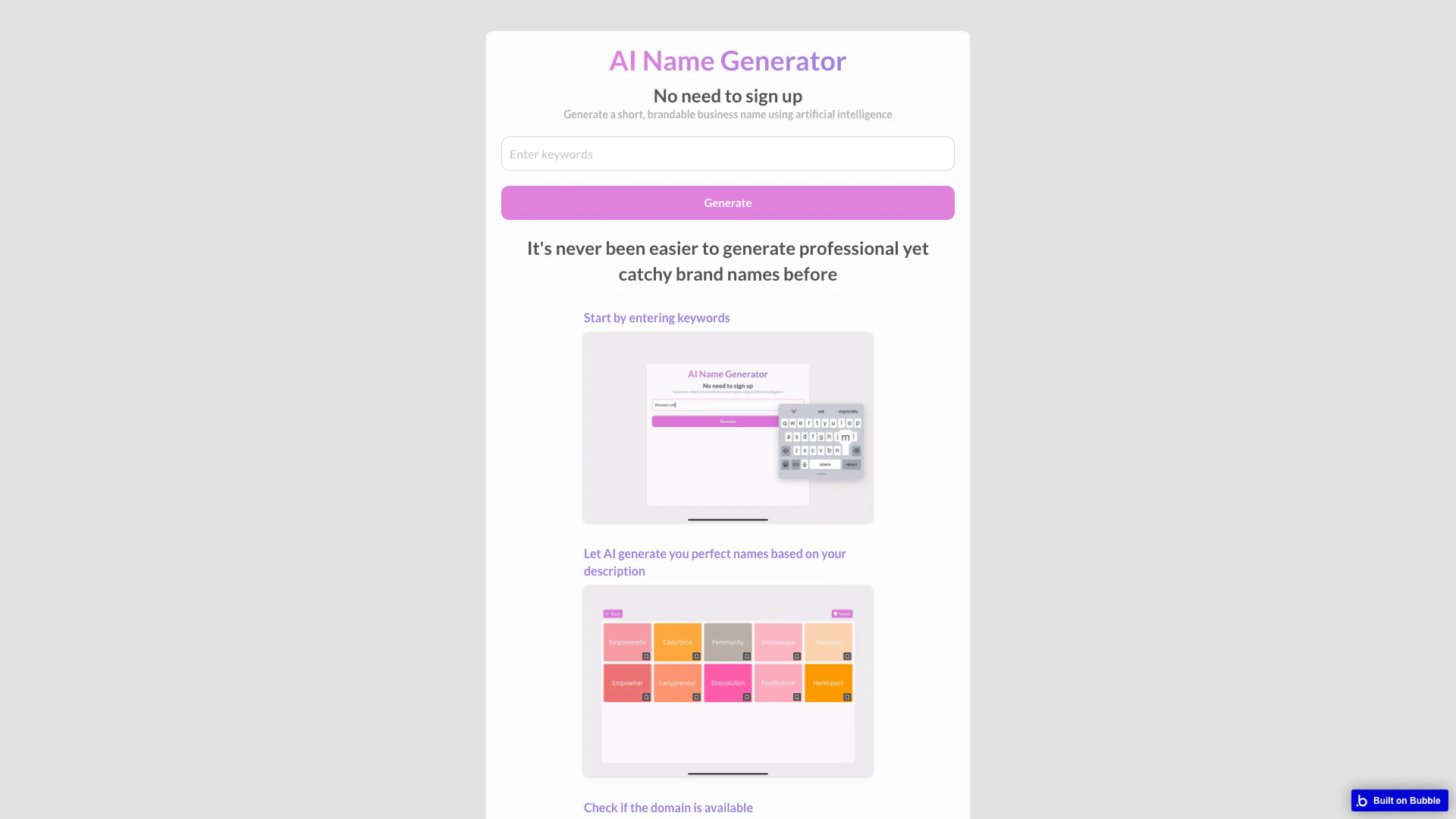


What is Bubbleapps?
Bubbleapps is a revolutionary platform designed for building web application[6]s without the need for traditional coding. It utilizes a point-and-click[1] programming approach, allowing users to create complex applications through an intuitive interface. All applications developed on Bubbleapps are hosted on its cloud platform, ensuring seamless access and management. This tool empowers entrepreneurs and developers to bring their ideas to life quickly and efficiently, democratizing the app development process.
How to use Bubbleapps?
- Visit the Bubbleapps website and navigate to the application builder.
- Start by selecting a template or creating a new project from scratch.
- Use the point-and-click interface to add elements, set up workflows, and design your application.
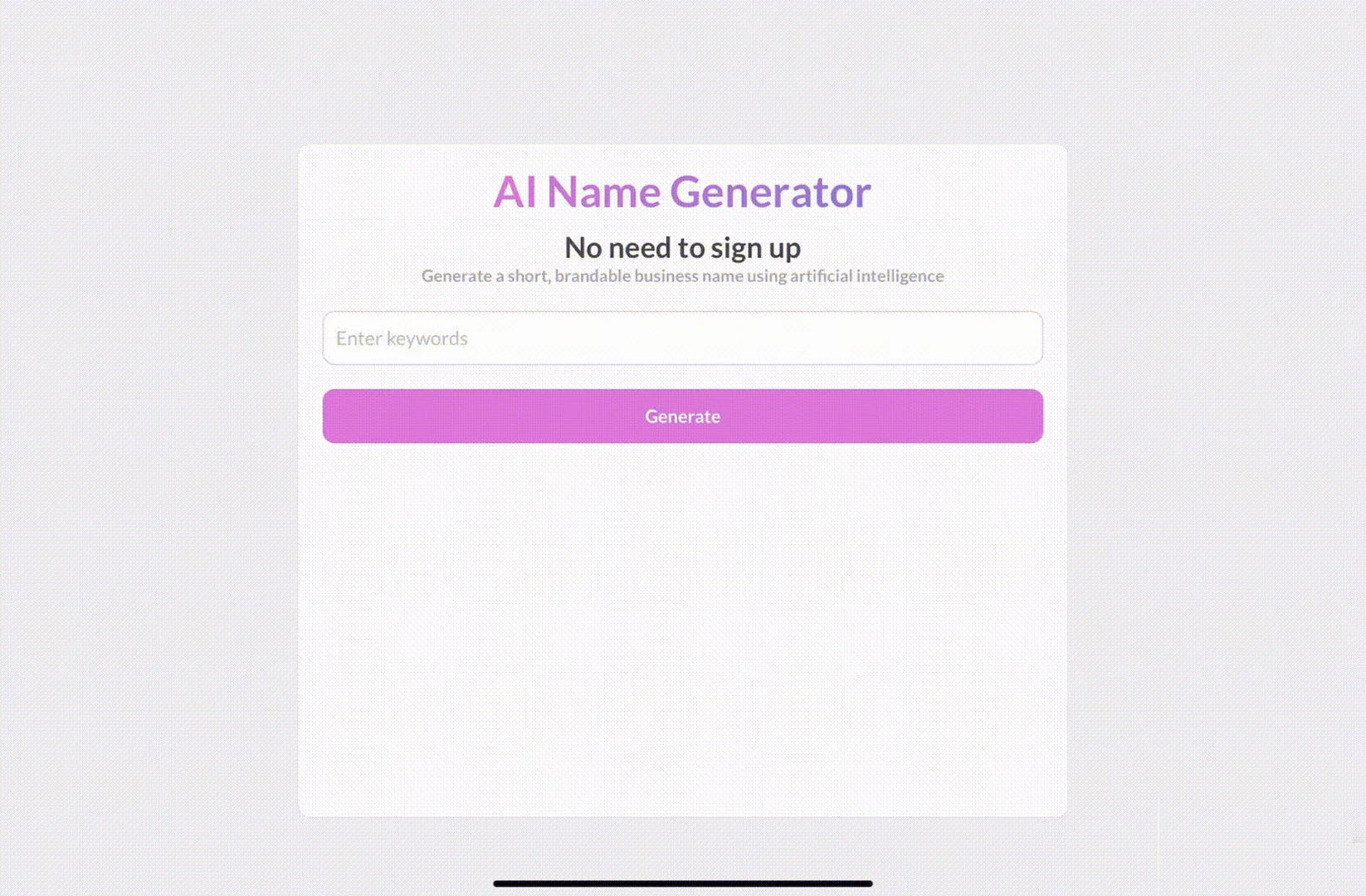
- Customize your application by entering keywords and descriptions to generate names or features.
- Preview your application to see how it looks and functions.
- Once satisfied, deploy your application directly on the Bubble cloud platform.
What are the main features of Bubbleapps?
- Point-and-Click Interface: Easily build applications without writing code, making it accessible to non-developers.
- Cloud Hosting[2]: All applications are hosted on Bubble's secure cloud platform, ensuring reliability and performance.
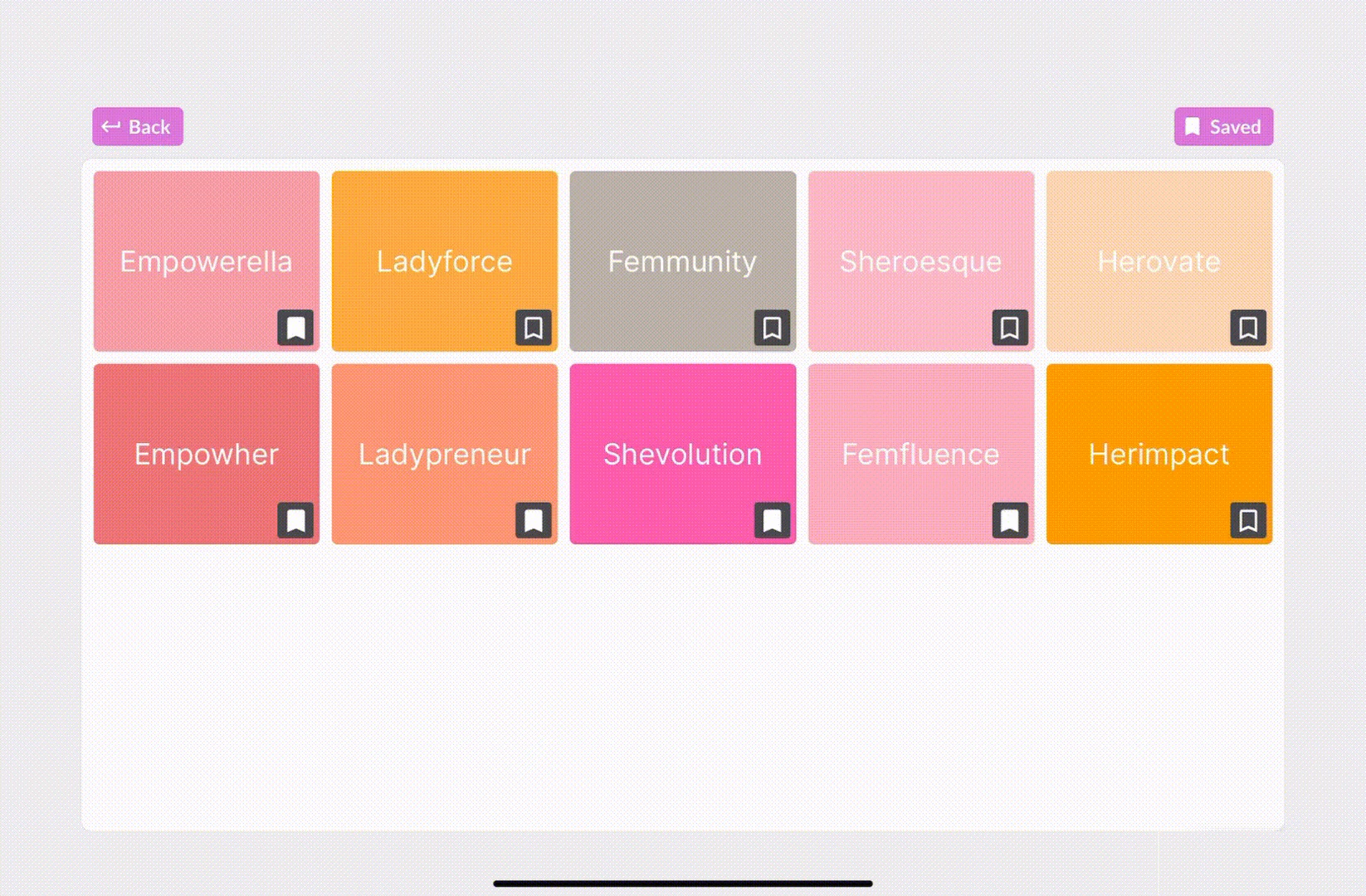
- AI Integration[3]: Utilize AI tools to generate names and feedback for your application, enhancing creativity and efficiency.
- Customizable Templates[4]: Choose from various templates to kickstart your application development process.
- Real-Time Feedback[5]: Get live updates and feedback on your application as you build, allowing for iterative improvements.
Who is Bubbleapps for?
Bubbleapps is tailored for entrepreneurs, small business owners, and aspiring developers who want to create web applications without the complexities of traditional programming. It is ideal for those looking to quickly prototype ideas, launch startups, or develop internal tools without significant investment in development resources. Additionally, marketers and creatives can benefit from its AI name generation feature to craft catchy and brandable business names.
What are the use cases of Bubbleapps?
- Startup Prototyping[7]: Quickly build and test web application ideas to gather user feedback before full-scale development.
- Business Name Generation: Use the AI-powered name generator to create unique and memorable brand names for new ventures.
- Internal Tools Development: Create custom applications for team collaboration, project management, or data tracking without relying on IT resources.
- Educational Projects: Educators can use Bubbleapps to develop learning management systems or interactive educational tools.
Product Images

Bubbleapps Pros and Cons
Pros
- No Signup Required: Users can generate business names without the need for an account, making it quick and easy to start.
- AI-Powered Name Generation: The tool uses artificial intelligence to create catchy and professional brand names based on user-provided keywords.
- Domain Availability Check: Users receive live feedback on domain availability for the generated names, helping them make informed decisions.
Cons
No cons data detected for this tool
Bubbleapps Compare
| Tool Name | Introduction | Pricing | Type | Rating | Launch Date | Learn more |
|---|---|---|---|---|---|---|
Here, Let Me GPT That For You! Teach People How to GPT | Free | December 5, 2022 | Get deal | |||
Paraphrasing Tool (Ad-Free and No Sign-up Required) - QuillBot AI | Free | December 31, 1984 | Get deal | |||
Explore Prompt Vibes to create unique prompts with our ChatGPT Prompt generator. Discover a collection of the best prompts designed for various uses. | Free | February 25, 2023 | Get deal |

Info current as of post date. Offers and availability may vary by location and are subject to change.
Bubbleapps Alternatives

DeepSeek focuses on pioneering general AI technologies and models.
- Other
- Large Language Models (LLMs)
- AI Development Tools
- Ai Model Fine Tuning Tools

Explore cutting-edge AI models with Deepseek.
- Developer Tools
- AI Development Tools
- Ai Model Fine Tuning Tools
- AI Cloud Computing Platforms

OpenAI Codex enhances coding efficiency with AI-driven task support.
- Developer Tools
- AI Coding Assistants
- AI Development Tools
- AI Prompt Engineering Tools