

Capcut






What is CapCut?
CapCut is an innovative online creative suite that combines advanced video editing[1], graphic design[2], and AI-powered tools[3] to streamline content creation. This platform caters to both individual creators and teams, providing a comprehensive set of features that enhance collaboration and creativity. With its user-friendly interface, CapCut allows users to produce high-quality videos and graphics, making it an essential tool for content creators across various platforms.
How to use CapCut?
- Sign up for a free account on the CapCut website.
- Choose between video editing or graphic design tools from the creative suite.
- Upload your media files or select from built-in templates to start your project.
- Utilize the editing tools to trim, crop, and enhance your videos or images.
- Add text, sound effects, and transitions to create engaging content.
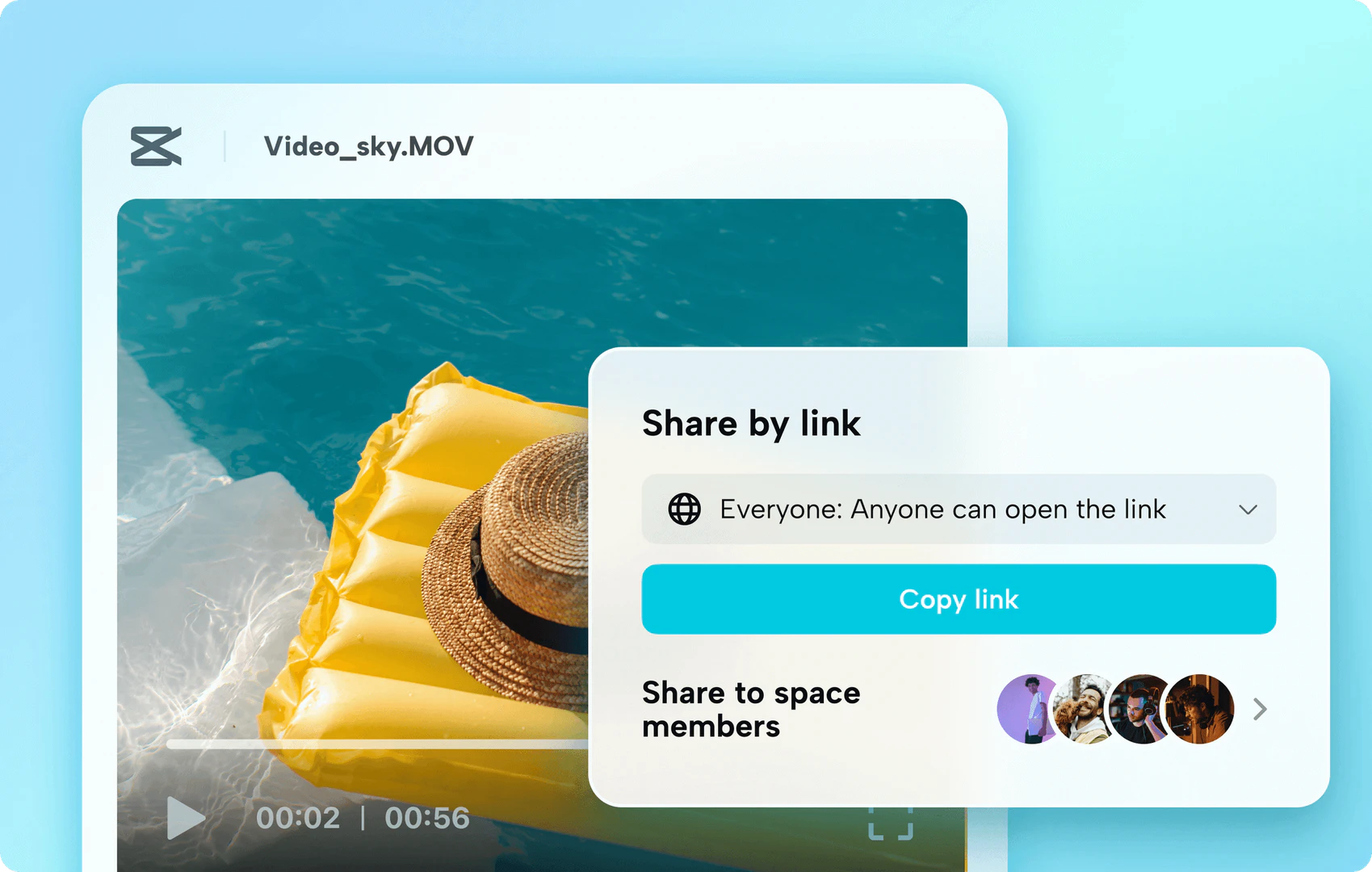
- Collaborate with team members by sharing your projects and receiving feedback.
- Export your final product in various formats suitable for different platforms.
What are the main features of CapCut?
- Comprehensive video editing tools including trimming, cropping, and stabilization.
- Graphic design capabilities with customizable templates and stickers.
- AI-powered features such as video background removal[5], voice generation[6], and dubbing.
- Team collaboration[4] tools for sharing projects and receiving feedback.
- A rich library of sound effects, music, and video transitions.
Who is CapCut for?
CapCut is designed for a diverse audience, including content creators, social media managers, educators, and businesses. It caters to individuals looking to produce engaging videos for platforms like TikTok and YouTube, as well as teams collaborating on marketing materials and presentations. With its user-friendly interface and powerful features, CapCut is suitable for both beginners and experienced professionals in the creative field.
What are the use cases of CapCut?
- Creating engaging social media videos for platforms like TikTok and Instagram.
- Producing educational content and tutorials for YouTube.
- Designing promotional materials and advertisements for businesses.
Product Images




Capcut Pros and Cons
Pros
- Comprehensive Creative Suite: CapCut offers a complete package for video editing and graphic design, integrating smart AI tools for enhanced creativity.
- User-Friendly Interface: The intuitive interface allows users of all skill levels to easily navigate and utilize the editing features, making video creation accessible.
- Advanced AI Features: CapCut includes AI-powered tools such as automatic caption generation and background removal, streamlining the editing process.
- Team Collaboration Tools: The platform supports team collaboration, enabling multiple users to work on projects simultaneously, enhancing productivity.
Cons
No cons data detected for this tool
Capcut Pricing
Free Plan
Access to basic video editing features, including auto captions, music and sound effects, and editing with multiple tracks.
For the latest pricing, please visit this link: https://www.capcut.com/creative-suite
Prices are subject to change. Please visit the official website for the most up-to-date pricing information.
Analytics of Capcut
Capcut Website Traffic Analysis
Visits Over Time
Traffic Sources
Nov 2025 - Jan 2026 Worldwide Desktop Only
- Direct: 52.20%
- Search: 43.42%
- Referrals: 2.25%
- Social: 1.61%
- Paid Referrals: 0.50%
- Mail: 0.01%
Top Regions
| Region | Percentage |
|---|---|
🇺🇸 United States | 12.89% |
🇧🇷 Brazil | 11.31% |
🇮🇩 Indonesia | 9.00% |
🇻🇳 Vietnam | 5.73% |
🇮🇳 India | 3.68% |
- United States: 12.89%
- Brazil: 11.31%
- Indonesia: 9.00%
- Vietnam: 5.73%
- India: 3.68%
Top Keywords
| Keyword | Volume | CPC | Estimated Value |
|---|---|---|---|
| capcut | 6.35M | $0.31 | $1000000.00 |
| cap cut | 358.14K | $0.30 | $614870.00 |
| dreamina | 337.44K | $0.32 | $541510.00 |
| capcut download | 289.72K | $0.33 | $367960.00 |
| dreamina ai | 262.52K | $0.30 | $416170.00 |
Capcut Reviews
I think it's very easy to use. As emm, it's very straightforward. CapCut has been a game-changer for me. Its intuitive interface and powerful features make video editing a breeze. It has saved me so much time and improved the quality of my videos.
Its simplicity combined with advanced features like text animations and color grading give my vlogs a professional touch. Highly recommended!
Easy to use. Yeah, like incredibly easy. CapCut Online has become my go-to tool for creating engaging social media content. Its wide range of templates let me experiment and create unique videos that resonate with our audience. It has truly elevated our brand's online presence.
For more reviews, visit this link: https://www.capcut.com/#reviews
Capcut Compare
| Tool Name | Introduction | Pricing | Type | Rating | Launch Date | Learn more |
|---|---|---|---|---|---|---|
Rewind | Free | February 2, 2018 | Get deal | |||
Tutor AI - Your personal AI tutor to learn anything | Free | September 23, 2007 | Get deal | |||
2Mn+ readymade ChatGPT prompt ideas built by prompt engineers, using insights from eCommerce experts - that really work! | Free | February 6, 2023 | Get deal |


Info current as of post date. Offers and availability may vary by location and are subject to change.
Capcut Q&A
CapCut is an online creative suite that offers video editing, graphic design, and smart AI-powered tools for team collaboration.
Capcut Alternatives

PixVerse transforms your ideas into stunning AI-generated videos.
- Video & Animation
- AI Video Generator
- AI Text to Video
- AI Video Creation Suite
Animaker is an online AI animation generator and video maker that brings studio quality video content within everyone's reach. Animated Videos, Done Right!
- Video & Animation
- AI Video Editor
- AI Video Generator