

Colourlab
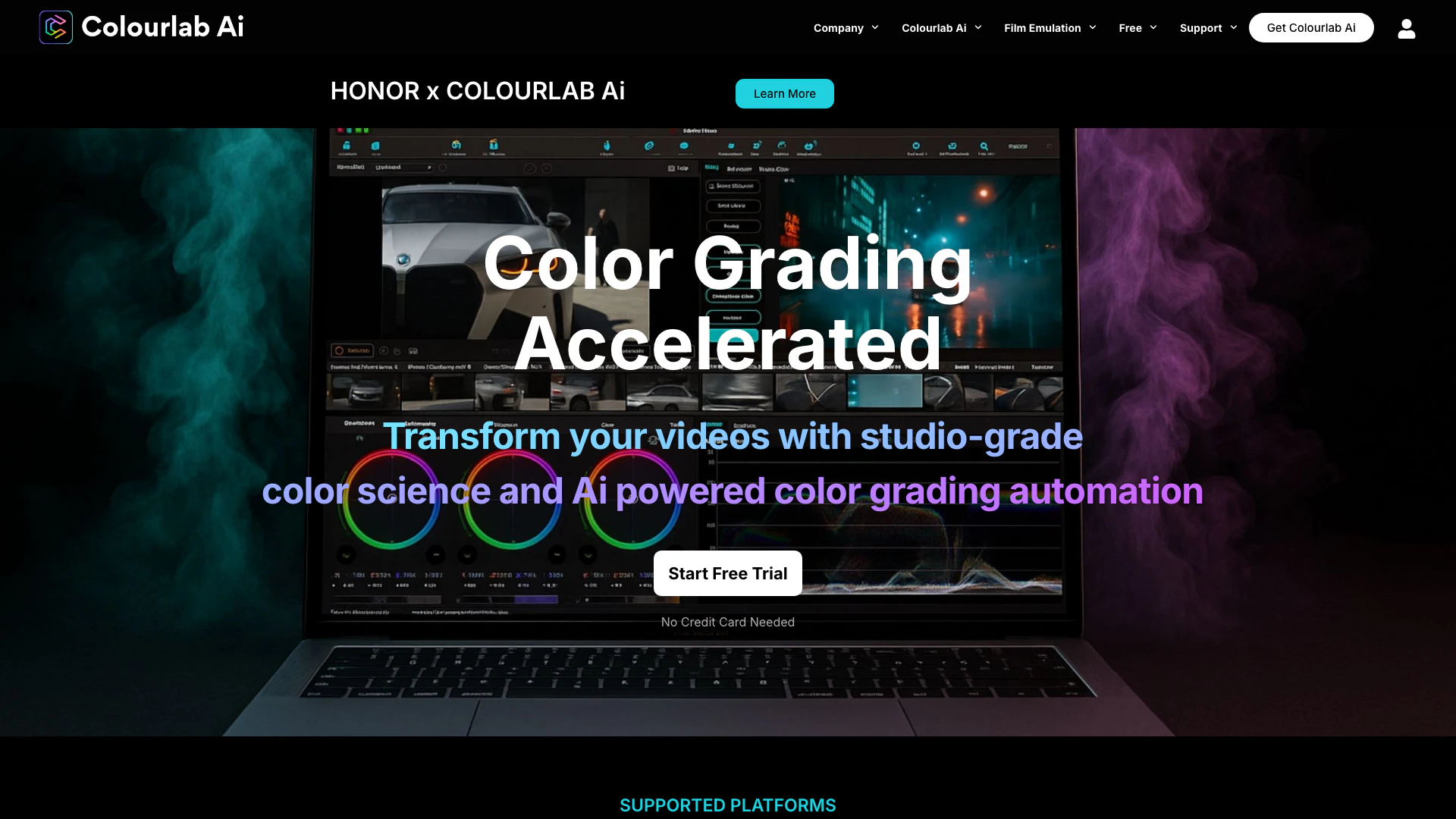





What is Colourlab?
Colourlab is an advanced AI-powered color grading tool designed for filmmakers and video editors. It offers a suite of features that streamline the color grading process, allowing users to achieve professional-quality results quickly and efficiently. With Colourlab, users can automate color management, match shots, and enhance their videos with studio-grade color science. The tool integrates seamlessly with popular editing software like DaVinci Resolve, Adobe Premiere Pro, and Final Cut Pro, making it accessible to a wide range of professionals in the film and video industry.
How to use Colourlab?
- Download and Install: Visit the Colourlab website and choose your preferred version (Creator or Pro). Download and install the application or plugin for your editing software.
- Import Your Media: Open your video project in DaVinci Resolve, Adobe Premiere Pro, or Final Cut Pro. Import the media files you wish to color grade.
- Apply Colourlab: Add Colourlab as a plugin to your project or open the standalone application. Choose your desired grading options and settings.
- Automate Grading: Use features like Auto Balance and Match Sequences to automate color adjustments and match shots across your timeline with a single click.
- Fine-tune: Adjust the grading to your creative preferences, using Colourlab's tools to refine the look of your footage.
- Export: Once satisfied with the color grading, export your project in the desired format.
What are the main features of Colourlab?
- AI-Powered Automation: Automate color grading and matching processes to save time and improve efficiency.
- Real-Time Performance: Achieve 22x faster processing times, running entirely on your device without the need for cloud processing.
- Shot Matching: Automatically match color across sequences to ensure consistency in your projects.
- Advanced White Balance: Utilize precision white balance adjustments that adapt to various lighting conditions.
- Film Emulation: Access film emulation and texture emulation features for authentic cinematic looks.
- Multi-Platform Support: Compatible with DaVinci Resolve, Adobe Premiere Pro, Final Cut Pro, and more.
Who is Colourlab for?
Colourlab is designed for video editors, filmmakers, and colorists who seek to enhance their color grading workflow. It caters to both beginners looking for an intuitive solution and professionals requiring advanced features for high-end finishing and VFX. The tool is ideal for those working in various platforms, including DaVinci Resolve, Adobe Premiere Pro, and Final Cut Pro, making it suitable for a wide range of creative projects.
What are the use cases of Colourlab?
- Film Production: Utilize Colourlab for color grading in independent and studio films, ensuring a professional look throughout the project.
- Commercial Video Editing: Apply Colourlab in corporate videos and advertisements to achieve vibrant and engaging visuals that attract viewers.
- YouTube Content Creation: Use Colourlab to enhance the quality of YouTube videos, allowing creators to maintain a consistent aesthetic and improve viewer engagement.
Colourlab Pros and Cons
Pros
- Unique Film Grain Emulation: Grainlab is the only plugin built on a state-of-the-art Boolean model of physical reality, providing true cinematic authenticity.
- Real-Time Performance: It is accelerated for real-time 4K performance, which enhances its usability in professional environments.
- Affordable Pricing: Grainlab offers a perpetual license at $200, which is significantly cheaper compared to other plugins that can cost thousands.
Cons
No cons data detected for this tool
Colourlab Pricing
Pro
For high-end finishing and VFX. Everything in Creator, plus advanced integration with DaVinci Resolve, Foundry Nuke, Baselight, Autodesk Flame. Ideal for colorists and post professionals needing full look creation tools. Includes LookDesigner & GrainLab plugins.
For the latest pricing, please visit this link: https://colourlab.ai/free-trial-options/
Prices are subject to change. Please visit the official website for the most up-to-date pricing information.
Analytics of Colourlab
Colourlab Website Traffic Analysis
Visits Over Time
Traffic Sources
Oct 2025 - Dec 2025 Worldwide Desktop Only
- Search: 41.94%
- Direct: 40.66%
- Referrals: 12.14%
- Social: 4.28%
- Paid Referrals: 0.85%
- Mail: 0.13%
Top Keywords
| Keyword | Volume | CPC | Estimated Value |
|---|---|---|---|
| colourlab ai | 1.95K | $1.28 | $1030.00 |
| colourlab | 780 | $0.38 | $460.00 |
| colorlab ai | 720 | $0.91 | $270.00 |
| davinci look designer | 190 | $0.00 | $180.00 |
| colourlab ai premiere pro | 180 | $0.00 | $170.00 |
Colourlab Compare
| Tool Name | Introduction | Pricing | Type | Rating | Launch Date | Learn more |
|---|---|---|---|---|---|---|
 | Social Media Monitoring South Africa | Zimbabwe | Botswana | Namibia | Dark Pools Gov AI - #1 African Social Intelligence Platform | Free | 💼Work | June 14, 2022 | Get deal | |
 | Optimize your website's SEO effortlessly with Semflow. | Free | 💼Work🎨Creativity | August 6, 2004 | Get deal | |
 | Enhance your IELTS writing with detailed feedback. | Free Trial | 💼Work🎨Creativity | June 18, 2023 | Get deal |
Info current as of post date. Offers and availability may vary by location and are subject to change.
Colourlab Alternatives

Discover Gemini, Google's versatile AI assistant for writing and planning.
- Productivity & Office
- AI Productivity Tools
- AI Business Planning Tools
- AI Prompt Management Tools
Connect with professionals worldwide on LinkedIn.
- Social Media Tools
- AI LinkedIn Headshot Generator
- AI LinkedIn Photo Generator
- AI LinkedIn Conversation Starter Generator