

Cutback
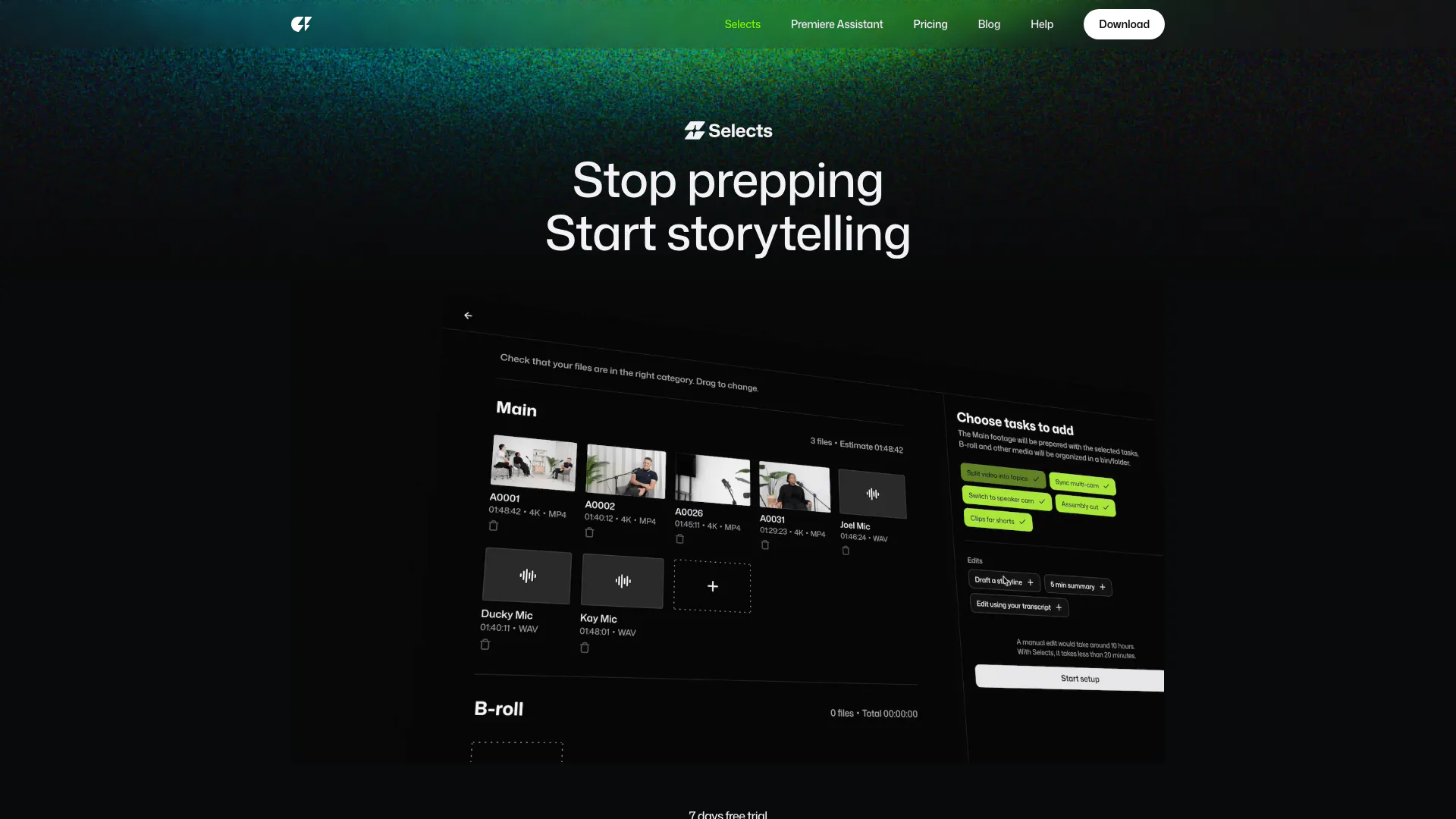





What is Cutback?
Cutback is an innovative video editing tool designed to streamline the initial stages of the editing process, specifically the sorting, organizing, and reviewing of video content. By automating these preliminary tasks, Cutback allows editors to focus more on the creative aspects of video production. It is compatible with popular editing software such as Adobe Premiere Pro, Final Cut Pro, and DaVinci Resolve, making it a versatile choice for video professionals.
How to use Cutback?
- Download and Install: Start by downloading Cutback from the official website and install it on your computer.
- Import Your Media: Open Cutback and import your raw video files by dragging and dropping them into the application.
- Set Project Directions: Choose the type of project you are working on (e.g., podcast, vlog, documentary) and set the specific tasks for Cutback to perform.
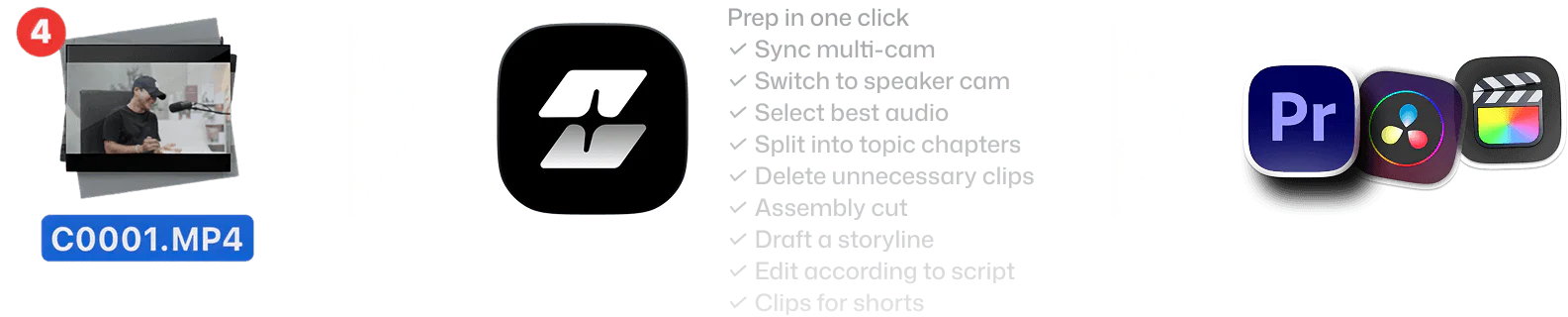
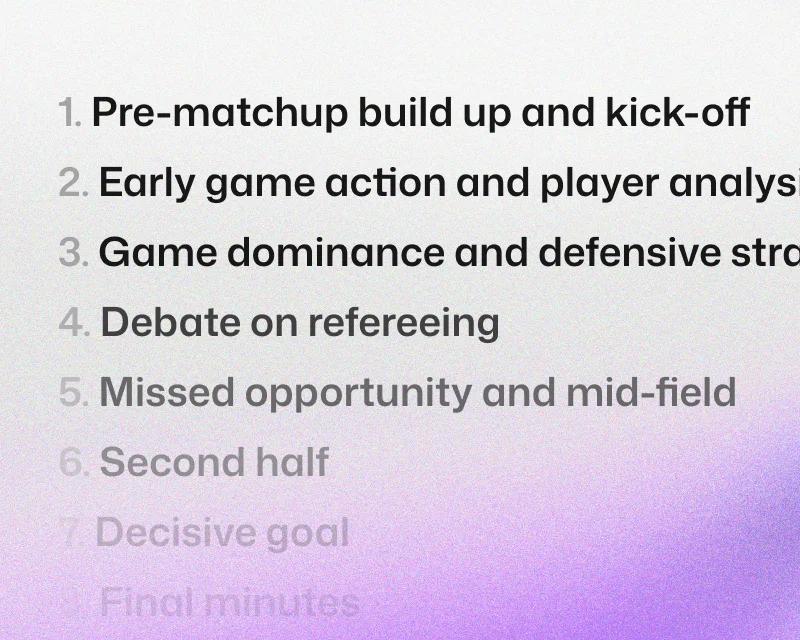
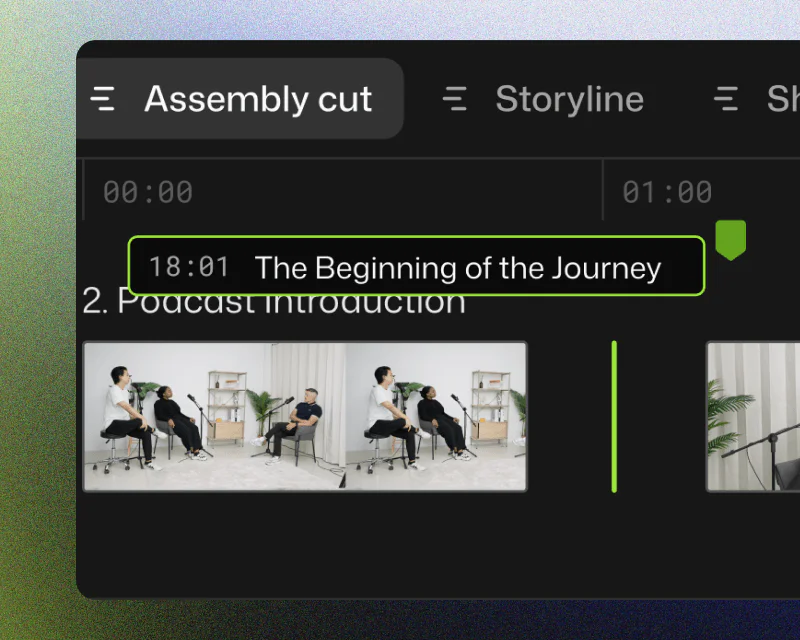
- Automated Prep: Let Cutback automate the preparation phase, including syncing multi-cam footage and organizing clips into chapters based on topics.
- Review and Edit: Use the intuitive interface to review your footage and make quick edits, such as cutting unnecessary parts or rearranging clips.
- Export for NLE: Finally, export your project to your preferred non-linear editing software (NLE) like Adobe Premiere Pro, Final Cut, or DaVinci Resolve for further editing.
What are the main features of Cutback?
- Automated Media Preparation: Cutback streamlines the initial editing process by automating the sorting and organizing of video files.
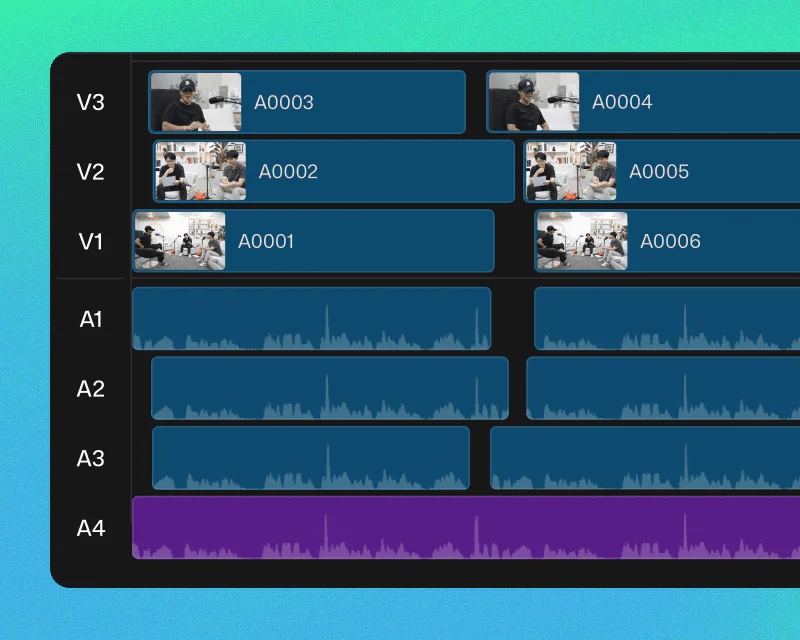
- Multi-Cam Sync: It supports automatic synchronization of multi-cam footage, allowing for seamless switching between camera angles based on speaker activity.
- Smart Chapter Organization: Footage is organized into topic-based chapters, making it easier to review and edit large amounts of content quickly.
- Natural Language Search: Users can find specific moments in their footage using natural language search capabilities, saving time on scrubbing through clips.
- Precision Editing Tools: Cutback offers tools to cut silences, filler words, and mistakes with a single click, enhancing editing efficiency.
- Seamless Integration: Projects can be easily handed off to popular editing software like Adobe Premiere Pro, Final Cut Pro, and DaVinci Resolve.
Who is Cutback for?
Cutback is designed for professional video editors, content creators, and filmmakers who want to enhance their editing workflow. It is particularly beneficial for those working on projects that involve long-form content such as podcasts, interviews, documentaries, and vlogs. With its automation features, Cutback is ideal for users looking to save time on the preparation phase of video editing and focus more on the creative storytelling aspect.
What are the use cases of Cutback?
- YouTube Long-Form Content: Cutback can be used to efficiently prepare and edit lengthy YouTube videos, such as podcasts or interviews, by automatically syncing footage and organizing it into chapters.
- Livestream Highlights: After a live event, Cutback helps create highlight reels by quickly identifying key moments and structuring them into a cohesive video.
- Educational Content: Educators and trainers can utilize Cutback to streamline the editing of instructional videos, making it easier to focus on delivering valuable content.
Product Images


Cutback Pros and Cons
Pros
- Streamlined Editing Process: Selects automates the initial 70% of video editing, allowing users to focus on creativity sooner.
- Multi-Cam Support: Automatically syncs multi-cam files and switches cameras based on speaker, supporting 4K and 360° videos.
- Fast Organization of Footage: Organizes footage into topic-based chapters, enabling quick reviews of hours of content.
Cons
No cons data detected for this tool
Analytics of Cutback
Cutback Website Traffic Analysis
Visits Over Time
Traffic Sources
Oct 2025 - Dec 2025 Worldwide Desktop Only
- Search: 43.52%
- Direct: 40.02%
- Referrals: 9.93%
- Social: 5.46%
- Paid Referrals: 0.89%
- Mail: 0.07%
Top Keywords
| Keyword | Volume | CPC | Estimated Value |
|---|---|---|---|
| 컷백 | 5.17K | $0.00 | $4840.00 |
| cutback | 2.17K | $1.79 | $1160.00 |
| cutback premiere pro | 690 | $0.00 | $380.00 |
| 컷백 자동자막 프레임 불일치 | 150 | $0.00 | $140.00 |
| cutback studio | 140 | $0.00 | $140.00 |
Cutback Reviews
No f***ing way. We've been trying everything for five years. Selects is the only working true multi-cam.
This saves me at least a day. The time spent reviewing for selects, cutting out dead air is totally handled.
For more reviews, visit this link: https://cutback.video/selects#reviews
Cutback Compare
| Tool Name | Introduction | Pricing | Type | Rating | Launch Date | Learn more |
|---|---|---|---|---|---|---|
 | Visual Programming | Bubble | Free | 🎨Creativity | January 4, 2008 | Get deal | |
 | Myreader - Your AI Reading Assistant | Free | 🙋♂️Personal💼Work | March 25, 2023 | Get deal | |
 | Get instant insights into Chinese university admissions. | Free | 💼Work | November 4, 2025 | Get deal |
Info current as of post date. Offers and availability may vary by location and are subject to change.
Cutback Q&A
Selects streamlines the initial 70% of editing work, including sorting, organizing, and reviewing, allowing you to reach the creative stage sooner.
For more FAQs, please visit this link: https://help.cutback.video/
Cutback Alternatives

PixVerse transforms your ideas into stunning AI-generated videos.
- Video & Animation
- AI Video Generator
- AI Text to Video
- AI Video Creation Suite
- Video & Animation
- AI Video Editor
- AI Video Generator
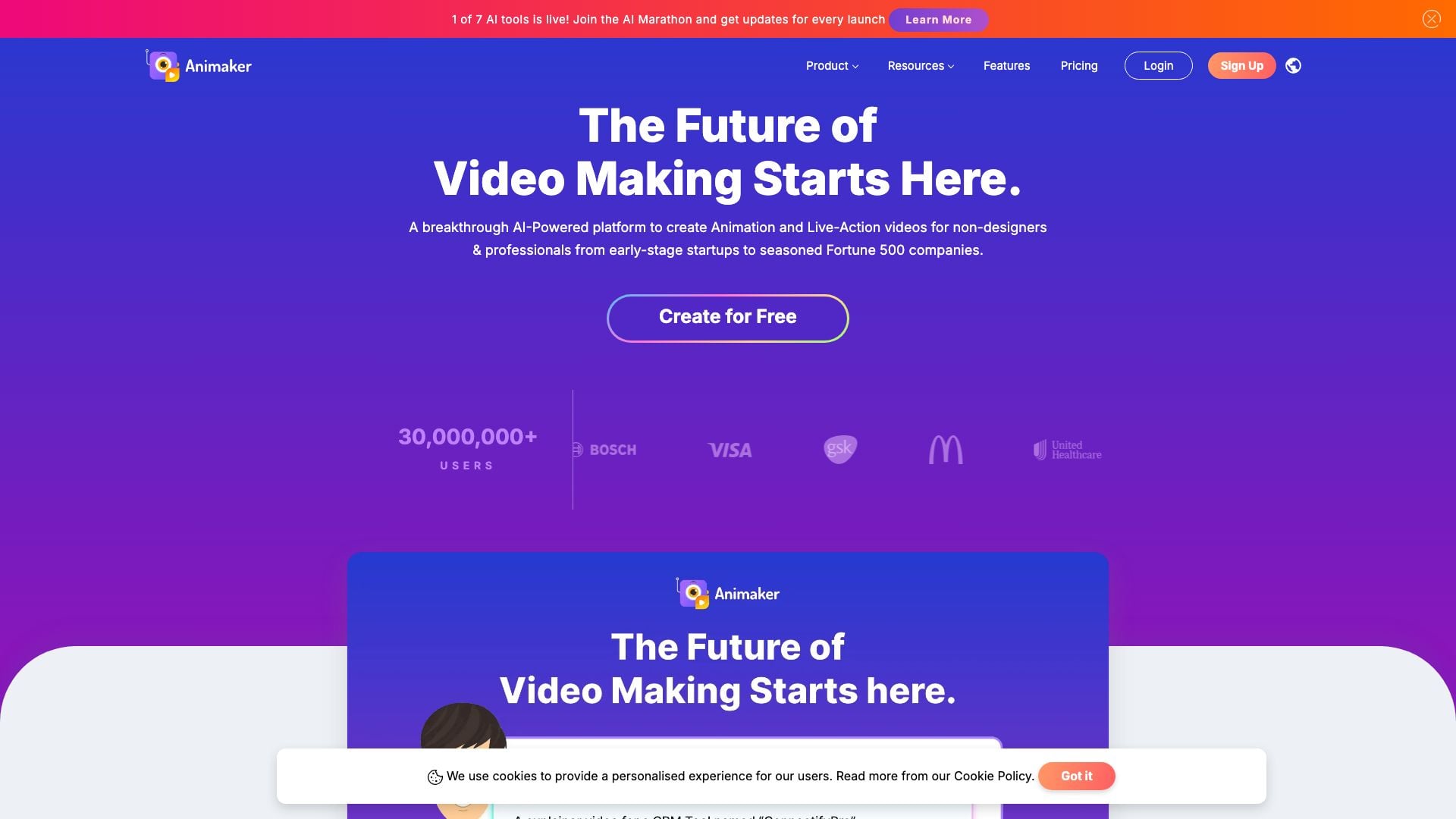
Animaker is an online AI animation generator and video maker that brings studio quality video content within everyone's reach. Animated Videos, Done Right!
- Video & Animation
- AI Video Editor
- AI Video Generator