

Docgpt Ai Writer For Docs






What is DocGPT AI Writer for Docs?
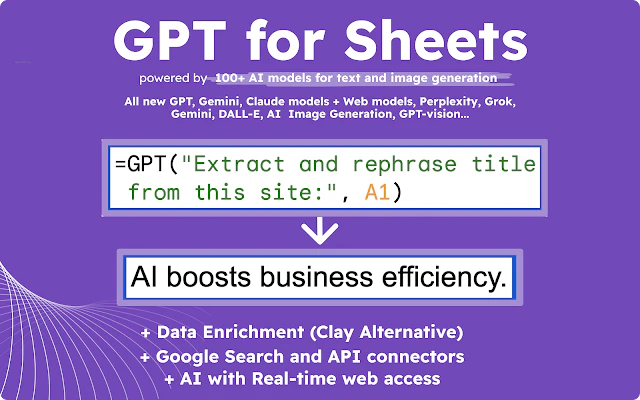
DocGPT AI Writer for Docs is an advanced AI-powered writing assistant that integrates seamlessly with Google Workspace applications, including Google Docs, Sheets, Forms, and Slides. It utilizes various generative AI models, such as ChatGPT, GPT-5, and Claude, to assist users in creating high-quality, error-free content efficiently. This tool is designed for professionals and students alike, offering capabilities such as content generation, summarization, translation, and SEO optimization, making it an invaluable asset for anyone looking to enhance their writing productivity.
How to use DocGPT AI Writer for Docs?
- Install the DocGPT add-on from the Google Workspace Marketplace.
- Open Google Docs or Sheets where you want to use the tool.
- Navigate to Extensions -> GPT for Sheets, Docs, Slides, Forms -> 🚀 Launch.
- Follow the prompts to input your content requirements or select functions for writing, translating, or summarizing.
What are the main features of DocGPT AI Writer for Docs?
- AI-Powered Content Generation: Generate articles, essays, and reports using advanced AI models.
- SEO Optimization: Automatically optimize content for search engines by suggesting keywords and metadata.
- Multi-Language Support: Translate text into multiple languages with ease.
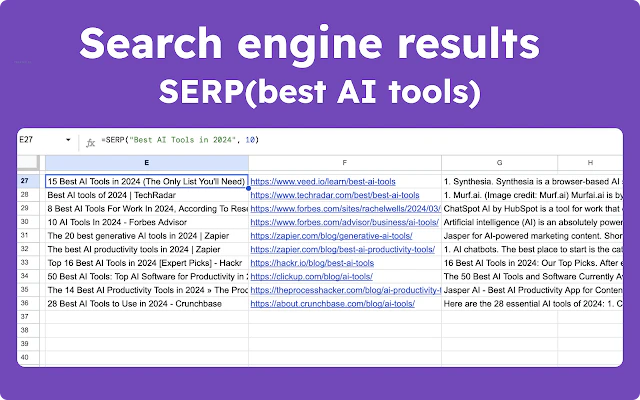
- Real-Time Web Access: Utilize web tools for real-time information and data scraping.
- Image Generation: Create images in bulk using DALL-E and other integrated models.
- Data Management: Efficiently manage and clean up product catalogs and lists.
Who is DocGPT AI Writer for Docs for?
DocGPT AI Writer for Docs is designed for a diverse audience, including busy professionals who need to produce high-quality content quickly, students looking for assistance in writing assignments, and digital marketers aiming to enhance their SEO strategies. It is also suitable for content creators who require tools for generating engaging scripts for platforms like YouTube and TikTok. Essentially, anyone who works with written content in Google Workspace can benefit from this powerful AI tool.
What are the use cases of DocGPT AI Writer for Docs?
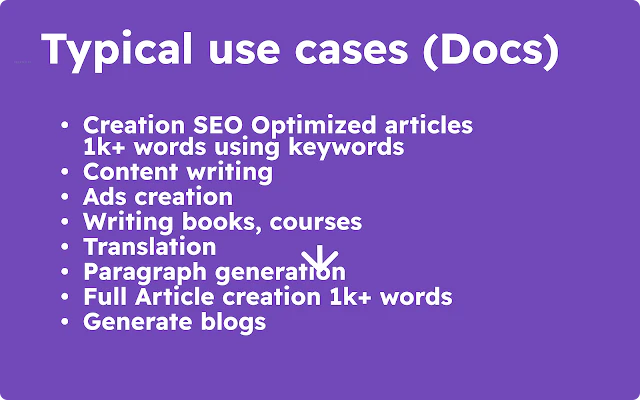
- Generating Blog Post Ideas: Use the tool to brainstorm and create outlines for blog posts.
- Content Translation: Translate documents or sheets into different languages for global reach.
- SEO Content Creation: Craft SEO-optimized articles that improve search engine rankings.
Product Images

Docgpt Ai Writer For Docs Pros and Cons
Pros
- Integration with Multiple AI Models: DocGPT supports various AI models including GPT-5, GPT-4, Gemini, and Claude, allowing users to choose the best model for their needs.
- High Performance with Bulk Processing: The tool can run up to 360 prompts per minute and handle up to 300,000 rows in a single bulk run, making it efficient for large datasets.
- User-Friendly Integration with Google Services: DocGPT is fully integrated with Google Docs and Sheets, making it easy to use for anyone with a Google account.
- Cost-Effective with Free Features: The tool is free of charge with paid features, providing a good balance between cost and functionality.
Cons
- Variable Latency: Response time can vary based on the complexity of the task and the model selected, which may affect real-time applications.
- Context Sensitivity Limitations: The models do not inherently understand context across multiple cells or rows, leading to potentially inconsistent results.
- Potential High Costs for Extensive Use: Using AI models can incur costs, especially for large-scale tasks, which may require careful budget management.
Analytics of Docgpt Ai Writer For Docs
Docgpt Ai Writer For Docs Website Traffic Analysis
Visits Over Time
Traffic Sources
Oct 2025 - Dec 2025 Worldwide Desktop Only
- Search: 43.43%
- Direct: 40.86%
- Referrals: 14.11%
- Social: 0.79%
- Paid Referrals: 0.56%
- Mail: 0.26%
Top Regions
| Region | Percentage |
|---|---|
🇺🇸 United States | 31.17% |
🇫🇷 France | 5.83% |
🇧🇷 Brazil | 3.96% |
🇪🇸 Spain | 3.85% |
🇯🇵 Japan | 3.78% |
- United States: 31.17%
- France: 5.83%
- Brazil: 3.96%
- Spain: 3.85%
- Japan: 3.78%
Docgpt Ai Writer For Docs Compare


Info current as of post date. Offers and availability may vary by location and are subject to change.
Docgpt Ai Writer For Docs Q&A
Use a personal Google account, create a new browser profile if using multiple Google accounts, or ask the admin of your workspace account to allow the add-on.
Docgpt Ai Writer For Docs Alternatives

Discover Gemini, Google's versatile AI assistant for writing and planning.
- Productivity & Office
- AI Productivity Tools
- AI Business Planning Tools
- AI Prompt Management Tools

Connect with professionals worldwide on LinkedIn.
- Social Media Tools
- AI LinkedIn Headshot Generator
- AI LinkedIn Photo Generator
- AI LinkedIn Conversation Starter Generator

Gemini is Google’s AI assistant for writing and brainstorming.
- Writing & Editing
- AI Writing Assistants
- AI Chatbot
- AI Creativity and Productivity Enhancer
Docgpt Ai Writer For Docs Social Listening
How to Use AI to Write Your Re...
Your undetectable AI writer Sc...
Write a research paper with AI...
Learn how to publish 3+ papers...
How to Use the New AI Features...
In this short tutorial, I show...
Unlock to view 14 social media results.