

Docsgpt



What is DocsGPT?
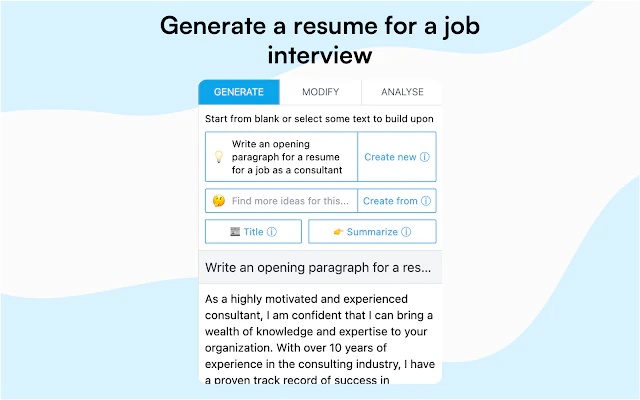
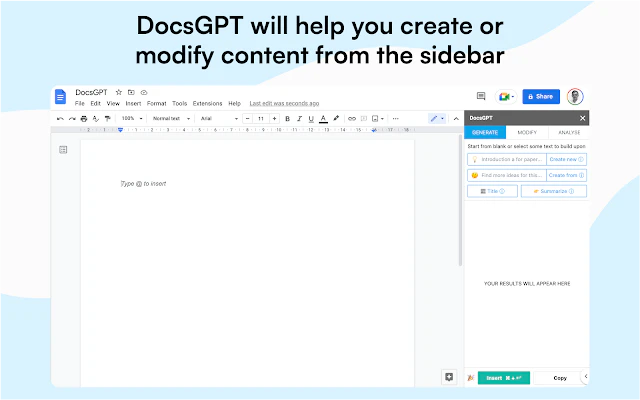
DocsGPT is an innovative AI tool designed for Google Docs that enhances content creation and editing. By utilizing advanced GPT technology, it allows users to generate new content or modify existing text directly within Google Docs. With the ability to create text from scratch, change text tone, proofread, and translate, DocsGPT streamlines the writing process, making it easier for users to produce high-quality documents effortlessly.
How to use DocsGPT?
- Install DocsGPT from the Google Workspace Marketplace.
- Open Google Docs and create a new document or open an existing one.
- Select the text you want to modify or place your cursor where you want to generate new content.
- Use the DocsGPT features to write, change tone, proofread, or translate your text by clicking the respective options.
What are the main features of DocsGPT?
- Generate new content from scratch (e.g., writing blog posts).
- Modify existing text based on user prompts (e.g., creating headings).
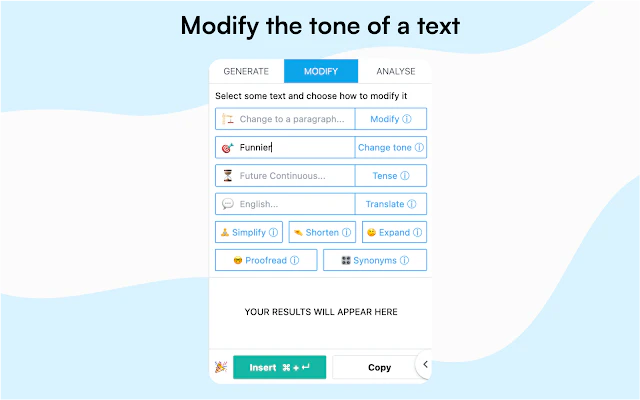
- Change the tone of selected text (e.g., making it funnier).
- Convert selected text into bullet lists or other formats.
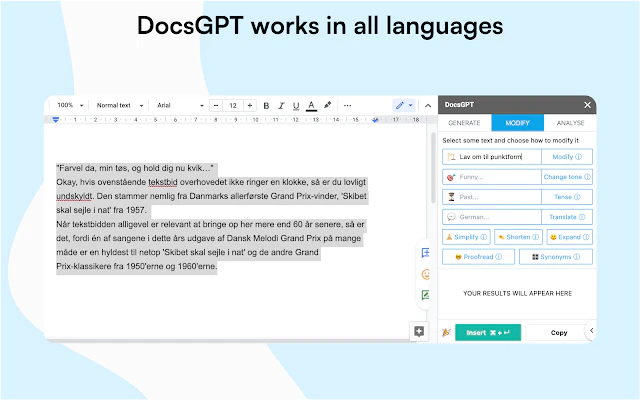
- Translate text to different languages.
- Proofread for grammar, spelling, and punctuation errors.
Who is DocsGPT for?
DocsGPT is ideal for writers, students, professionals, and anyone who regularly works with Google Docs. It is particularly beneficial for those who need assistance in generating content, editing documents, or improving writing quality. The tool's versatility makes it suitable for various applications, from academic writing to business reports.
What are the use cases of DocsGPT?
- Creating blog posts or articles on specific topics using AI-generated content.
- Editing and improving existing documents for clarity and engagement.
- Translating business proposals or academic papers into multiple languages for diverse audiences.
Product Images
Docsgpt Pros and Cons
Pros
- Content Generation: Allows users to generate new content from scratch or modify existing text using AI technology.
- Multilingual Support: DocsGPT works in all languages, making it versatile for a global audience.
- Ease of Use: Users can create and edit content with a simple click of a button, enhancing workflow efficiency.
- Free Trial: Offers a free trial, allowing users to test the features before commitment.
Cons
No cons data detected for this tool
Analytics of Docsgpt
Docsgpt Website Traffic Analysis
Visits Over Time
Traffic Sources
Oct 2025 - Dec 2025 Worldwide Desktop Only
- Search: 43.43%
- Direct: 40.86%
- Referrals: 14.11%
- Social: 0.79%
- Paid Referrals: 0.56%
- Mail: 0.26%
Top Regions
| Region | Percentage |
|---|---|
🇺🇸 United States | 31.17% |
🇫🇷 France | 5.83% |
🇧🇷 Brazil | 3.96% |
🇪🇸 Spain | 3.85% |
🇯🇵 Japan | 3.78% |
- United States: 31.17%
- France: 5.83%
- Brazil: 3.96%
- Spain: 3.85%
- Japan: 3.78%
Docsgpt Compare


Info current as of post date. Offers and availability may vary by location and are subject to change.
Docsgpt Q&A
DocsGPT is a revolutionary AI tool that helps you create and edit content inside Google Docs.
Docsgpt Alternatives

Discover Gemini, Google's versatile AI assistant for writing and planning.
- Productivity & Office
- AI Productivity Tools
- AI Business Planning Tools
- AI Prompt Management Tools

Connect with professionals worldwide on LinkedIn.
- Social Media Tools
- AI LinkedIn Headshot Generator
- AI LinkedIn Photo Generator
- AI LinkedIn Conversation Starter Generator

Gemini is Google’s AI assistant for writing and brainstorming.
- Writing & Editing
- AI Writing Assistants
- AI Chatbot
- AI Creativity and Productivity Enhancer
Docsgpt Social Listening
PrivateGPT 2.0 - FULLY LOCAL C...
This video is sponsored by Ser...
Build Better Apps with AI Usin...
Tired of your AI co-pilot givi...
DocsGPT: Chat With Multiple PD...
Seeking a game-changer in proj...
Unlock to view 23 social media results.