

Ebsynth
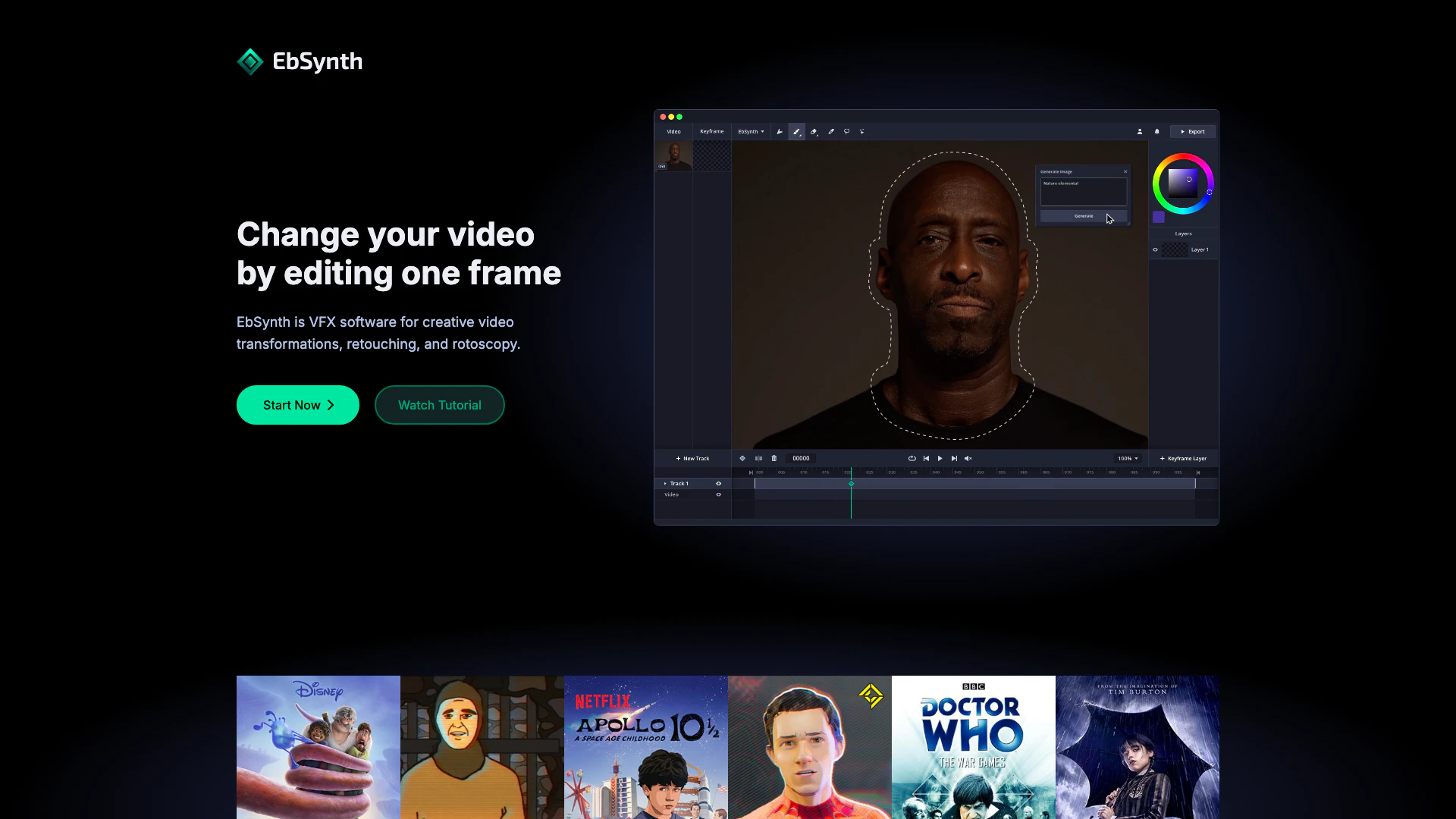




What is EbSynth?
EbSynth is a powerful VFX software designed for creative video transformations, retouching, and rotoscopy. This innovative tool allows users to change their videos by editing just one frame, turning performances into hand-drawn animations, and facilitating quick video touch-ups and colorization. With a user-friendly interface and advanced features, EbSynth empowers artists and creators to bring their ideas to life seamlessly.
How to use EbSynth?
- Start by downloading and installing EbSynth from the official website.
- Open the software and import the video you want to transform.
- Select a frame to edit; this will serve as your keyframe.
- Use the painting tools to modify the keyframe as desired.
- Once satisfied with the keyframe, click on the 'synthesize' button to apply the changes across the video.
- Review the results and make any necessary adjustments to the keyframes as needed.
What are the main features of EbSynth?
- Video Transformation: Change your video by editing a single frame.
- Hand-drawn Animation: Turn performances into animations by painting keyframes.
- Retouching & Colorization: Quickly apply digital makeup and colorize videos without manual tracking.
- Fast Iteration: Instantly bring ideas to life and maintain a creative flow.
- User-friendly Interface: Designed for ease of use, allowing quick access to essential tools.
Who is EbSynth for?
EbSynth is tailored for video creators, VFX artists, animators, and anyone involved in digital content creation who seeks to enhance their projects with innovative video transformations and retouching capabilities. Whether you're a professional looking to streamline your workflow or a hobbyist wanting to explore creative video editing, EbSynth provides the tools needed to elevate your work.
What are the use cases of EbSynth?
- Animation Production: Use EbSynth to create frame-by-frame animations from live-action footage.
- Film and Video Editing: Enhance scenes with digital makeup and retouching for a polished look.
- Creative Experimentation: Explore unique visual styles by transforming videos into artistic expressions.
- Educational Projects: Utilize EbSynth in teaching environments to demonstrate video editing techniques.
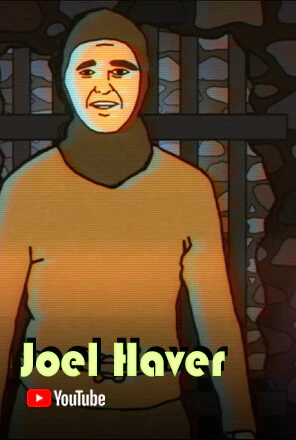
Product Images













Ebsynth Pros and Cons
Pros
- Creative Video Transformations: EbSynth allows users to transform videos creatively by editing just one frame, making it easy to achieve unique visual effects.
- Effortless Retouching and Colorization: The software simplifies video touch-ups and colorization, eliminating the need for manual tracking and speeding up the editing process.
- User-Friendly Keyframe Painting: Users can turn performances into hand-drawn animations by painting keyframes, with EbSynth handling the rest, enhancing the creative workflow.
- Fast Iteration for Ideas: EbSynth enables rapid iteration of creative ideas, allowing users to stay immersed in their creative flow without interruptions.
Cons
No cons data detected for this tool
Ebsynth Pricing
Free
Experience the whole EbSynth with no time or functional limitations.
Pro
Access advanced features like high-resolution render, PNG sequence output, or more keyframe generations.
Studio
Custom pricing for fully offline processing with no uploads.
For the latest pricing, please visit this link: https://ebsynth.com/app
Prices are subject to change. Please visit the official website for the most up-to-date pricing information.
Analytics of Ebsynth
Ebsynth Website Traffic Analysis
Visits Over Time
Traffic Sources
Dec 2025 - Feb 2026 Worldwide Desktop Only
- Search: 43.33%
- Direct: 40.89%
- Referrals: 8.73%
- Social: 5.93%
- Paid Referrals: 0.94%
- Mail: 0.09%
Top Keywords
| Keyword | Volume | CPC | Estimated Value |
|---|---|---|---|
| ebsynth | 8.02K | $1.96 | $5750.00 |
| eb synth | 530 | $2.92 | $230.00 |
| ebsynth ai | 450 | $2.92 | $350.00 |
| ebsynth download | 420 | $0.00 | $140.00 |
| ai software for ae that animates footage that starts with e | 180 | $0.00 | $170.00 |
Ebsynth Compare
| Tool Name | Introduction | Pricing | Type | Rating | Launch Date | Learn more |
|---|---|---|---|---|---|---|
 | Easily create stunning logo intro videos with AI. | Free | 🎨Creativity | November 16, 2025 | Get deal | |
 | Content Canvas: Free AI Content Layout Tool | Free | 💼Work🎨Creativity | February 27, 2023 | Get deal | |
 | Aitech provides enterprise-level AI infrastructure and automation tools. | Free | 💼Work🎨Creativity | -- | Get deal |
Info current as of post date. Offers and availability may vary by location and are subject to change.
Ebsynth Q&A
The propagation of keyframes across the timeline doesn't use AI. It's a texture-synthesis algorithm that only uses your video and keyframes to produce the final result, it doesn't use generative models trained on external datasets. There is an optional AI feature "Generate Image" in EbSynth that lets you generate your keyframes.
For more FAQs, please visit this link: https://ebsynth.com/#faq
Ebsynth Alternatives

Create stunning AI-generated videos and images with ease.
- Video & Animation
- AI Video Generator
- AI Video and Image Creator
- AI Creative Video and Image Generation

Kling AI empowers creators to generate stunning images and videos using advanced generative AI techniques.
- Image Generation & Editing
- AI Image Generator
- AI Video Generator
- AI Image and Video Synthesis

Veo 3.1 revolutionizes video generation with audio integration.
- Video & Animation
- AI Video Generator
- AI Image and Video Synthesis
- AI Creative Video Content Generator