Flowtapes





What is Flowtapes?
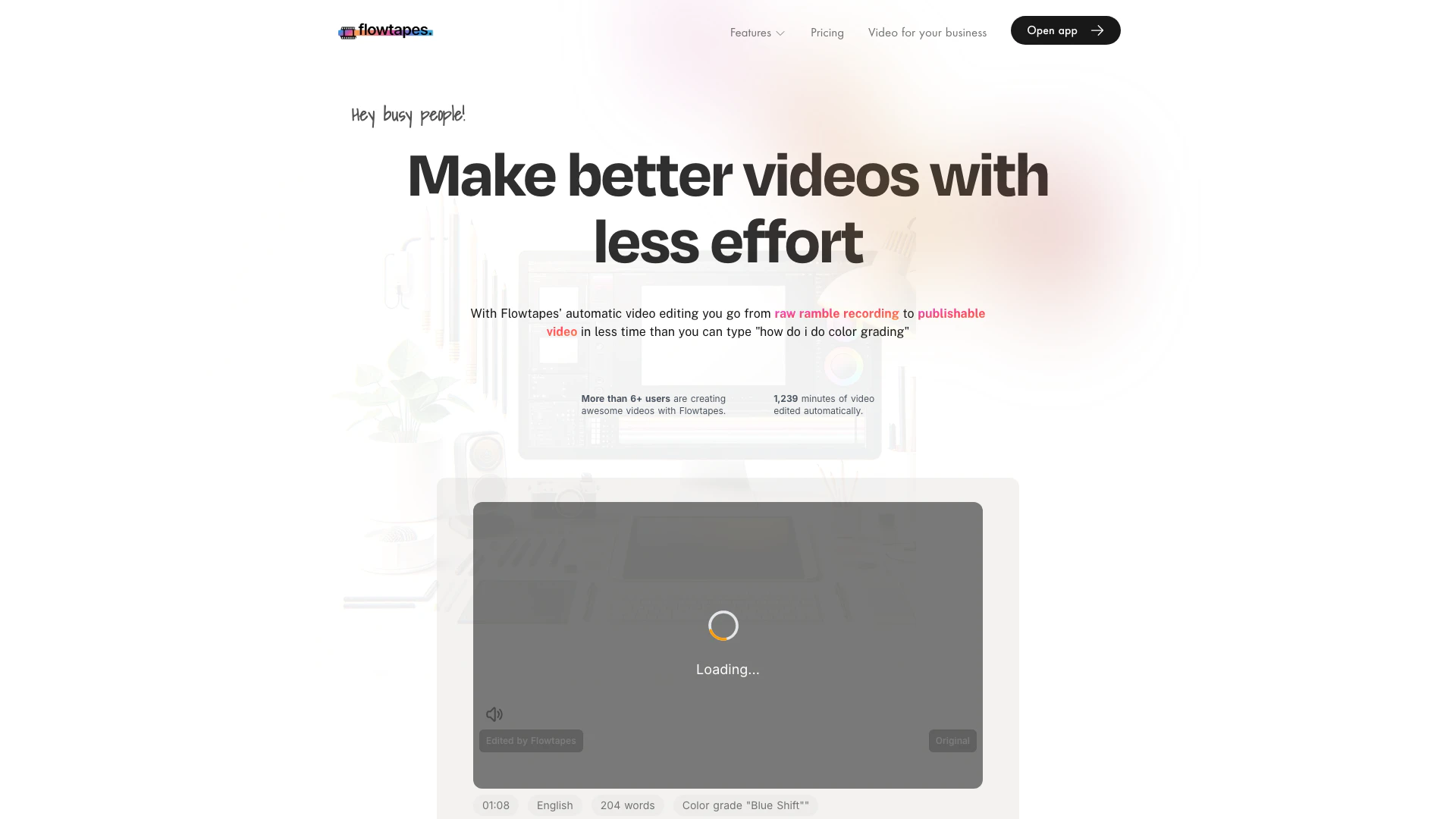
Flowtapes is an innovative automatic video editing[1] tool designed to help users create remarkable videos in just a few minutes. It streamlines the editing process by utilizing advanced algorithms to automatically remove unwanted elements like silence and repetition, allowing users to focus on content creation rather than tedious editing tasks. Whether you're a busy professional, a content creator, or someone looking to enhance your video production quality without the steep learning curve of traditional editing software, Flowtapes offers a user-friendly[5] solution that transforms raw recordings into polished videos efficiently.
How to use Flowtapes?
- Upload your raw video recording, such as an explainer, tutorial, or online course.
- The tool will automatically edit your video within 3 to 35 minutes.
- Preview the edited video to check for quality.
- Adjust effects or perform post-correction using the text-based editor as needed.
- Render and export the final edit in high resolution.
- Share the video on your website or social media platforms like YouTube, X, or Facebook to enhance visibility.
What are the main features of Flowtapes?
- Automatic silence removal[2]: Eliminates unnecessary silences from your videos.
- Text-based video editing: Allows for easy adjustments to your video through text.
- Repetition and blooper removal: Cleans up your footage by removing repeated phrases and errors.
- Zoom jump cuts[3]: Adds engaging zoom effects to jump cuts for a more dynamic viewing experience.
- Audio quality enhancement: Improves audio clarity by reducing echo and background noise.
- Royalty-free background music: Automatically incorporates background music from a curated selection.
- Animated captions[4]: Generates animated captions to overlay on your video.
Who is Flowtapes for?
Flowtapes is tailored for busy individuals, content creators, educators, and businesses looking to enhance their video production capabilities without the need for extensive editing knowledge. It's particularly beneficial for those creating talk-driven content such as online courses, tutorials, explainer videos, and social media content, who want to save time and reduce the complexity of video editing.
What are the use cases of Flowtapes?
- Video editing for online courses: Streamline the creation of educational content by quickly editing lecture recordings.
- Video editing for YouTube: Effortlessly produce engaging YouTube videos with minimal editing time.
- Creating promotional videos: Generate polished promotional content for businesses to enhance marketing efforts.
Product Images

Flowtapes Pros and Cons
Pros
- Automatic Video Editing: Flowtapes automates the video editing process, allowing users to create polished videos quickly without prior editing experience.
- Silence and Repetition Removal: The tool automatically removes silences and repetitive segments, ensuring a coherent flow of speech in the final video.
- User-Friendly Interface: Flowtapes offers a text-based editing feature that simplifies adjustments, making it accessible for users without technical skills.
Cons
No cons data detected for this tool
Flowtapes Pricing
Curious Kitten
This includes Auto A-Roll cut, Engaging effects, Voice audio enhancing, Animated captions for 40 min video, like 8 hours of work saved.
Ambitious Alpaca
This includes Auto A-Roll cut, Engaging effects, Voice audio enhancing, Animated captions for 2 h 40 min video, like 40 hours of work saved.
Massive Mammooth
This includes Auto A-Roll cut, Engaging effects, Voice audio enhancing, Animated captions for 5 h video, like 80 hours of work saved.
For the latest pricing, please visit this link: https://flowtapes.com/pricing
Prices are subject to change. Please visit the official website for the most up-to-date pricing information.
Analytics of Flowtapes
Flowtapes Website Traffic Analysis
Visits Over Time
Traffic Sources
Dec 2025 - Jan 2026 Worldwide Desktop Only
- Direct: 41.92%
- Search: 32.36%
- Referrals: 12.68%
- Social: 10.02%
- Paid Referrals: 1.90%
- Mail: 0.21%
Top Keywords
| Keyword | Volume | CPC | Estimated Value |
|---|---|---|---|
| flow tapes | 40 | $0.00 | $40.00 |
Flowtapes Reviews
Huh? Videos that edit themselves? That's pretty weird.
I'm just super pissed that I still have to upload them myself…
My product explainer videos look so much better now!
For more reviews, visit this link: https://flowtapes.com/#what-people-say-about-self-editing-videos
Flowtapes Compare
| Tool Name | Introduction | Pricing | Type | Rating | Launch Date | Learn more |
|---|---|---|---|---|---|---|
 | Saas Template - EldoraUI | Free | 💼Work | July 30, 2023 | Get deal | |
 | Bika.ai revolutionizes workflow automation with AI-driven tools. | Free | 💼Work🎨Creativity | January 2, 2024 | Get deal | |
 | Validator AI assists in generating and validating startup ideas. | Free Trial | 💼Work | September 12, 2022 | Get deal |
Info current as of post date. Offers and availability may vary by location and are subject to change.
Flowtapes Q&A
Flowtapes is an automatic video editor that helps you create remarkable videos in just a few minutes.
For more FAQs, please visit this link: https://flowtapes.com/faq
Flowtapes Alternatives

PixVerse transforms your ideas into stunning AI-generated videos.
- Video & Animation
- AI Video Generator
- AI Text to Video
- AI Video Creation Suite
Veo 3.1 revolutionizes video generation with audio integration.
- Video & Animation
- AI Video Generator
- AI Image and Video Synthesis
- AI Creative Video Content Generator
- Video & Animation
- AI Video Editor
- AI Video Generator