

Flowvoiceai





What is Flowvoiceai?
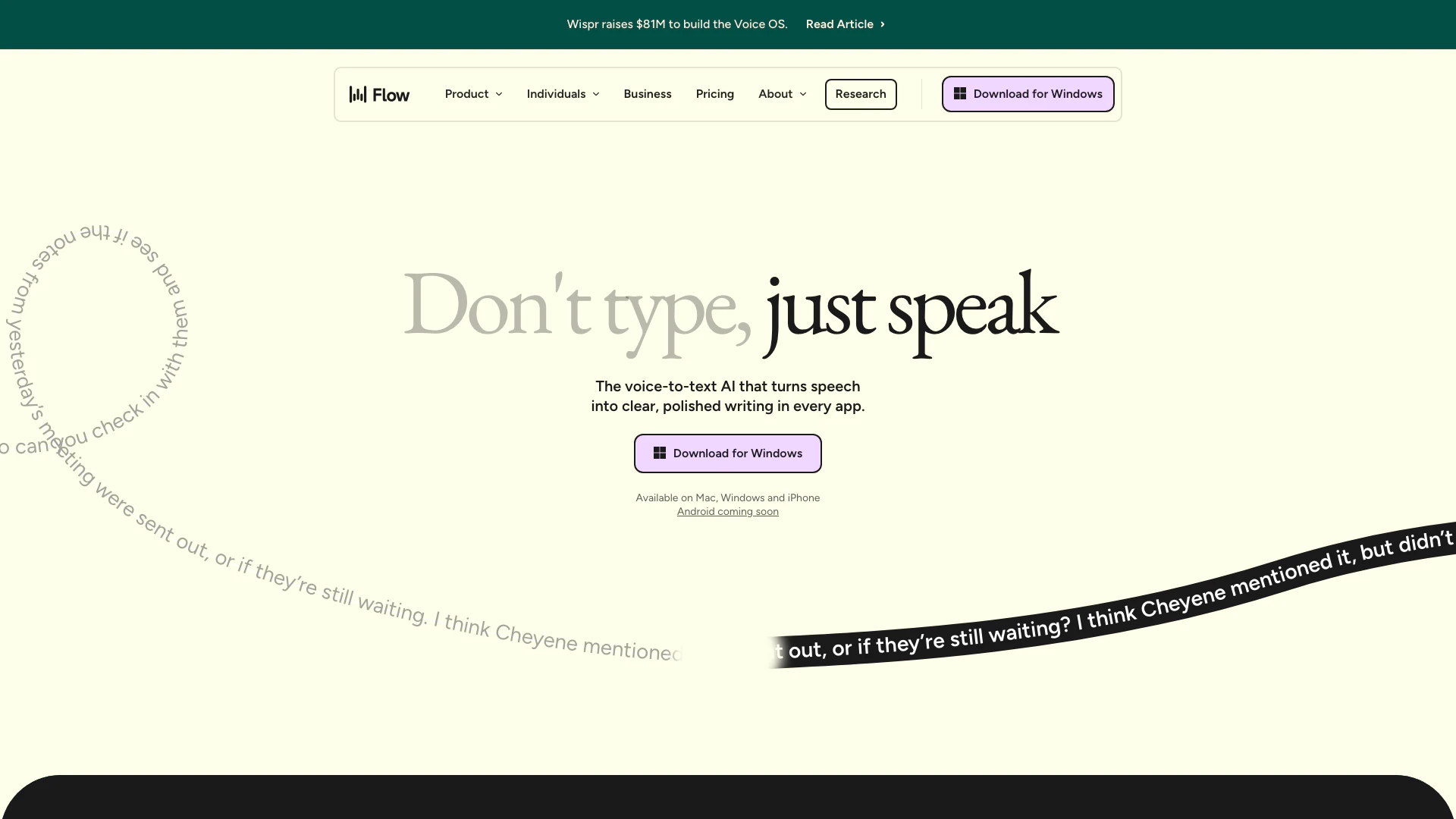
Flowvoiceai is an innovative voice dictation tool designed to streamline the writing process by converting spoken words into clear, polished text. It utilizes advanced voice recognition technology to allow users to dictate their thoughts quickly and accurately, making it an efficient alternative to traditional typing. This tool is particularly beneficial for those who wish to enhance their productivity by leveraging voice commands across various applications, enabling seamless integration into daily workflows.
How to use Flowvoiceai?
To use Flowvoiceai, follow these steps: 1. Download and Install: Begin by downloading Flowvoiceai from the official website and install it on your device (available for Mac, Windows, and iPhone). 2. Set Up Your Account: Create an account or log in if you already have one. Customize your settings, including your personal dictionary for unique words. 3. Start Dictating: Open any application where you want to write. Click the Flowvoiceai microphone icon to start dictation. Speak naturally, and Flowvoiceai will transcribe your speech into text in real-time. 4. Edit and Format: After dictating, you can make any necessary edits. Flowvoiceai automatically formats your text and removes filler words for clarity.
What are the main features of Flowvoiceai?
Flowvoiceai offers a range of powerful features, including: - Voice Dictation: Convert spoken words into text quickly and accurately. - AI Auto Edits: Automatically edits and formats your dictations for clarity. - Personal Dictionary: Learn and remember unique words specific to your vocabulary. - Snippet Library: Create shortcuts for frequently used phrases to enhance efficiency. - Multi-Language Support: Transcribe in over 100 languages, allowing for diverse usage scenarios. - Tone Adjustment: Automatically adjusts the tone of your dictation based on the application in use.
Who is Flowvoiceai for?
Flowvoiceai is designed for a wide range of users, including: - Students: To capture notes and draft assignments effortlessly. - Professionals: Such as lawyers and customer support representatives, who need to dictate case notes or respond to tickets quickly. - Content Creators: Writers and bloggers can use Flowvoiceai to streamline their writing process and generate ideas on the go. - Developers: Programmers can dictate code and comments, enhancing their workflow. - Individuals with Accessibility Needs: Those who find typing challenging can use voice dictation as a reliable alternative.
What are the use cases of Flowvoiceai?
Flowvoiceai can be utilized in various scenarios, such as: 1. Writing Emails: Quickly compose and send emails without typing. 2. Drafting Documents: Create reports, proposals, or essays by dictating your thoughts. 3. Taking Notes: Record lectures or meetings by simply speaking, allowing for easy review later. 4. Coding: Developers can dictate code snippets and comments, improving coding speed and accuracy. 5. Accessibility Solutions: Individuals with disabilities can leverage Flowvoiceai to communicate and create content more easily.
Product Images


Flowvoiceai Pros and Cons
Pros
- Fast Voice Dictation: Flowvoiceai enables users to write quickly and clearly through seamless voice dictation, boasting a speed of up to 220 words per minute, significantly faster than traditional typing.
- AI-Powered Edits: The tool automatically transcribes and edits spoken words into clear, polished text, eliminating filler words and typos, enhancing the writing process.
- Cross-Platform Availability: Flowvoiceai is available on multiple platforms including Mac, Windows, and iPhone, allowing users to dictate from anywhere and sync their personal dictionary across devices.
Cons
No cons data detected for this tool
Flowvoiceai Pricing
Flow Enterprise
Get everything in Flow Pro for your team, plus dedicated support, SOC 2 Type II and ISO 27001 compliance, enforced HIPAA compliance, enforced Privacy Mode (Zero Data Retention), SSO / SAML, advanced usage dashboards, and bulk pricing discounts.
Flow Pro
Get everything in Flow Basic, plus unlimited words per week on Mac, Windows, and iPhone, prioritized support and feature requests, command mode for editing, early access to new features, and team collaboration features.
For the latest pricing, please visit this link: https://wisprflow.ai/pricing
Prices are subject to change. Please visit the official website for the most up-to-date pricing information.
Analytics of Flowvoiceai
Flowvoiceai Reviews
You're making texting actually delightful right now! Can see it becoming a can't live without product fast.
This is the best AI product I've used since ChatGPT.
I've been using Wispr almost every day since I downloaded it. It's probably my favorite part of the day, especially at the end when I go through my inbox with Wispr.
For more reviews, visit this link: https://www.flowvoice.ai/#love-letters
Flowvoiceai Compare
| Tool Name | Introduction | Pricing | Type | Rating | Launch Date | Learn more |
|---|---|---|---|---|---|---|
 | Create stunning anime art with real-time AI. | Free | 🎨Creativity | April 20, 2025 | Get deal | |
 | Access millions of shared study materials from students worldwide. | Free | 🙋♂️Personal💼Work | September 15, 2013 | Get deal | |
 | An invisible AI assistant that enhances productivity during meetings. | Free | 💼Work | August 12, 2025 | Get deal |
Info current as of post date. Offers and availability may vary by location and are subject to change.
Flowvoiceai Q&A
You can get started with Wispr Flow by following the step-by-step guidance provided in the Getting Started section of our Help Center.
For more FAQs, please visit this link: https://docs.wisprflow.ai/
Flowvoiceai Alternatives

Gemini is Google’s AI assistant for writing and brainstorming.
- Writing & Editing
- AI Writing Assistants
- AI Chatbot
- AI Creativity and Productivity Enhancer

Play and create AI-generated adventures with infinite possibilities.
- Writing & Editing
- AI Text Generator
- AI Writing Assistants

Humanize AI Content | Bypass AI Detection | Get 100% Human Score
- Writing & Editing
- AI Text Generator
- AI Writing Assistants
- AI Detection Bypass