
Getstudioify




What is Studioify?
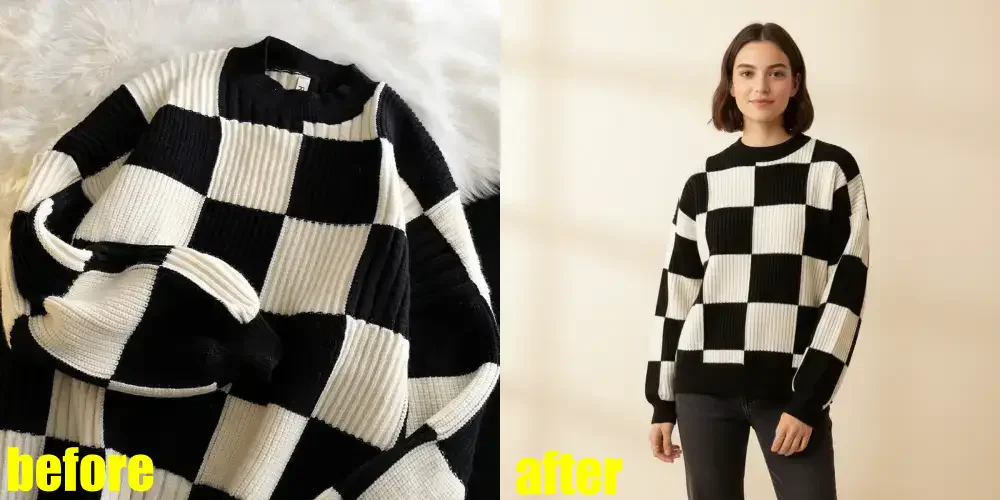
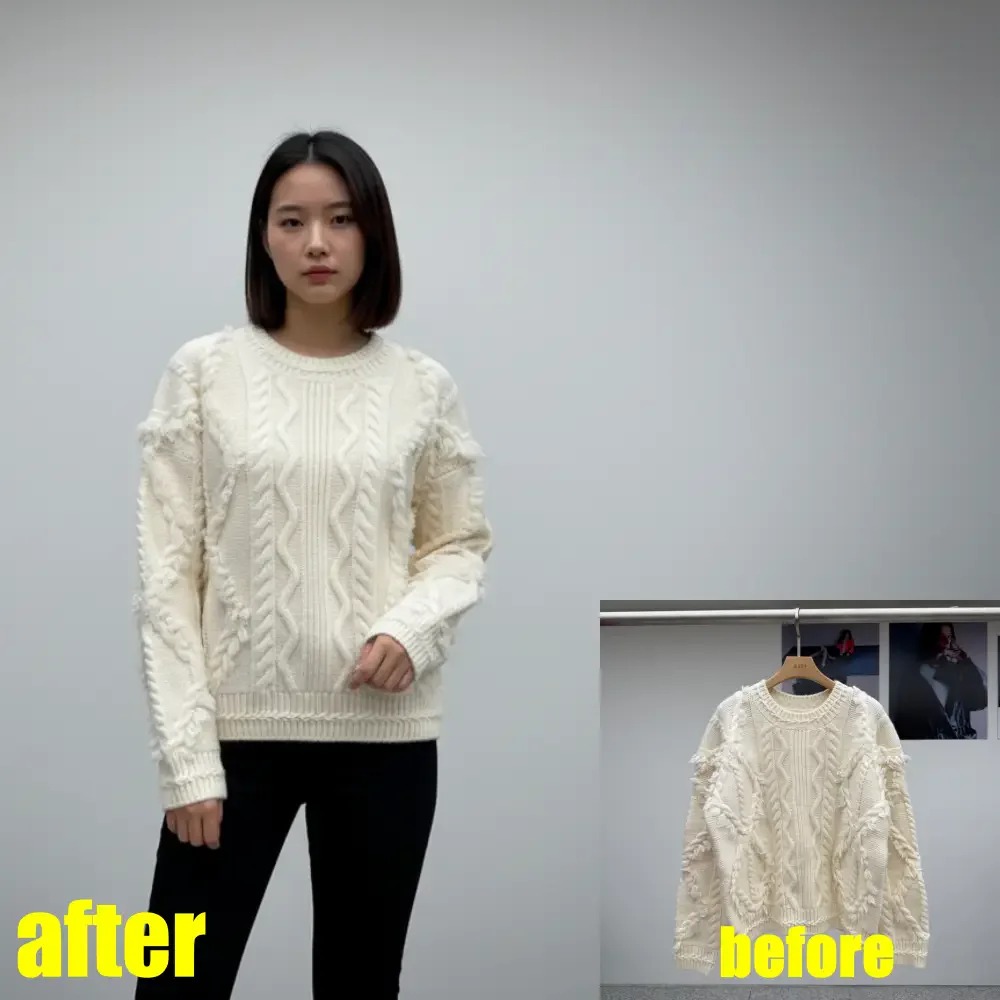
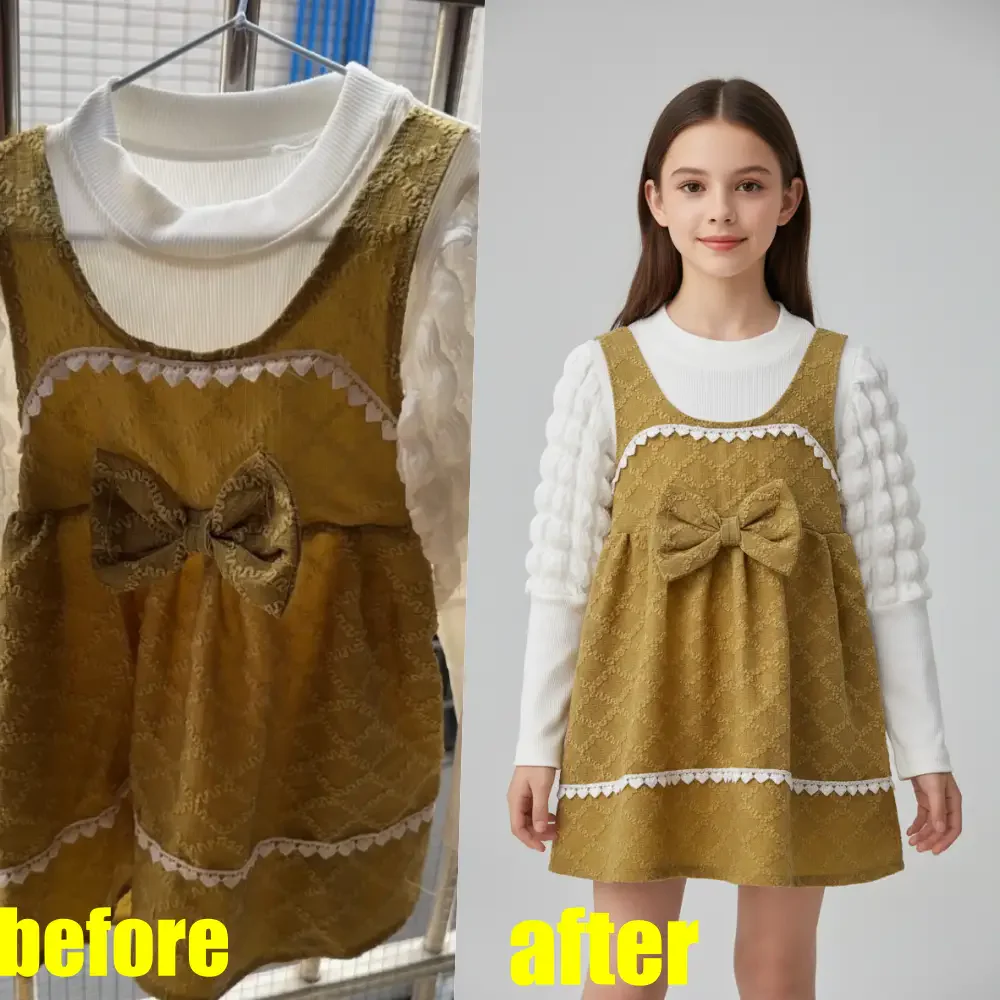
Studioify is an AI-powered photo editor specifically designed for clothing sellers on platforms like Depop, Vinted, and Poshmark. It allows users to transform casual phone snapshots into professional-quality resale images[1] in just seconds, eliminating the need for a studio setup. With its intuitive interface, Studioify streamlines the process of creating clean, consistent, and visually appealing product photos, making it easier for sellers to attract buyers and boost sales.
How to use Studioify?
- Upload your product photo and select the clothing type (tops, dresses, shoes, or accessories).
- Choose your preferred display style (flat-lay, hanging, or on-model) and select a clean background that fits your brand aesthetic.
- Generate the images instantly, as the AI will clean up the background, optimize lighting, and create marketplace-ready photos in your chosen size.
What are the main features of Studioify?
- AI-powered photo enhancement for clear, professional images.
- Automatic background cleaning[2] and lighting optimization[3].
- Generation of multiple angles and detail shots for listings.
- Customizable display styles including flat-lay, hanging, and on-model.
- Optimized for major resale platforms like Depop, Vinted, and Poshmark.
Who is Studioify for?
Studioify is designed for individuals and small businesses that sell secondhand clothing on platforms such as Depop, Vinted, and Poshmark. It is ideal for sellers who want to improve the quality of their product images quickly and efficiently without the need for professional photography equipment or extensive editing skills. This tool is perfect for anyone looking to create a consistent and appealing online storefront that attracts buyers.
What are the use cases of Studioify?
- Enhancing product photos for resale on Depop to increase visibility and sales.
- Creating professional-looking images for Vinted listings that attract more clicks and saves.
- Optimizing Poshmark photos to meet platform standards and improve buyer trust.
Product Images
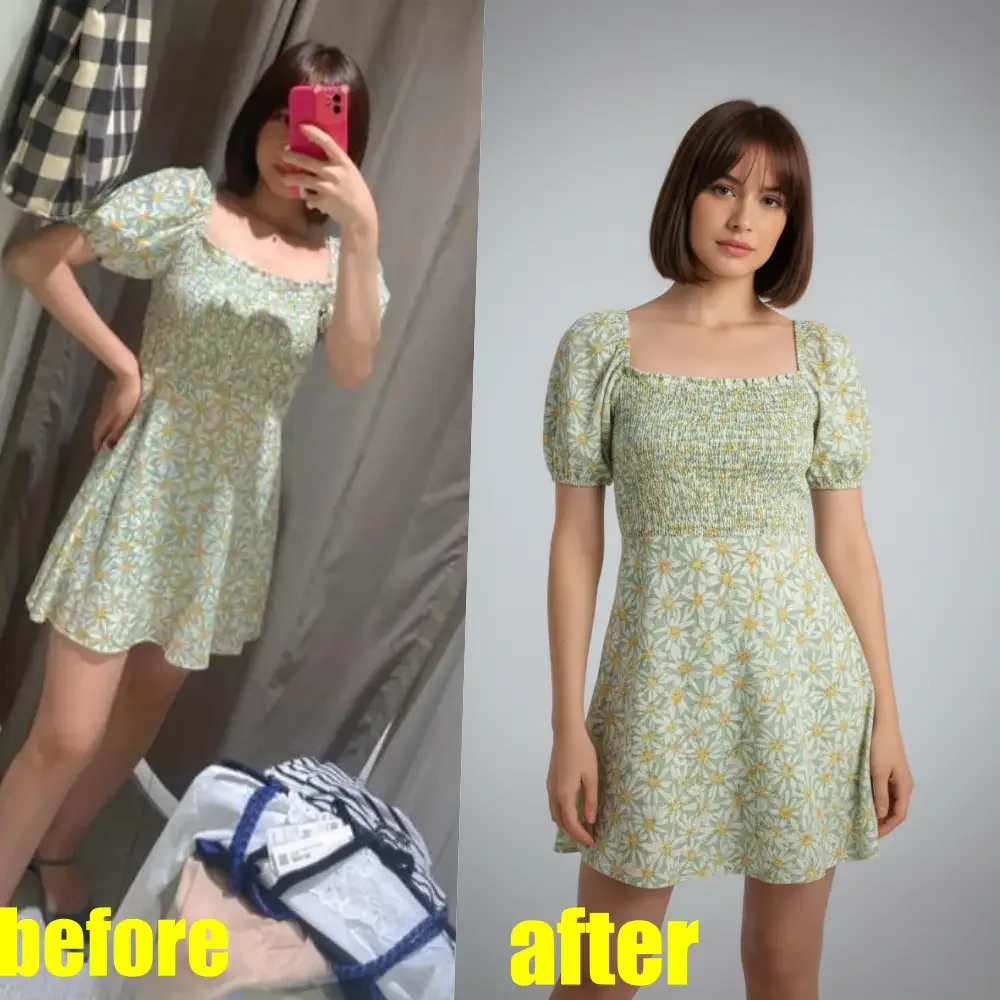
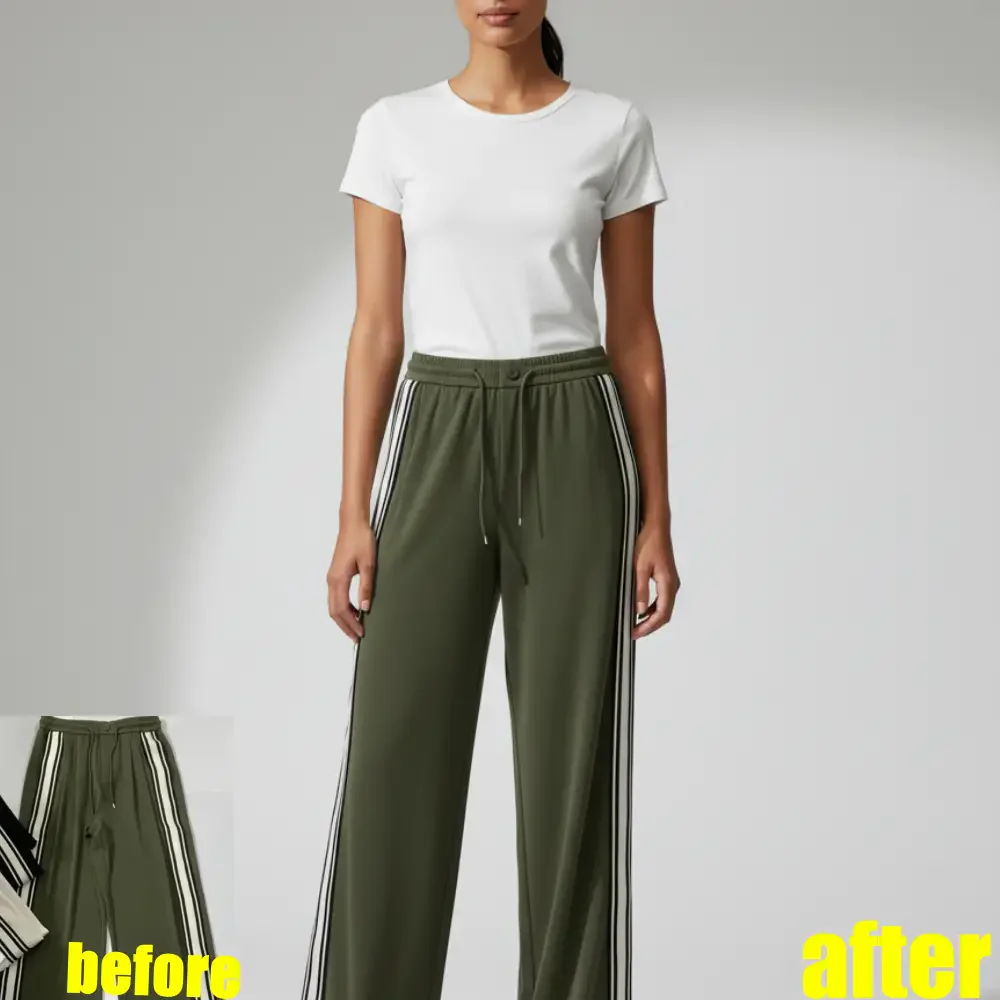


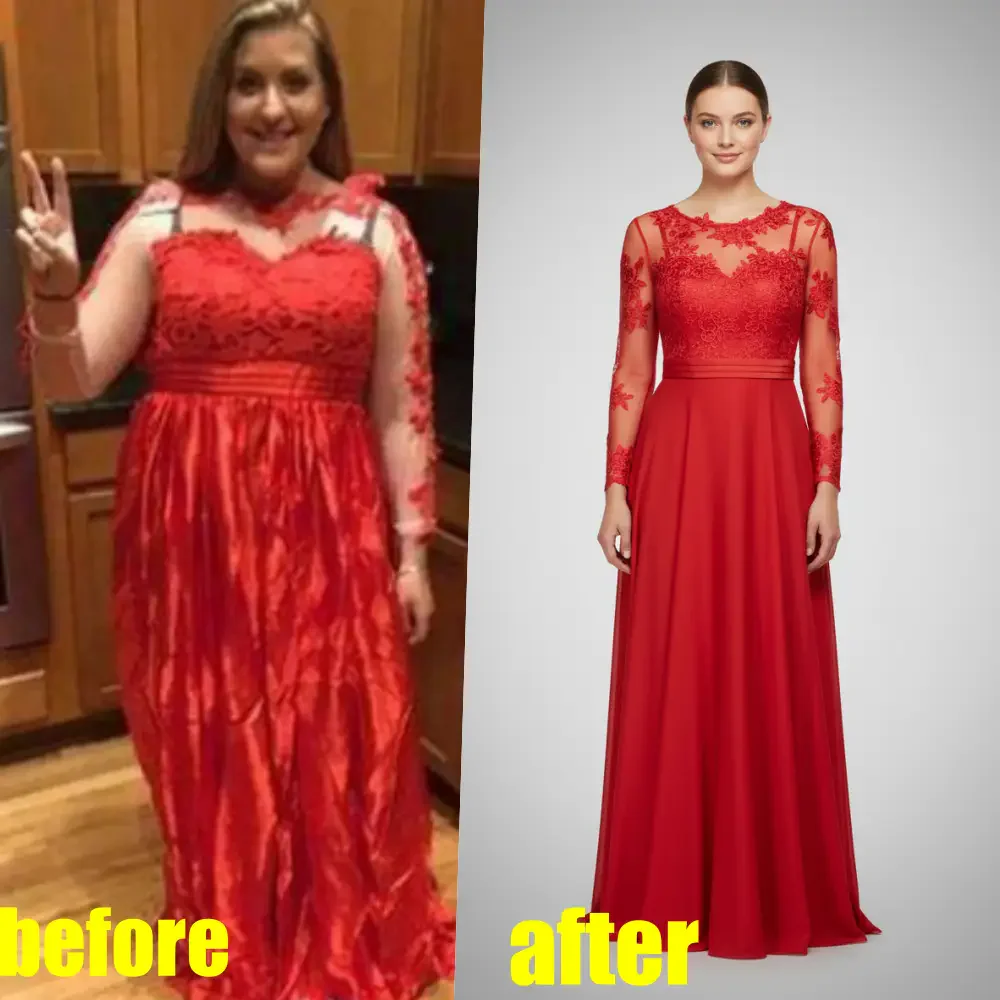
Getstudioify Pros and Cons
Pros
- AI-Powered Photo Enhancement: Studioify uses AI technology to automatically enhance and clean up photos, making them professional-quality in seconds.
- Optimized for Resale Platforms: Designed specifically for platforms like Depop, Vinted, and Poshmark, ensuring images meet marketplace guidelines.
- Time-Saving Features: Users can process multiple images quickly, saving significant time compared to manual editing.
Cons
No cons data detected for this tool
Getstudioify Pricing
Starter Pack
Edits approx. 10 photos. 20 credits. $0.49/photo. Credits never expire.
Side Hustler Pack
Edits approx. 35 photos. 60 credits + 10 bonus. $0.43/photo. Credits never expire.
Value Pack
Edits approx. 75 photos. 120 credits + 30 bonus. $0.40/photo. Credits never expire.
Power Pack
Edits approx. 140 photos. 200 credits + 80 bonus. $0.36/photo. Credits never expire.
For the latest pricing, please visit this link: https://getstudioify.com/pricing
Prices are subject to change. Please visit the official website for the most up-to-date pricing information.
Analytics of Getstudioify
Getstudioify Website Traffic Analysis
Visits Over Time
Getstudioify Compare
| Tool Name | Introduction | Pricing | Type | Rating | Launch Date | Learn more |
|---|---|---|---|---|---|---|
 | Transform text into calendar events effortlessly. | Free | 💼Work | January 16, 2020 | Get deal | |
 | Lyria 3 enables effortless music composition with advanced AI. | Free Trial | 🎨Creativity | September 6, 2023 | Get deal | |
 | Revolutionize your CAD and 3D modeling with AI. | Free | 💼Work🎨Creativity | September 8, 2020 | Get deal |
Info current as of post date. Offers and availability may vary by location and are subject to change.
Getstudioify Q&A
Yes. Studioify is specifically built to clean up and enhance the non-studio photos you already have on your phone.
Getstudioify Alternatives

Remove image backgrounds automatically in 5 seconds with just one click. Don't spend hours manually picking pixels. Upload your photo now & see the magic.
- Image Generation & Editing
- AI Background Remover
- AI Image Enhancer
- AI Image Segmentation

Adobe Firefly is an AI-driven tool for creating unique images, videos, and audio.
- Image Generation & Editing
- AI Image Generator
- AI Photo Editor
- AI Realistic Image Generator

Pixelbin.io is free online photo editor. Use PixelBin to edit, crop, enhance, or add background to your images. A mobile app is also available for editing.
- Image Generation & Editing
- AI Smart Crop
- AI Image Enhancer
- AI Photo Editor