

Imagetovideoai
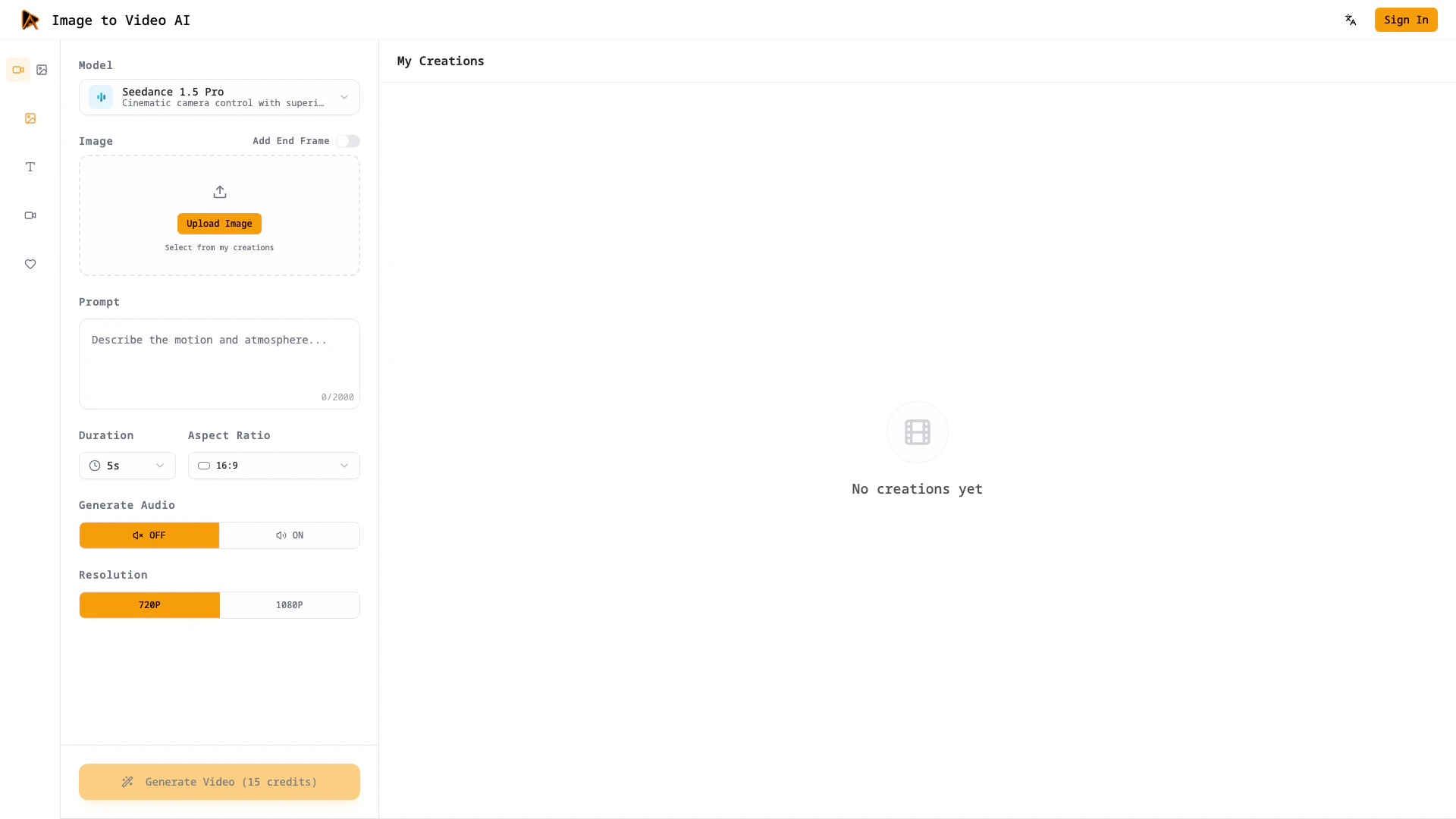





What is Image to Video AI?
Image to Video AI is an innovative tool designed to transform still images into cinematic video clips. It utilizes advanced AI technology to create motion from static images, incorporating realistic physics and optional voiceover features. This tool is ideal for users who want to generate engaging video content without needing extensive editing skills. With Image to Video AI, users can quickly produce high-quality video clips that convey stories effectively, making it a valuable asset for marketers, content creators, and professionals in various fields.
How to use Image to Video AI?
To create videos with Image to Video AI, follow these simple steps:
- Choose the right model: Select a model that fits your desired realism, stylization, or speed, and preview the expected motion.
- Upload or pick from your asset library: Upload your photo, illustration, or product shot, or choose from saved assets to facilitate quick iterations.
- Write a prompt and set parameters: Describe the desired camera movement, lighting, and mood, and adjust the duration and aspect ratio to your preference.
- Generate and preview the video: Render a draft, review the timing and voiceover, and create variations for fast iterations. Image to Video AI organizes each version for easy comparison.
What are the main features of Image to Video AI?
Image to Video AI boasts several key features that enhance its functionality:
- Cinematic camera control with superior dynamic motion.
- Voiceover integration and frame control for precise storytelling.
- Multi-image reference support for consistent visual style.
- Native cinematic sound effects and ambience that sync with motion.
- Stability in faces, logos, and textures while maintaining realistic motion physics.
- Compatibility with Google Chrome, Google Workspace, and Figma for seamless workflow integration.
Who is Image to Video AI for?
Image to Video AI is designed for a diverse range of users including marketers, content creators, filmmakers, educators, and artists. It caters to those who require quick and efficient video production capabilities without extensive technical expertise. Whether you are creating promotional content, educational materials, or artistic visuals, this tool provides the necessary features to elevate your projects and streamline the production process.
What are the use cases of Image to Video AI?
Image to Video AI can be utilized in various scenarios, including:
- E-commerce and commercial ads: Transform product images into engaging motion ads that highlight features and attract customers.
- Film and game preproduction: Animate concept art for camera tests and mood reels, allowing teams to explore creative options without high costs.
- Social media and content creation: Enhance static posts with motion elements to increase engagement and maintain a consistent visual style across platforms.
- Virtual humans and AI characters: Bring characters to life for demos and interactive prototypes, adding realism through motion.
- Photography and artistic creation: Introduce subtle motion to still images for portfolio showcases or gallery teasers.
- Education and enterprise content: Convert visual aids into short explainer videos to facilitate better understanding of complex ideas.
Imagetovideoai Pros and Cons
Pros
- Cinematic Video Creation: Transform still images into cinematic clips with natural motion and realistic physics, enhancing storytelling.
- Integrated Workflow: Seamlessly integrates with Google Chrome, Workspace, and Figma, allowing users to work within familiar environments.
- Voiceover and Sound Effects: Includes native cinematic sound effects and voiceover options, making videos feel professional without extra audio editing.
Cons
No cons data detected for this tool
Imagetovideoai Pricing
Starter
300 credits/month. Up to 15 videos/month. Up to 300 images/month. All-in-one top AI models. Text/Image to video. Text/Image to image. HD, No-watermark Downloads.
Standard
1000 credits/month. Up to 80 videos/month. Up to 1000 images/month. All-in-one top AI models. Text/Image to video. Text/Image to image. HD, No-watermark Downloads.
Premium
5000 credits/month. Up to 400 videos/month. Up to 5000 images/month. All-in-one top AI models. Text/Image to video. Text/Image to image. HD, No-watermark Downloads.
For the latest pricing, please visit this link: https://imagetovideoai.pro/pricing
Prices are subject to change. Please visit the official website for the most up-to-date pricing information.
Imagetovideoai Q&A
Image to Video AI Generator is a tool that turns still images into short, story-driven clips with natural motion, realistic physics, and optional voiceover.
Imagetovideoai Alternatives

Create stunning AI-generated videos and images with ease.
- Video & Animation
- AI Video Generator
- AI Video and Image Creator
- AI Creative Video and Image Generation

Kling AI empowers creators to generate stunning images and videos using advanced generative AI techniques.
- Image Generation & Editing
- AI Image Generator
- AI Video Generator
- AI Image and Video Synthesis

Kling AiClaimed
Create stunning videos and images effortlessly with Kling AI's advanced generative AI platform.
- Video & Animation
- AI Video Generator
- AI Video and Image Creator
- AI Creative Video and Image Generation