

Invoicemicro


What is Invoicemicro?
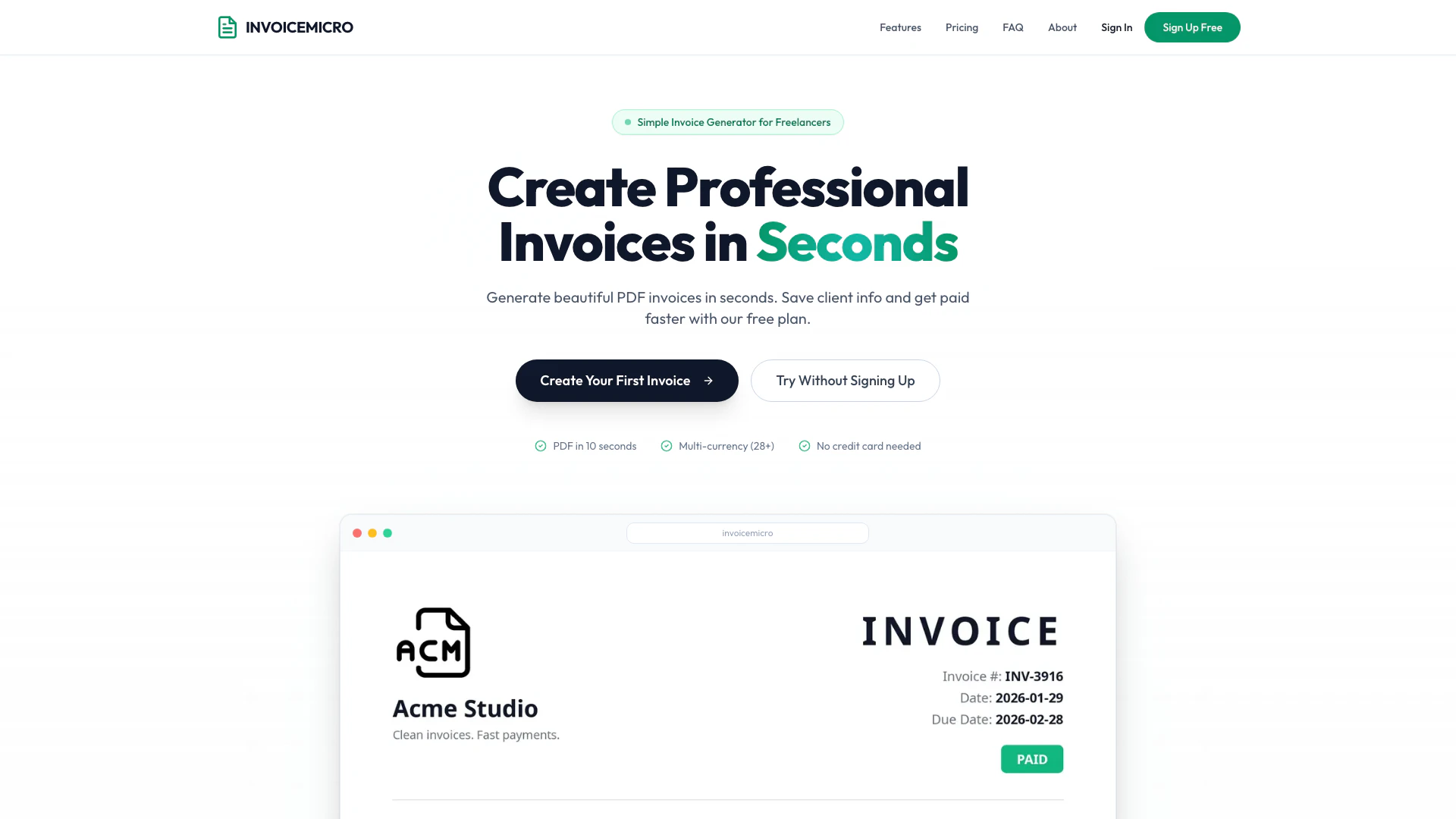
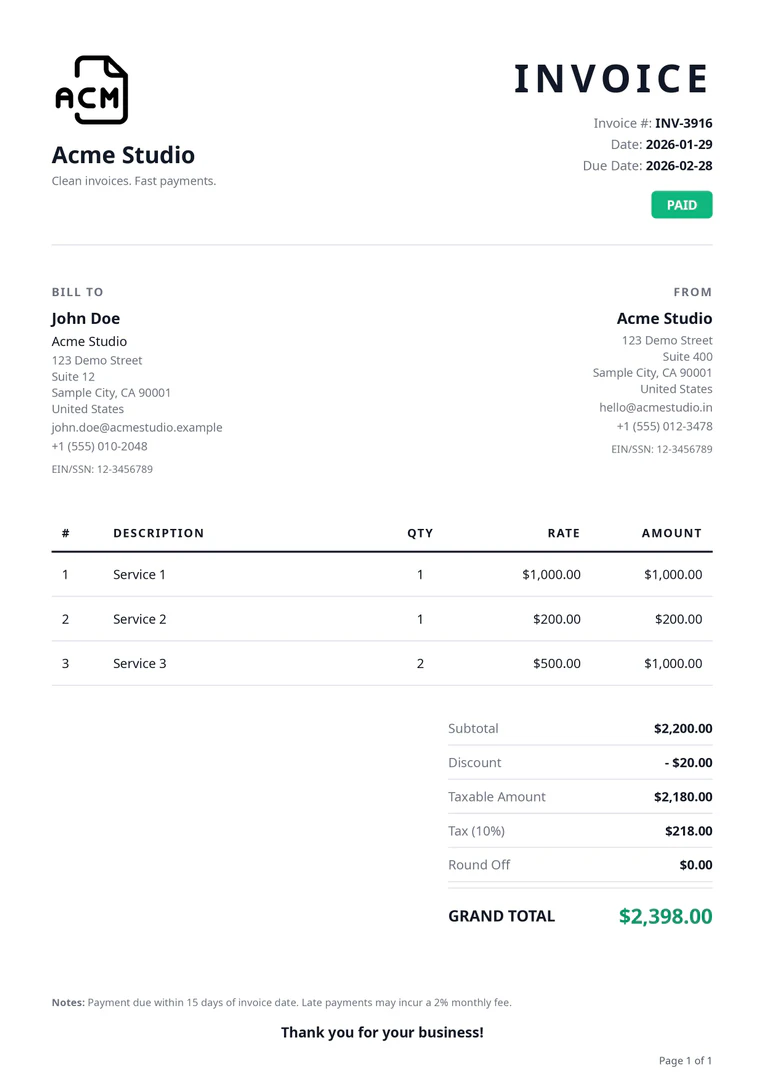
Invoicemicro is a powerful, user-friendly invoicing tool designed for freelancers and small businesses. It enables users to create professional invoices quickly and efficiently, supporting multi-currency transactions and offering features like PDF export[3] and client management[4]. With Invoicemicro, users can generate beautiful invoices in seconds, making it an ideal solution for those looking to streamline their billing processes without the need for complex software or extensive setup.
How to use Invoicemicro?
- Sign Up Free: Create your account in seconds without needing a credit card.
- Add Your Details: Enter your business information and add your clients to the system.
- Create & Send: Generate a PDF invoice and send it directly to your client.
What are the main features of Invoicemicro?
- Instant PDF Generation: Create and download invoices in seconds without any waiting time.
- Multi-Currency Support[2]: Bill clients in over 28 currencies, with appropriate tax labels for each country.
- Custom Branding[5]: Add your logo and business details to personalize your invoices.
- Client Management: Save client information for easy access and quicker invoicing in the future.
- Tax Ready: Handle taxes such as GST for India and VAT for the EU/UK, ensuring compliance with local regulations.
- Global Invoicing: Create invoices in multiple languages including English, French, German, Spanish, Italian, and Dutch.
Who is Invoicemicro for?
Invoicemicro is specifically designed for freelancers and small businesses who need a straightforward and efficient way to manage their invoicing. It is particularly beneficial for professionals such as graphic designers, web developers, photographers, and consultants who require a reliable invoicing tool that supports multiple currencies and offers quick invoice generation[1]. The tool is ideal for those who prioritize professionalism and ease of use in their billing processes.
What are the use cases of Invoicemicro?
- Freelance Services: Freelancers can quickly generate invoices for their clients after completing projects, ensuring timely payments.
- Multi-Currency Billing: Businesses that operate internationally can easily bill clients in their local currencies, facilitating smoother transactions.
- Event Management: Photographers and event planners can create invoices on-the-go, allowing them to send invoices right after an event, enhancing their professionalism.
Product Images
Invoicemicro Pros and Cons
Pros
- Quick PDF Generation: Generate and download professional PDF invoices in seconds, enhancing efficiency for freelancers and small businesses.
- Multi-Currency Support: Supports billing in over 28 currencies, making it ideal for international clients and ensuring proper tax handling.
- Custom Branding Options: Allows users to upload their logo and business details, providing a professional appearance for invoices.
- Client Management Feature: Saves client information for easy access and faster invoice creation, streamlining the billing process.
Cons
No cons data detected for this tool
Invoicemicro Pricing
Free
Free forever with 5 invoices/day, 5 clients/day, PDF download & export, multi-currency support, and invoicemicro watermark.
Pro
Unlimited invoices, everything in Free, remove watermark completely, priority email support, and early access to new features.
For the latest pricing, please visit this link: https://www.invoicemicro.com/#pricing
Prices are subject to change. Please visit the official website for the most up-to-date pricing information.
Invoicemicro Reviews
I switched from a messy Google Docs template. Now my invoices look professional and my payment turnaround dropped by a week. The multi-currency support is perfect for my EU clients.
I bill 8 clients a month across 3 currencies. invoicemicro handles all of it — GST for Indian clients, plain invoices for US ones. Saved me hours every month.
Dead simple. I create an invoice in under a minute, download the PDF, and email it. No account setup headaches. My accountant loves the clean format too.
For more reviews, visit this link: https://www.invoicemicro.com/#reviews
Invoicemicro Compare
| Tool Name | Introduction | Pricing | Type | Rating | Launch Date | Learn more |
|---|---|---|---|---|---|---|
 | Easily create secure AI assistants without coding. | Free | 💼Work🎨Creativity | February 2, 2023 | Get deal | |
 | Emra Voice lets you transcribe thoughts effortlessly at 140wpm. | Free | 💼Work | October 22, 2024 | Get deal | |
 | Intelswift automates customer service with AI-driven solutions. | Free | 💼Work | February 12, 2019 | Get deal |
Info current as of post date. Offers and availability may vary by location and are subject to change.
Invoicemicro Q&A
Yes! The Free plan is completely free forever. You can create up to 5 invoices and add 5 clients every single day. The only limitation is the invoicemicro watermark on PDFs.
For more FAQs, please visit this link: https://www.invoicemicro.com/#faq
Invoicemicro Alternatives

Brex automates finance tasks with AI agents for efficiency.
- Finance
- AI Accounting Automation for SMEs
- Integrated Payment and Financial Management
- Mobile Expense Tracking Solutions

Helloskip provides AI tools and grants to help entrepreneurs grow their businesses.
- Finance
- Entrepreneurial Funding Solutions
- Comprehensive Business Growth Solutions
- Integrated Payment and Financial Management
Invoxia offers advanced GPS trackers for vehicles and pets.
- Finance
- AI Accounting Automation for SMEs
- AI Bookkeeping Automation