

Kerlig


What is Kerlig?
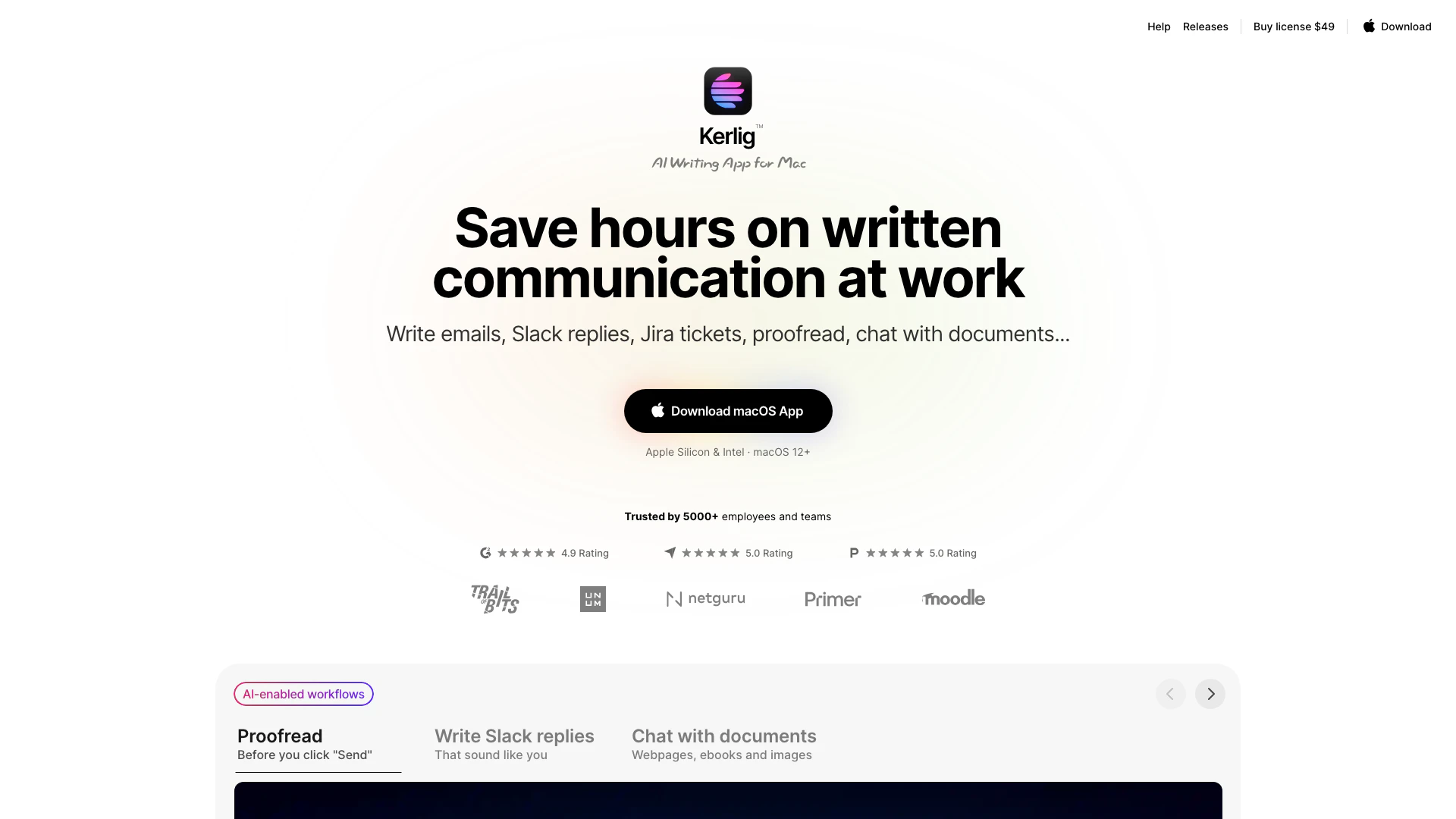
Kerlig is an AI writing application designed for Mac users, aimed at enhancing written communication efficiency in professional settings. It allows users to write emails, Slack replies, and Jira tickets while maintaining their unique tone of voice. The tool also offers proofreading[2] capabilities, grammar correction[3], and the ability to interact with various document types, including webpages, ebooks, and images. With Kerlig, users can save hours on written communication, making it an essential tool for teams and individuals looking to streamline their workflow.
How to use Kerlig?
- Download the Kerlig app from the official website.
- Install the app and define a hotkey for easy access.
- Add your AI provider's API key to enable AI functionalities.
- Select the text you want to improve in any application.
- Press the hotkey to activate Kerlig and choose the desired action, such as fixing spelling or summarizing text.
- Paste the corrected or enhanced text back into the original application.
What are the main features of Kerlig?
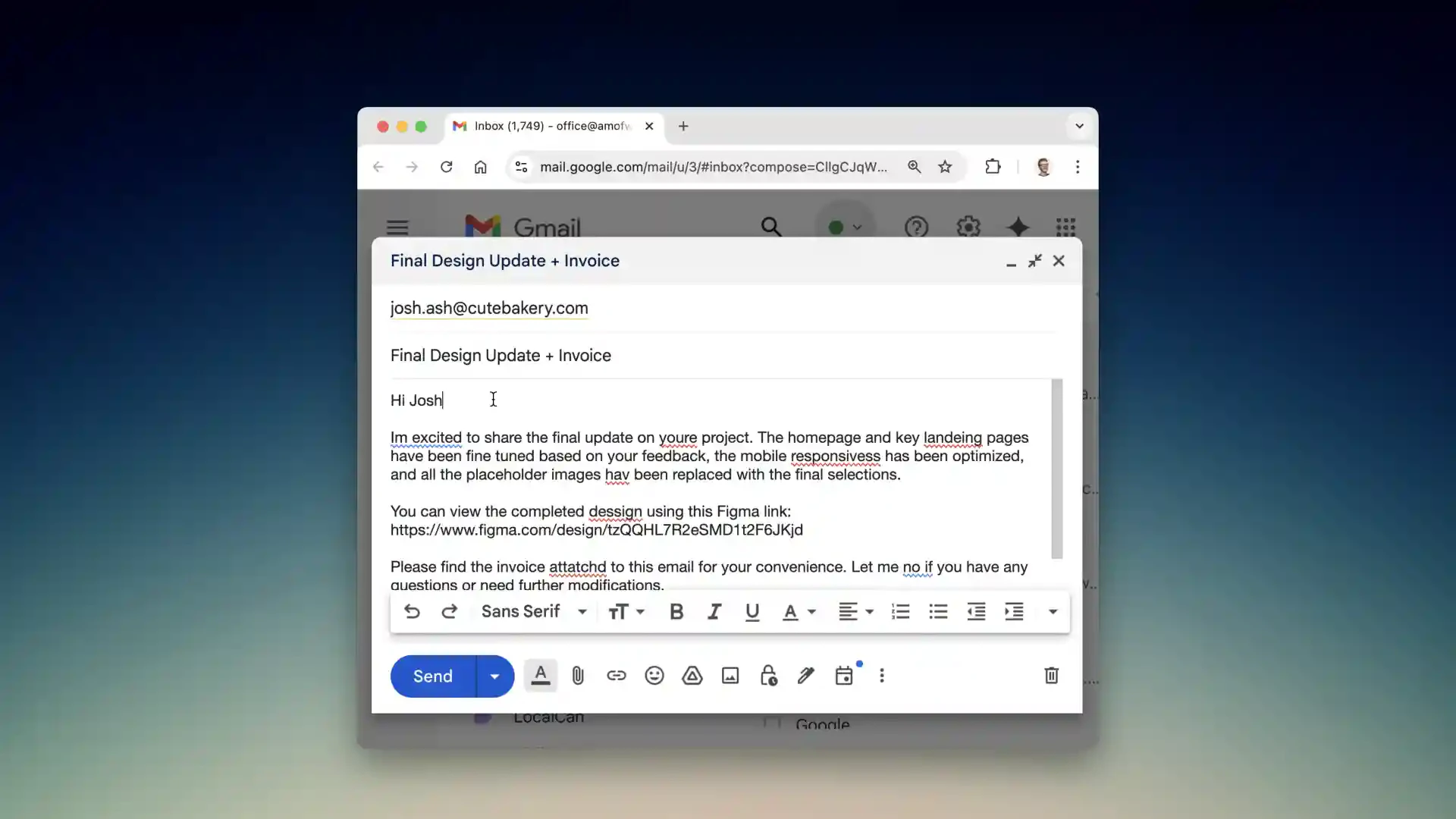
- AI Writing Assistance[1]: Craft emails, Slack messages, and Jira tickets with your personalized tone.
- Proofreading: Automatically correct grammar and spelling before sending messages.
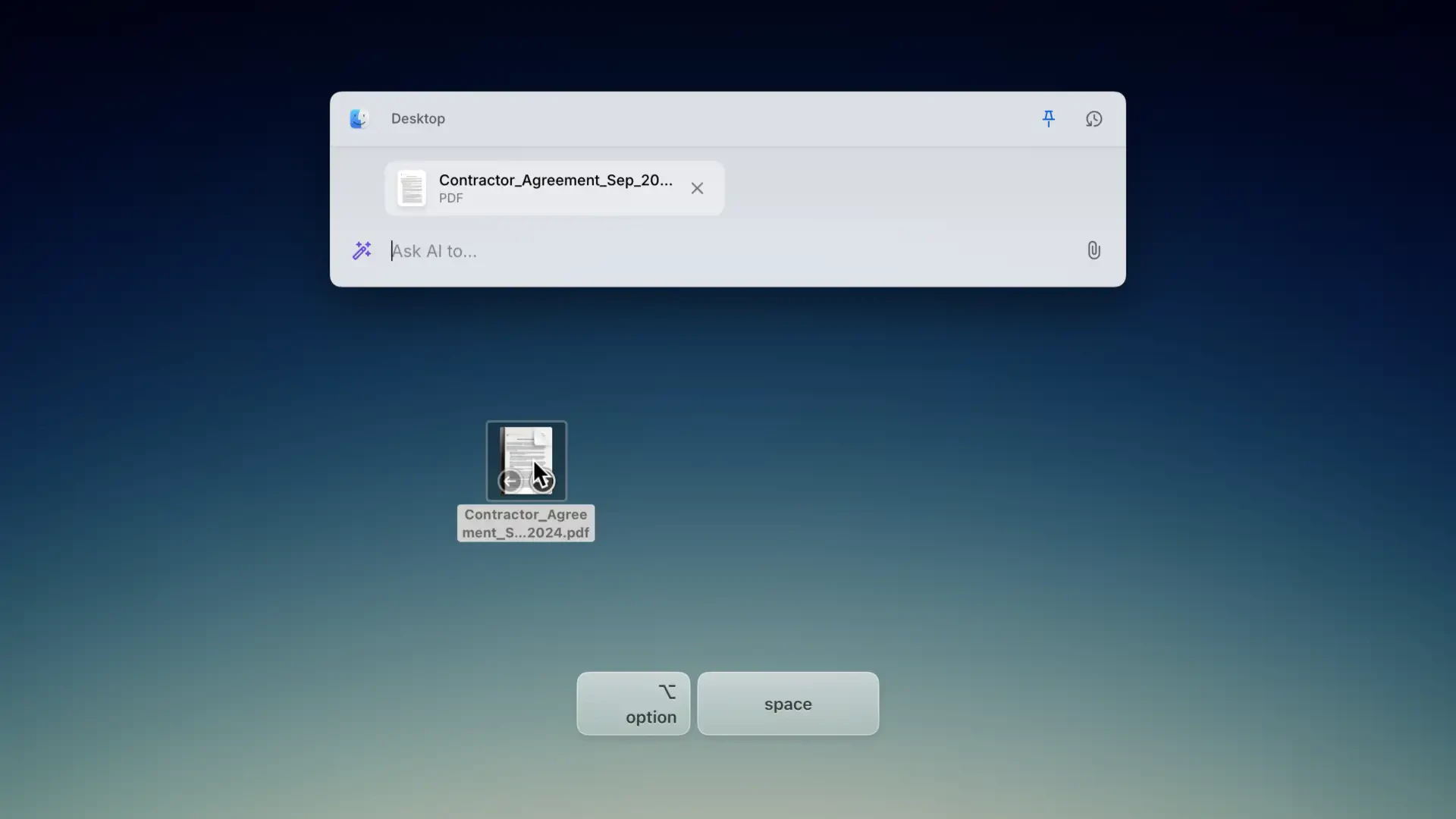
- Document Interaction[4]: Chat with various document types including webpages, ebooks, and images.
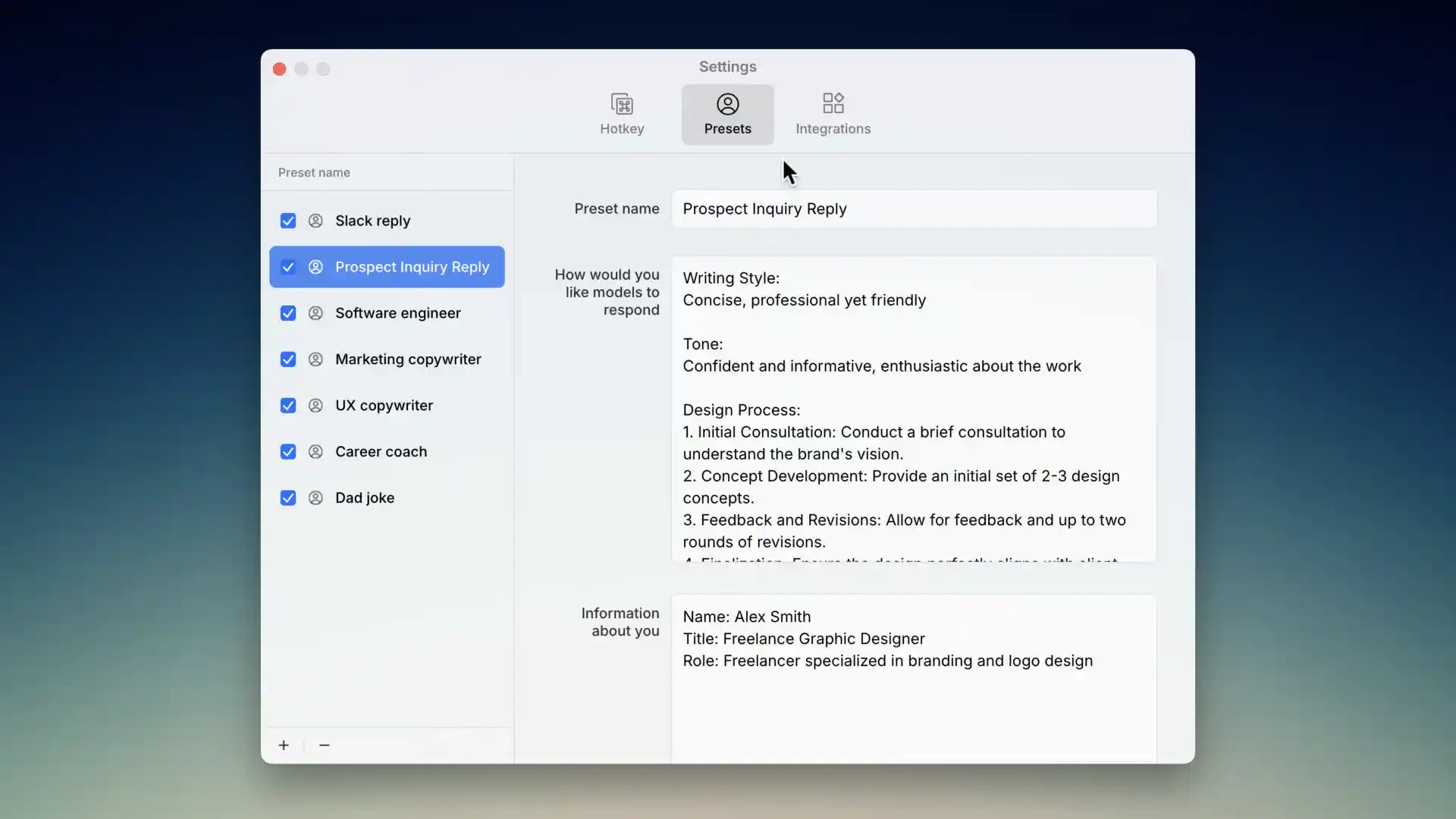
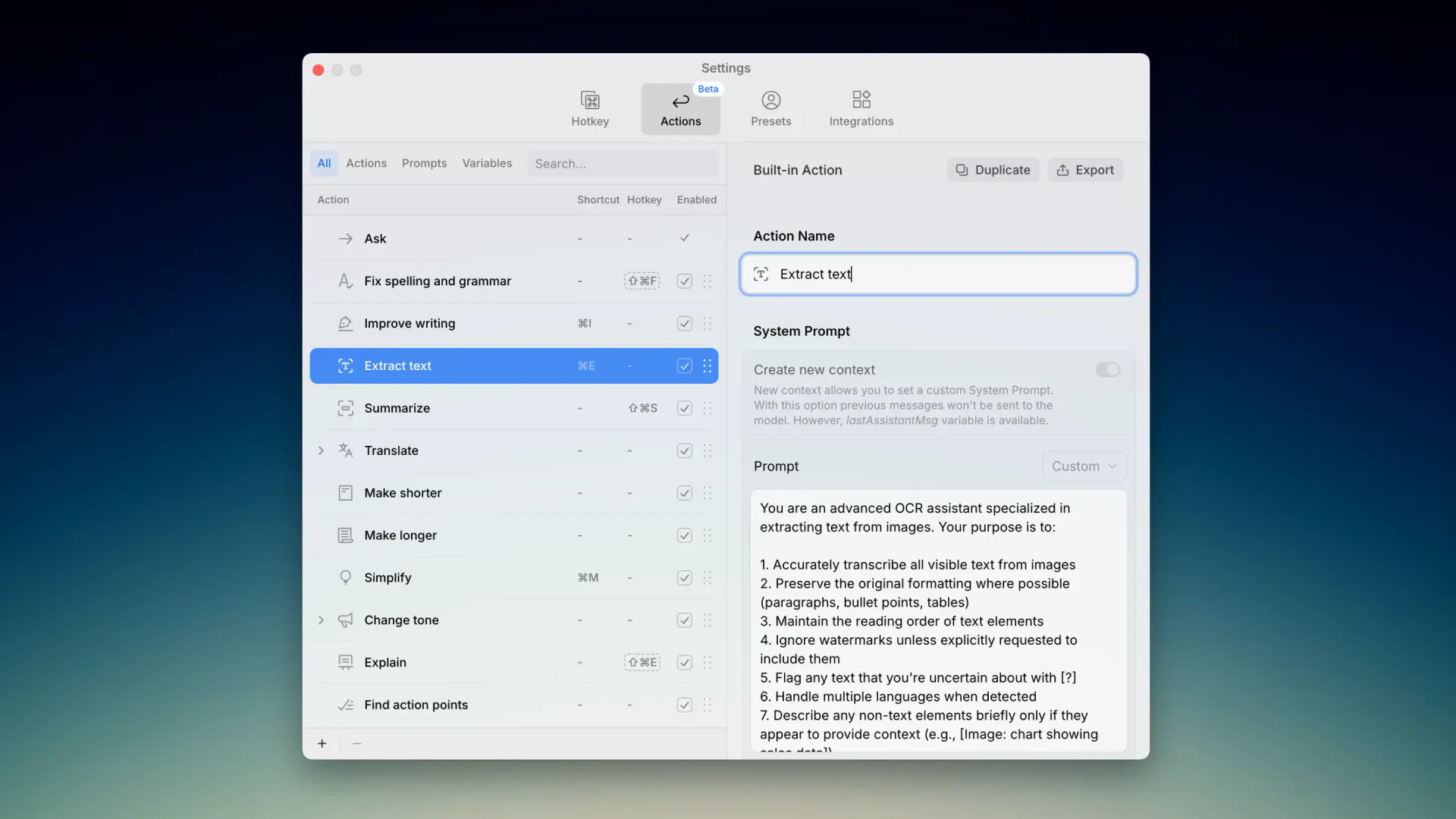
- Custom Actions[5]: Create and customize actions to fit your writing style and workflow.
- Multi-Model Support[6]: Access over 350 AI models for diverse writing needs.
- Privacy Focused: Messages are encrypted and stored securely on your Mac.
Who is Kerlig for?
Kerlig is ideal for professionals, teams, and individuals who frequently engage in written communication. This includes product designers, project managers, software engineers, and anyone who needs to write emails, respond to Slack messages, or create Jira tickets efficiently. The tool is especially beneficial for remote teams and those who manage multiple projects simultaneously, allowing them to maintain productivity without compromising the quality of their communication.
What are the use cases of Kerlig?
- Email Communication: Write professional emails to clients while ensuring grammar and tone are appropriate.
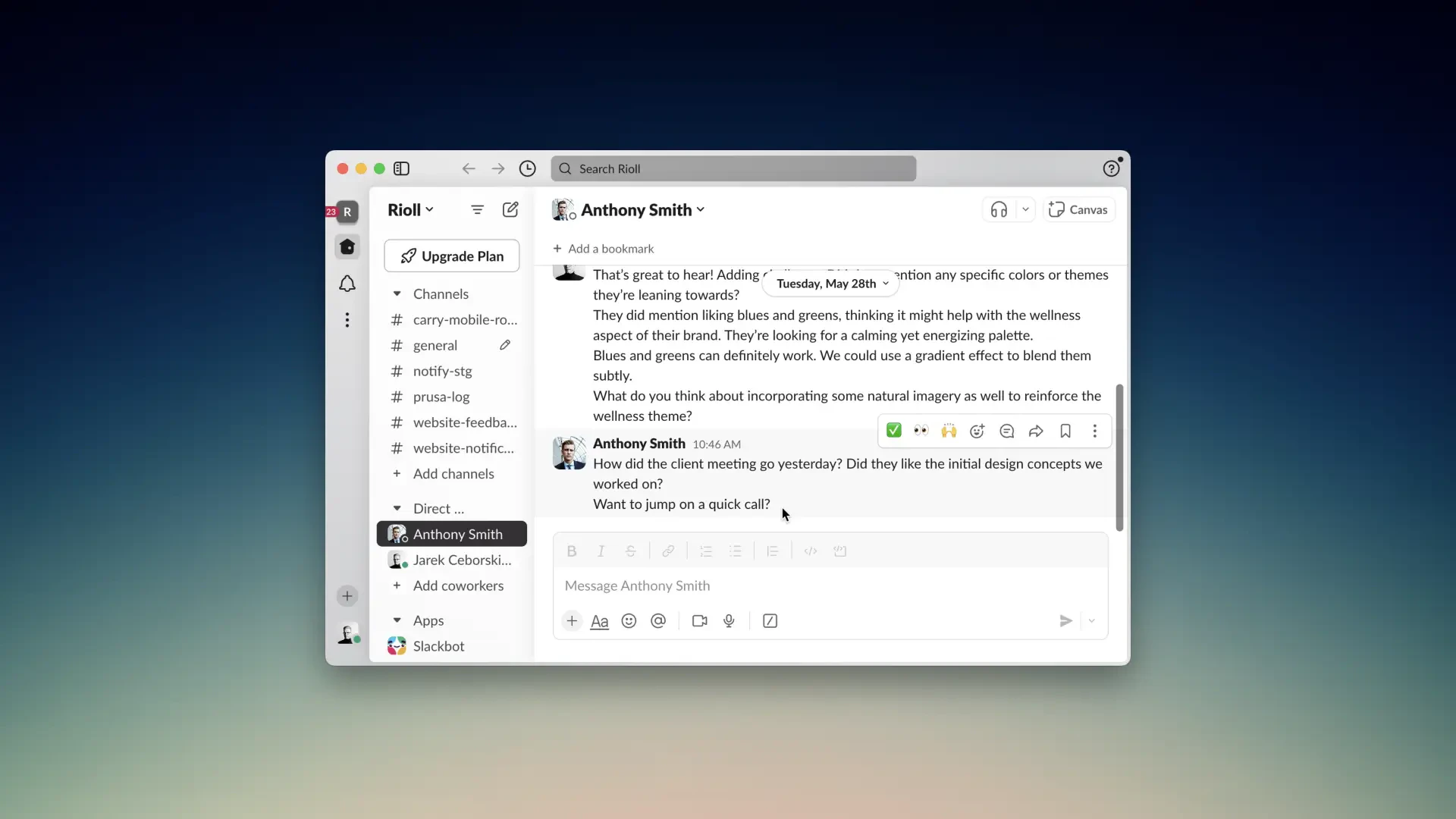
- Slack Responses: Quickly generate replies in Slack that reflect your personal style and context.
- Jira Ticket Creation: Efficiently create and manage Jira tickets with clear and concise descriptions.
- Document Summarization: Summarize lengthy documents or conference talks to extract key insights.
- Collaborative Projects: Use Kerlig to maintain clear communication in team projects, reducing misunderstandings and improving workflow.
Product Images
Kerlig Pros and Cons
Pros
- AI-Enabled Writing Assistance: Kerlig provides AI-driven writing assistance for emails, Slack replies, and Jira tickets, saving users significant time on written communication.
- Personalization Features: Users can tailor their writing style and customize actions to fit their unique workflows, enhancing productivity and user experience.
- Integration with Multiple AI Models: Kerlig supports over 350 AI models, allowing users to switch between different models easily, thus enhancing versatility in writing tasks.
Cons
No cons data detected for this tool
Kerlig Pricing
Basic License
Best for users with one Mac. Includes 1 Mac (1 seat), Lifetime 1 year app updates, Vision, Attachments, Presets, Use your tone of voice, 350+ models: OpenAI, Anthropic, Google, Groq, OpenRouter with your own API key, Apple Foundation Models, Ollama, LM Studio, and 48h email support.
Pro License
Best for Pro users with two Macs. Includes 2 Macs (2 seats), Lifetime 1 year app updates, Vision, Attachments, Presets, Use your tone of voice, 350+ models: OpenAI, Anthropic, Google, Groq, OpenRouter with your own API key, Apple Foundation Models, Ollama, LM Studio, and 24h email support.
Team License
Need more seats? Contact us. Includes 10 Macs (10 seats), Vision, Attachments, Presets, Use your tone of voice, 350+ models with your own API key, plus Apple Foundation Models, Ollama, LM Studio local models, Remote team deployment using CLI commands, One year of app updates, and Priority Zoom & email support.
For the latest pricing, please visit this link: https://www.kerlig.com/#pricing
Prices are subject to change. Please visit the official website for the most up-to-date pricing information.
Analytics of Kerlig
Kerlig Website Traffic Analysis
Visits Over Time
Traffic Sources
Nov 2025 - Jan 2026 Worldwide Desktop Only
- Direct: 42.41%
- Search: 39.50%
- Referrals: 9.65%
- Social: 6.69%
- Paid Referrals: 1.10%
- Mail: 0.14%
Top Keywords
| Keyword | Volume | CPC | Estimated Value |
|---|---|---|---|
| groq api key | 36.61K | $1.10 | $250.00 |
| openrouter api key | 13.60K | $1.82 | $210.00 |
| open router api key | 540 | $0.72 | $80.00 |
| kerlig | 520 | $0.00 | $450.00 |
| kerlig ai | 110 | $0.00 | $60.00 |
Kerlig Reviews
It's a beautifully designed time saver!
I love this app. It allows me to run prompts against various models, and it just works really well. It might be my favorite AI app on my Mac.
Since using Kerlig, switching between my operating system and browser has become much more efficient.
For more reviews, visit this link: https://www.kerlig.com/#testimonials
Kerlig Compare
| Tool Name | Introduction | Pricing | Type | Rating | Launch Date | Learn more |
|---|---|---|---|---|---|---|
 | Maxime Tools | The Secure Legal AI Copilot | Free | 💼Work | February 2, 2023 | Get deal | |
 | BarGPT, AI Generated Cocktail Recipes | Free | 🙋♂️Personal🎨Creativity | March 26, 2023 | Get deal | |
 | Transform your music into captivating videos with Plazmapunk's AI. | Free | 🎨Creativity | September 19, 2022 | Get deal |
Info current as of post date. Offers and availability may vary by location and are subject to change.
Kerlig Q&A
1. Download Kerlig™ app 2. Install: define a hotkey, add AI provider API key 3. Select text in any app and press the hotkey 4. Choose action e.g. Fix spelling 5. Paste corrected text into the original app. To make Kerlig app work, you will need to provide an API key from at least one AI provider or use on-device Apple Foundation Model, or other local models via Ollama or LM Studio.
For more FAQs, please visit this link: https://www.kerlig.com/help
Kerlig Alternatives

Play and create AI-generated adventures with infinite possibilities.
- Writing & Editing
- AI Text Generator
- AI Writing Assistants

Humanize AI Content | Bypass AI Detection | Get 100% Human Score
- Writing & Editing
- AI Text Generator
- AI Writing Assistants
- AI Detection Bypass

Humanize AI Content | Bypass AI Detection | Get 100% Human Score
- Writing & Editing
- AI Text Generator
- AI Writing Assistants
- AI Detection Bypass