

Kling Motion Control


What is Kling Motion Control?
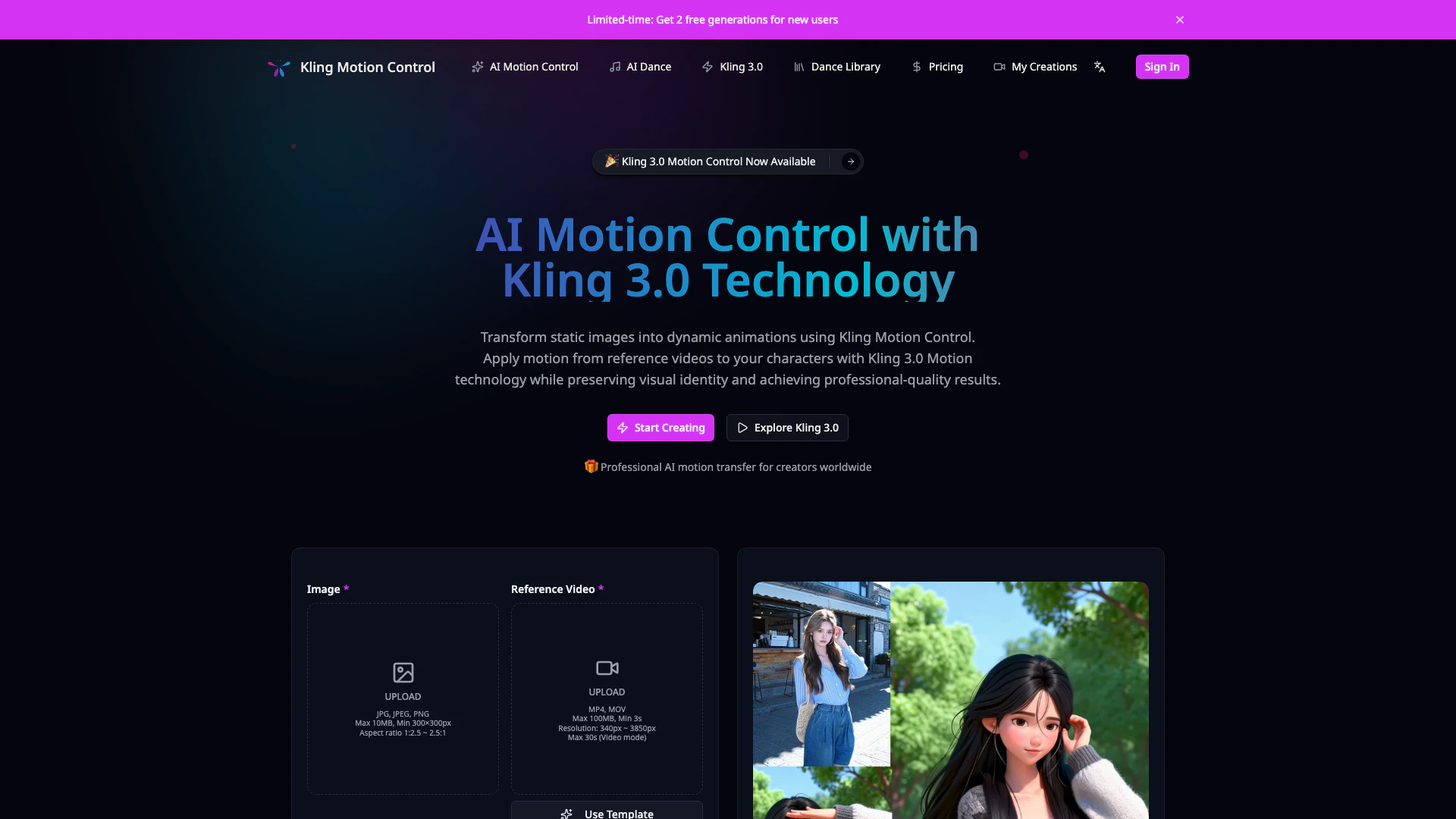
Kling Motion Control is an advanced AI-powered motion transfer system that utilizes Kling 3.0 technology to transform static images into dynamic animations. This innovative tool allows creators to apply motion from reference videos to their character images, producing realistic animations while preserving the characters' visual identity. With precise motion control and professional-quality output, Kling Motion Control is designed for animators and content creators looking to enhance their animation workflow.
How to use Kling Motion Control?
- Start by selecting a static image of the character you wish to animate.
- Choose a reference video that is between 3 to 30 seconds long, which showcases the desired motion.
- Upload the static image and reference video into the Kling Motion Control interface.
- Adjust the settings to match your preferred character orientation mode and decide if you want to preserve audio from the reference video.
- Initiate the motion transfer process, allowing Kling AI to analyze the video and apply the motion to your character image.
- Review the generated animation, and use text prompts for any refinements needed in backgrounds, lighting, or scene composition.
- Export the final animation for use in your projects.
What are the main features of Kling Motion Control?
- 3-30 Second Reference Videos: Use any video between 3 to 30 seconds to extract motion.
- Full-Body Motion Accuracy: Capture detailed movements, including hand gestures and facial expressions.
- Character Orientation Modes: Choose to match video framing or preserve the original image composition.
- Audio Preservation: Optionally keep the original soundtrack for lip-sync animations.
- Prompt-Guided Refinement: Refine backgrounds and scene composition with text prompts.
- Consistent Identity Across Frames: Ensure character appearance and style remain consistent throughout the animation.
- Professional Quality Output: Generate high-quality animations suitable for various professional uses.
- Reduced Trial-and-Error: Achieve predictable results, minimizing time spent on revisions.
Who is Kling Motion Control for?
Kling Motion Control is designed for professional animators, content creators, and studios looking to create high-quality animations efficiently. It is particularly useful for those in fields such as film production, advertising, social media content creation, and game development. Whether you are a freelance animator, a TikTok creator, or part of a larger studio, Kling Motion Control provides the tools needed to bring characters to life with precision and creativity.
What are the use cases of Kling Motion Control?
- Character Animation: Use Kling Motion Control to animate characters for films, video games, and animations, ensuring realistic movements.
- Social Media Content: Create engaging and dynamic animations for platforms like TikTok and Instagram to enhance viewer interaction.
- Product Videos: Animate brand mascots or products to create compelling promotional content that resonates with audiences.
Product Images


Kling Motion Control Pros and Cons
Pros
- Advanced Motion Transfer Technology: Kling Motion Control utilizes Kling 3.0 technology to accurately transfer motion from reference videos to static images, ensuring high fidelity in animations.
- Character Identity Preservation: The tool maintains consistent visual identity across all frames, preserving character features and style while applying motion.
- Professional Quality Output: Kling Motion Control generates production-ready animations suitable for commercial use, enhancing the quality of content creation.
- Predictable Motion Results: Unlike generic AI tools, it provides predictable and accurate motion transfer, reducing trial-and-error in the animation workflow.
Cons
No cons data detected for this tool
Kling Motion Control Pricing
Starter
Perfect for trying out AI motion control with your first projects. Great for personal projects and experimentation.
Basic
Enhanced control for creators who need precision and flexibility. Best for regular content creators.
Plus
Advanced features for professional creative workflows. Ideal for professional creators.
For the latest pricing, please visit this link: https://kling-motion-control.com/pricing
Prices are subject to change. Please visit the official website for the most up-to-date pricing information.
Kling Motion Control Reviews
Kling Motion Control completely transformed my workflow. I used to spend days on character animation, now I get professional results in minutes using Kling 3.0 Motion technology. The motion fidelity is incredible.
Kling AI Motion Control is my secret weapon for viral content. I apply trending dance moves to my cartoon characters and the engagement is through the roof. It captures every hand gesture perfectly.
We integrated Kling 3.0 Motion Control into our pre-visualization pipeline. It cut our storyboard animation time by 80%. The character identity preservation across frames is exactly what we needed for professional productions.
For more reviews, visit this link: https://kling-motion-control.com/#what-creators-say-about-kling-motion-control
Kling Motion Control Compare
| Tool Name | Introduction | Pricing | Type | Rating | Launch Date | Learn more |
|---|---|---|---|---|---|---|
 | Quickly generate SEO-optimized product descriptions. | Free Trial | 💼Work🎨Creativity | May 22, 2024 | Get deal | |
 | Effortlessly create professional content with AI support. | Free | 💼Work🎨Creativity | March 15, 2024 | Get deal | |
 | Transform your job search into a sales pipeline with Nabbed. | Free Trial | 💼Work🎨Creativity | February 22, 2026 | Get deal |
Info current as of post date. Offers and availability may vary by location and are subject to change.
Kling Motion Control Q&A
Kling Motion Control is an advanced AI-powered motion transfer system built on Kling 3.0 technology. It enables creators to apply movement from reference videos to static character images, generating realistic animations while maintaining consistent visual identity.
For more FAQs, please visit this link: https://kling-motion-control.com/#faq
Kling Motion Control Alternatives

Kling AI empowers creators to generate stunning images and videos using advanced generative AI techniques.
- Image Generation & Editing
- AI Image Generator
- AI Video Generator
- AI Image and Video Synthesis

PixVerse transforms your ideas into stunning AI-generated videos.
- Video & Animation
- AI Video Generator
- AI Text to Video
- AI Video Creation Suite

PixVerse | Create Amazing AI Videos from Text & Photos with AI Video Generator
- Art & Design
- AI Design Generator
- AI Video Generator
- AI Image to Video