
Omniphotoai
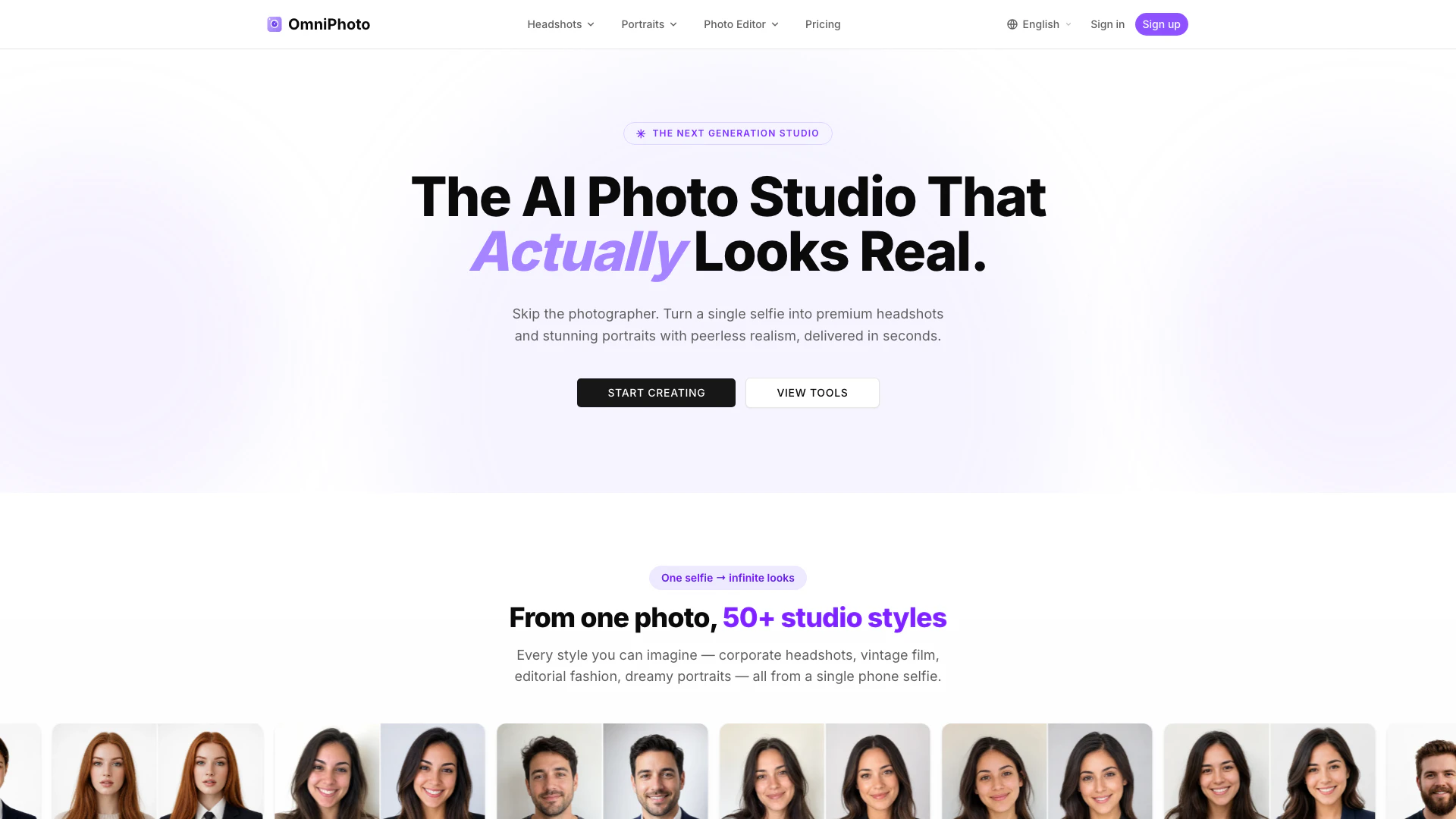





What is Omniphotoai?
Omniphotoai is an innovative AI-powered tool designed to transform ordinary selfies into professional-quality headshots and stunning portraits in under 30 seconds. With the capability to generate over 50 unique styles—from corporate headshots to vintage portraits—Omniphotoai caters to a wide array of personal and professional photography needs. This tool is particularly useful for individuals seeking to enhance their online presence, such as on LinkedIn, or for anyone wanting to create memorable life moments captured in high-quality images.
How to use Omniphotoai?
- Visit the Omniphotoai website at https://www.omniphoto.ai/.
- Upload a selfie or photo you wish to transform.
- Select from the available 50+ styles that suit your needs.
- Review the generated images and choose your preferred headshot or portrait.
- Download your professional-quality photo instantly.
What are the main features of Omniphotoai?
- Generate over 50 curated photo styles, including corporate, vintage, and editorial.
- Quick turnaround time of under 30 seconds for photo transformation.
- High-quality, print-ready images suitable for professional use.
- Privacy-focused with automatic deletion of uploaded images after processing.
- User-friendly interface that requires no technical skills.
Who is Omniphotoai for?
Omniphotoai is ideal for professionals, including executives, job seekers, and teams who need polished headshots for platforms like LinkedIn. It also caters to individuals looking to create memorable portraits for personal events such as weddings, birthdays, or family gatherings. The tool is designed for anyone who values high-quality photography but may not have access to traditional studio settings.
What are the use cases of Omniphotoai?
- Creating LinkedIn-ready headshots for job applications and professional networking.
- Generating corporate headshots for team members to maintain a consistent brand image.
- Producing stunning portraits for personal milestones like weddings, maternity, or family gatherings.
Omniphotoai Pros and Cons
Pros
- Diverse Style Options: OmniPhotoAI offers over 50 curated styles for headshots and portraits, allowing users to choose from various looks including corporate, vintage, and editorial.
- Fast Processing Time: The tool can transform a selfie into a professional-quality image in under 30 seconds, making it quick and efficient for users.
- User-Friendly AI Editor: OmniPhotoAI's AI photo editor simplifies the editing process by allowing users to select options while the AI takes care of the technical details, resulting in professional-grade results.
Cons
No cons data detected for this tool
Omniphotoai Pricing
Explorer
For your first headshot or occasional use * 200 credits/mo (20 headshots or 10 portrait sets) * No watermark * Credit pack top-ups
Creator
For professionals who update their image regularly * 600 credits/mo (60 headshots or 30 portrait sets) * No watermark * Priority processing * Credit pack top-ups * Commercial license
Studio
For teams and high-volume creators * 1,500 credits/mo (150 headshots or 75 portrait sets) * No watermark * Priority processing * Credit pack top-ups * Commercial license
For the latest pricing, please visit this link: https://www.omniphoto.ai/pricing
Prices are subject to change. Please visit the official website for the most up-to-date pricing information.
Omniphotoai Compare
| Tool Name | Introduction | Pricing | Type | Rating | Launch Date | Learn more |
|---|---|---|---|---|---|---|
Configure it once and automate your images forever without intervention—no need to review. Photos are ready to publish. Adjust backgrounds, lighting, banners, and more to fit your company branding. | Free | October 5, 2021 | Get deal | |||
Rewind | Free | February 2, 2018 | Get deal | |||
Tutor AI - Your personal AI tutor to learn anything | Free | September 23, 2007 | Get deal |



Info current as of post date. Offers and availability may vary by location and are subject to change.
Omniphotoai Q&A
Yes, OmniPhoto offers a free trial for new accounts.
Omniphotoai Alternatives

Create studio-quality headshots with the most professional AI headshot generator. Perfect for business headshots. 100% money-back guarantee in every order.
- Image Generation & Editing
- AI Headshot Generator
- AI Image Generator
- AI Design Generator

Profile Pro
- Image Generation & Editing
- AI Avatar Generator
- AI Image Generator
- AI Profile Picture Generator
MorphicShot: Create Perfect profile pictures with AI
- Image Generation & Editing
- AI Profile Picture Generator