

Retouch
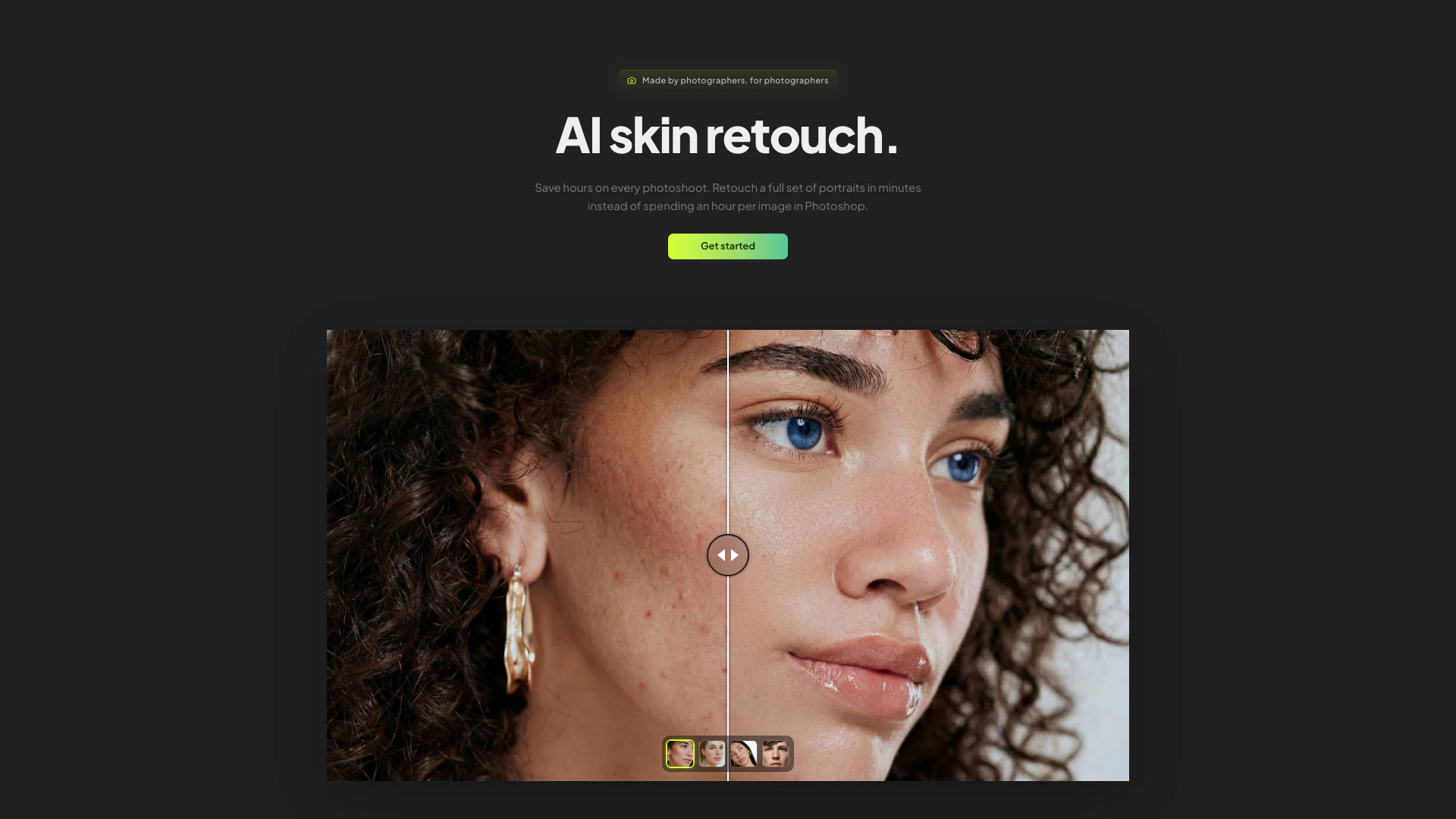





What is Retouch?
Retouch is an advanced AI skin retouching tool specifically designed for portrait and wedding photographers. It allows users to enhance and edit full photoshoots in a matter of minutes, delivering natural-looking results at full resolution. With capabilities for both automatic and brush-based editing, Retouch streamlines the retouching process, making it an essential tool for professionals looking to save time while maintaining high-quality outcomes.
How to use Retouch?
- Sign up or log in to your Retouch account on the official website.
- Upload the images you wish to retouch into the platform.
- Choose between the automatic AI retouching feature for a quick cleanup or select the brush tool for manual adjustments on specific areas.
- Utilize the history retention feature to revert to previous edits if necessary.
- Save your projects within the provided 2 GB storage space and return to them later.
What are the main features of Retouch?
- Automatic AI cleanup for quick skin retouching.
- Manual brush tool for detailed spot retouching.
- History retention to track and revert edits.
- 2 GB of project storage for easy access to all your images and edits.
- Bulk retouching feature (coming soon) to process multiple images simultaneously.
Who is Retouch for?
Retouch is tailored for professional photographers, particularly those specializing in portrait and wedding photography. It caters to individuals and businesses looking to enhance their workflow by significantly reducing the time spent on retouching while ensuring the preservation of natural skin textures and details.
What are the use cases of Retouch?
- Quickly retouching wedding photos to prepare for client delivery.
- Enhancing portrait photography for online portfolios and social media.
- Streamlining the editing process for large photoshoots by utilizing bulk retouching capabilities.
Retouch Pros and Cons
Pros
- Fast Retouching Process: Retouch allows photographers to process a full set of portraits in minutes, significantly reducing the time spent on each image compared to traditional methods.
- Natural Results Preservation: The tool preserves natural skin texture and pores while removing blemishes, ensuring that the final images look authentic and professional.
- Project Storage and History: Users benefit from 2 GB of project storage and a full edit history for each image, allowing easy access to previous versions without losing any edits.
Cons
No cons data detected for this tool
Retouch Pricing
Monthly Plan
200 credits per month, everything included.
For the latest pricing, please visit this link: https://retouch.to/
Prices are subject to change. Please visit the official website for the most up-to-date pricing information.
Retouch Compare
| Tool Name | Introduction | Pricing | Type | Rating | Launch Date | Learn more |
|---|---|---|---|---|---|---|
 | HARVY | Work Diary AI Automation | Heavy Vehicle Compliance and NHVR Driver Work Diary Reporting | Free | 💼Work | March 4, 1986 | Get deal | |
 | Text to Speech Online – Convert Any Text to Audio Instantly | Free | 🙋♂️Personal💼Work🎨Creativity | July 25, 2023 | Get deal | |
 | HYI.AI connects startups with top virtual assistants and engineers for seamless scaling. | Free | 💼Work | December 9, 2024 | Get deal |
Info current as of post date. Offers and availability may vary by location and are subject to change.
Retouch Alternatives

Remove image backgrounds automatically in 5 seconds with just one click. Don't spend hours manually picking pixels. Upload your photo now & see the magic.
- Image Generation & Editing
- AI Background Remover
- AI Image Enhancer
- AI Image Segmentation

Adobe Firefly is an AI-driven tool for creating unique images, videos, and audio.
- Image Generation & Editing
- AI Image Generator
- AI Photo Editor
- AI Realistic Image Generator

Pixelbin.io is free online photo editor. Use PixelBin to edit, crop, enhance, or add background to your images. A mobile app is also available for editing.
- Image Generation & Editing
- AI Smart Crop
- AI Image Enhancer
- AI Photo Editor