

Snapzyn




What is SnapZyn?
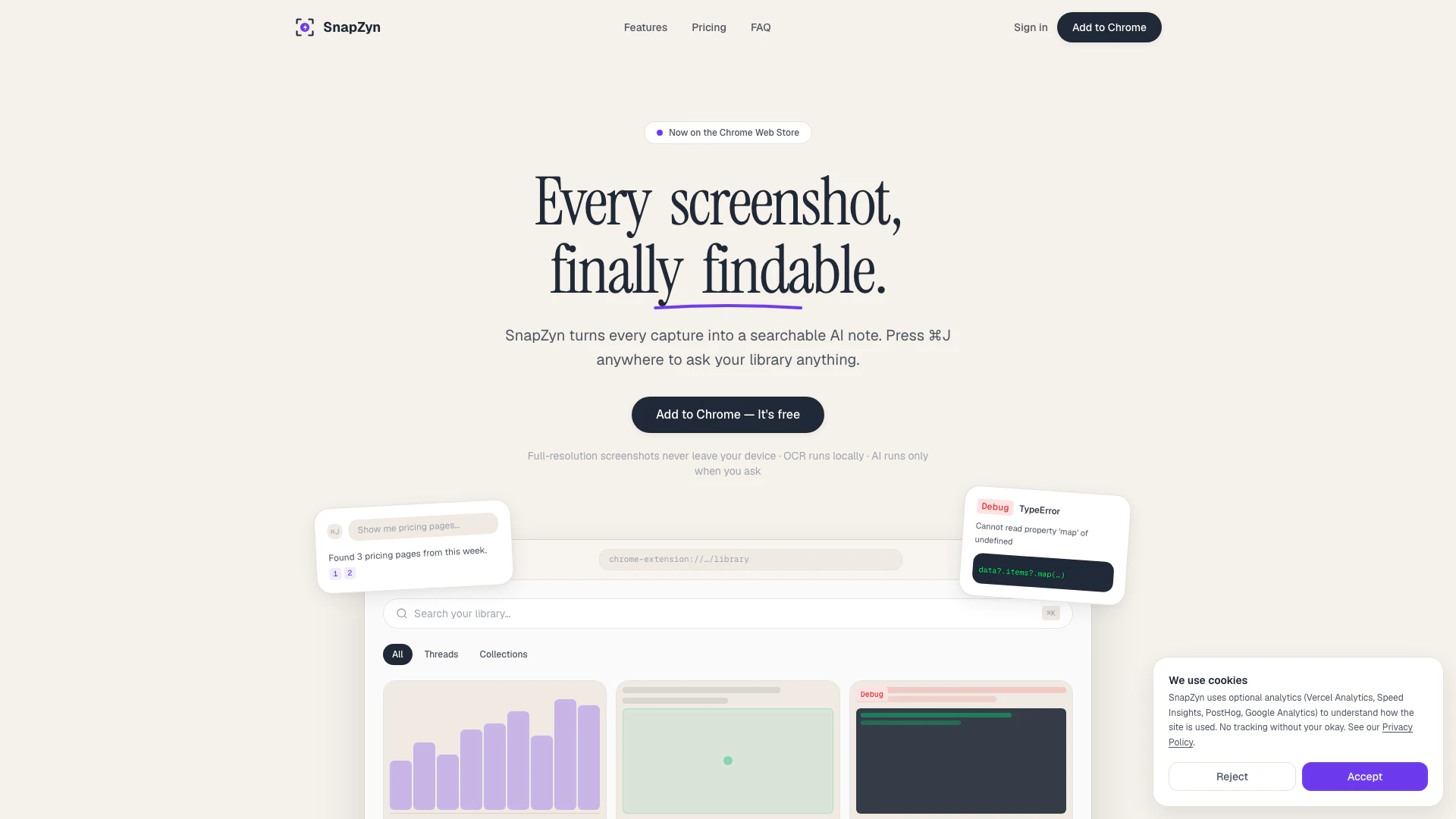
SnapZyn is an innovative tool designed to transform every browser screenshot into a searchable AI note. This powerful Chrome extension allows users to easily capture and organize their screenshots, making them accessible and findable at any time. With SnapZyn, users can press ⌘J anywhere in their browser to ask their library questions, retrieving relevant information quickly and efficiently. The tool emphasizes local-first design, ensuring that all full-resolution screenshots remain on the user's device, enhancing privacy and security.
How to use SnapZyn?
- Install the SnapZyn extension from the Chrome Web Store by clicking 'Add to Chrome'. It's free to start and requires no signup for capturing screenshots.
- Capture screenshots using the keyboard shortcut ⌘+Shift+S. SnapZyn will automatically handle OCR, tagging, and indexing, typically within five seconds.
- To search your library, press ⌘J on any tab, type your question in natural language, and receive answers with clickable citations from your captured screenshots.
What are the main features of SnapZyn?
- Local-first design ensures screenshots never leave your device without consent.
- AI-powered search allows you to find screenshots by meaning rather than filename.
- Automatic tagging and OCR text extraction make every screenshot searchable.
- Debug mode offers step-by-step suggestions for error screenshots.
- Screenshot diff functionality enables comparison between two screenshots to highlight changes.
- Smart collections organize screenshots based on topics and AI-generated tags.
- Annotations can be added to captures for better clarity.
- Bulk import feature allows quick indexing of existing screenshot folders.
Who is SnapZyn for?
SnapZyn is designed for professionals, students, and anyone who frequently takes screenshots and needs a reliable way to organize and retrieve them. It is particularly beneficial for users in fields such as software development, design, and research, where capturing and referencing visual information is essential. By providing a powerful and intuitive way to manage screenshots, SnapZyn caters to those who value efficiency and organization in their workflow.
What are the use cases of SnapZyn?
- Software developers can capture error messages or code snippets and quickly retrieve them for debugging purposes.
- Designers can save UI changes and compare different versions of their designs using the screenshot diff feature.
- Researchers can collect and organize information from various online sources, making it easy to reference later during their studies.
Snapzyn Pros and Cons
Pros
- Searchable AI Notes: SnapZyn converts every screenshot into a searchable AI note, allowing users to find information quickly by asking natural language questions.
- Local-First Privacy: The tool processes screenshots locally, ensuring that sensitive data remains on the user's device and is not sent to the cloud without consent.
- Automatic Organization: Screenshots are automatically tagged and organized into threads and collections, making it easy to manage and retrieve information.
Cons
No cons data detected for this tool
Snapzyn Pricing
Free
For anyone trying SnapZyn out.
Founder's License
For the first 100 supporters. Locked in forever.
Standard Lifetime
For everyone after the first 100.
Pro
For power users who want no limits.
Pro Annual
For power users who want no limits.
For the latest pricing, please visit this link: https://snapzyn.com/#pricing
Prices are subject to change. Please visit the official website for the most up-to-date pricing information.
Snapzyn Compare
| Tool Name | Introduction | Pricing | Type | Rating | Launch Date | Learn more |
|---|---|---|---|---|---|---|
AiSofiya offers AI-powered tools, chatbots, and automation to help websites and businesses work smarter, faster, and 24/7. | Free | January 10, 2023 | Get deal | |||
Never miss a new customer | Jackrabbit Ops | Free | June 17, 2022 | Get deal | |||
Paraphrasing Tool (Ad-Free and No Sign-up Required) - QuillBot AI | Free | December 31, 1984 | Get deal |


Info current as of post date. Offers and availability may vary by location and are subject to change.
Snapzyn Q&A
To install SnapZyn, simply add the extension to Chrome in two clicks. It is free to start and does not require signup for capturing.
Snapzyn Alternatives

Notion AI enhances productivity by integrating AI tools directly into your workspace.
- Productivity & Office
- AI Productivity Tools
- AI Information Management Tools
- Content Management Tools

Notion is an AI-powered workspace that automates tasks and enhances team collaboration.
- Productivity & Office
- AI Productivity Tools
- AI Information Management Tools
- AI Task Management Tools

Box AI enhances enterprise productivity with intelligent content management and automation.
- Operations & Management
- AI Workflow Automation
- AI Productivity Tools
- AI Information Management Tools