

Threadnavigator



What is Threadnavigator?
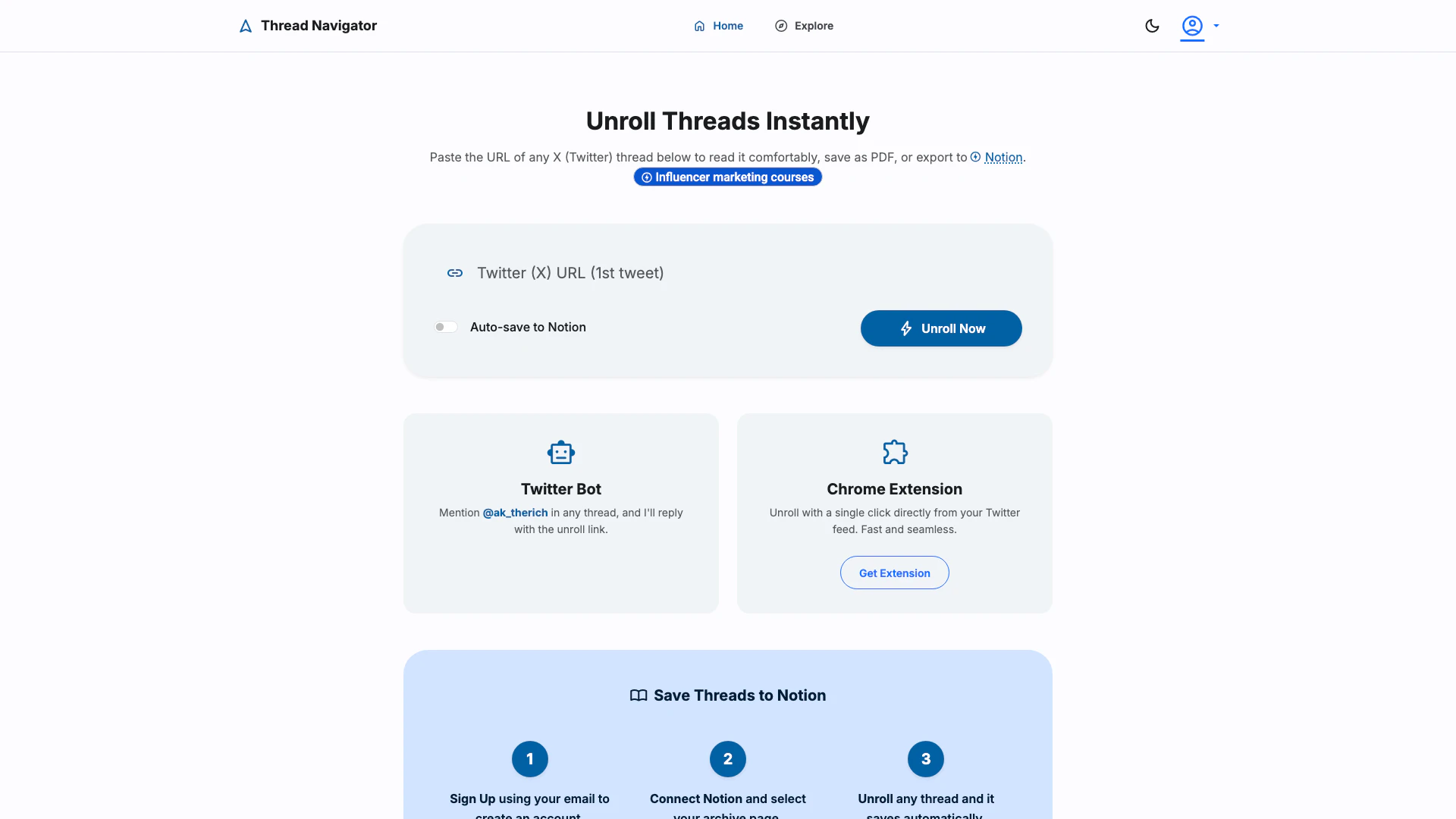
Threadnavigator is a powerful thread reader app designed to unroll X (formerly Twitter) threads effortlessly. It allows users to read lengthy threads in a more comfortable format and provides options to download them as PDFs or save them directly to Notion. By simplifying the reading experience, Threadnavigator enhances how users interact with content on X, making it easier to follow discussions and share insights.
How to use Threadnavigator?
To use Threadnavigator, follow these steps: 1. Paste the Thread URL: Copy the URL of the X (Twitter) thread you want to read and paste it into the designated area on the Threadnavigator website. 2. Unroll the Thread: Click on the 'Unroll Now' button to convert the thread into a readable format. 3. Save or Export: Choose to download the unrolled thread as a PDF or save it directly to your Notion account for future reference.
What are the main features of Threadnavigator?
Threadnavigator offers several key features: - Instant Unrolling: Quickly convert any X thread into a readable format with just a URL. - PDF Download: Save unrolled threads as PDF files for offline reading or sharing. - Notion Integration: Automatically save threads to your Notion workspace, allowing for organized archiving and easy access. - Chrome Extension: Use the Threadnavigator Chrome extension for seamless unrolling directly from your Twitter feed.
Who is Threadnavigator for?
Threadnavigator is ideal for anyone who frequently engages with content on X (Twitter). This includes researchers, students, content creators, and social media enthusiasts who want to save and organize important discussions or insights from threads. Additionally, it benefits users who prefer a more structured reading experience, making it easier to digest lengthy information.
What are the use cases of Threadnavigator?
Here are some practical use cases for Threadnavigator: 1. Research and Study: Students and researchers can save informative threads as PDFs for academic purposes. 2. Content Creation: Writers and bloggers can gather insights from various threads to enhance their articles or posts. 3. Archiving Discussions: Users can archive important discussions from X for future reference or to share with colleagues.
Threadnavigator Pros and Cons
Pros
- Instant Thread Unrolling: Easily unroll any X (Twitter) thread by pasting the URL, allowing for a comfortable reading experience.
- PDF Download and Notion Integration: Download unrolled threads as PDFs or save them directly to Notion for easy access and organization.
- Chrome Extension Availability: Offers a Chrome extension for quick unrolling of threads directly from the Twitter feed, enhancing user convenience.
Cons
No cons data detected for this tool
Analytics of Threadnavigator
Threadnavigator Compare
| Tool Name | Introduction | Pricing | Type | Rating | Launch Date | Learn more |
|---|---|---|---|---|---|---|
 | Discover royalty-free music and sound effects for your projects. | Free Trial | 💼Work🎨Creativity | -- | Get deal | |
 | AI Revenue Orchestration Platform | Momentum | Free | 💼Work | November 8, 2010 | Get deal | |
 | Get instant webhook notifications on your phone. | Freemium | 💼Work🎨Creativity | March 14, 2026 | Get deal |
Info current as of post date. Offers and availability may vary by location and are subject to change.
Threadnavigator Alternatives

Boost your social media strategy with Publer’s suite of tools. Manage multiple accounts, schedule posts, collaborate with your team, and analyze performance—all in one place.
- Social Media Tools
- AI Social Media Tools

OpusClip turns long videos into high-quality viral clips for you to share on TikTok, YouTube Shorts, and Reels to increase social media reach.
- Writing & Editing
- AI Content Repurposing
- AI Text Generator
- AI Social Media Tools

WarnerBros.com | Barbie | Movies
- Image Generation & Editing
- AI Image Generator
- AI Design Generator
- AI Social Media Tools