
Trydoco




What is Doco?
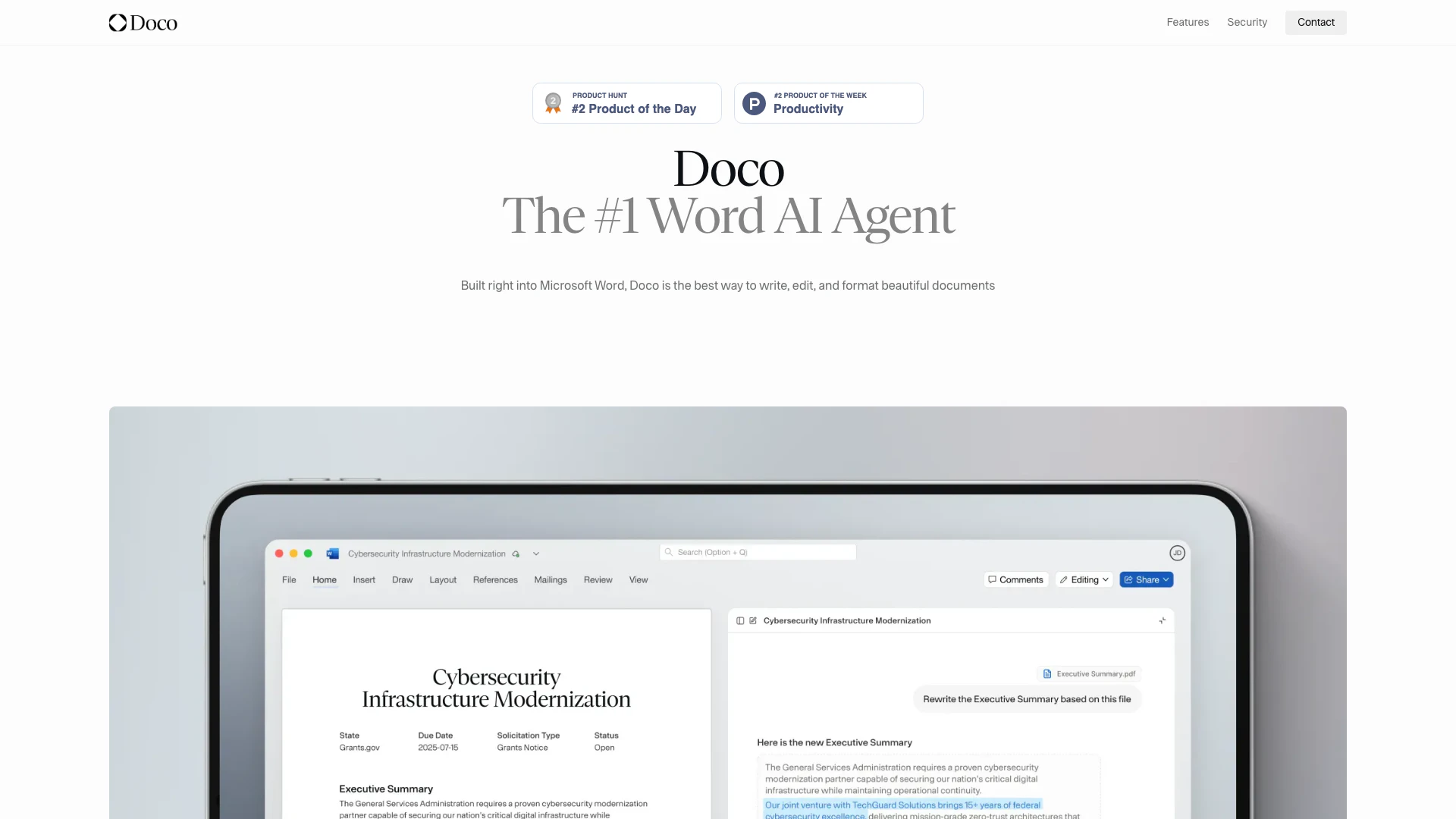
Doco, built directly into Microsoft Word, is an AI-powered tool designed to enhance the writing, editing, and formatting of documents. As the #1 Word AI Agent, Doco streamlines the process of creating beautiful documents by leveraging artificial intelligence to assist users in drafting, revising, and finalizing their content. This integration allows users to focus on their ideas while Doco manages the intricacies of formatting and style, making it an invaluable resource for anyone who regularly works with text-based documents.
How to use Doco?
- Install Doco: Begin by downloading and installing Doco from the official website, ensuring it integrates seamlessly with your Microsoft Word application.
- Open Microsoft Word: Launch Microsoft Word and open an existing document or create a new one where you want to use Doco.
- Access Doco: Locate the Doco assistant pane within Word, typically found on the side of the document interface.
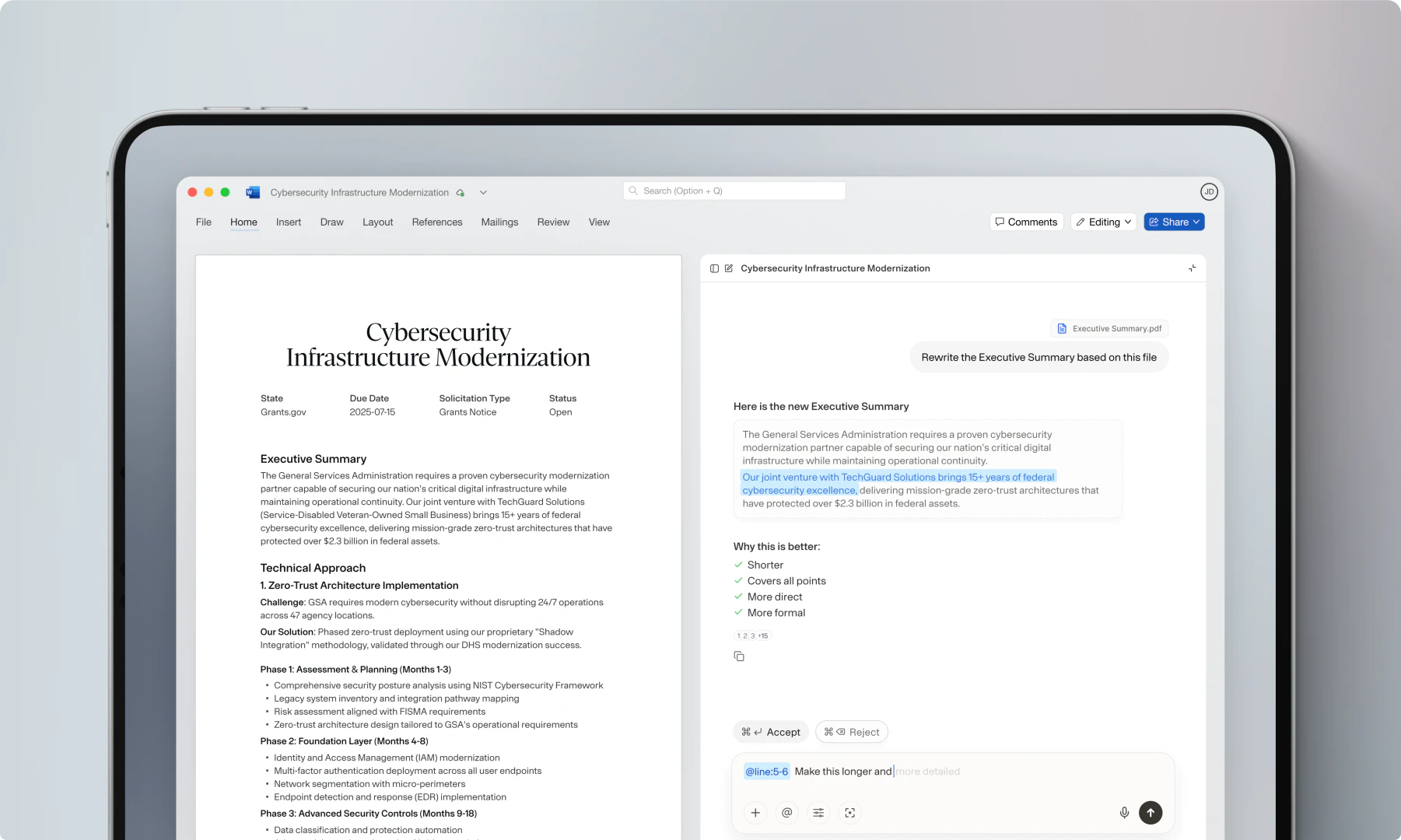
- Start Writing: Begin writing your document, and as you type, use Doco's features to edit, format, and refine your text. You can prompt Doco to assist with rewriting sections, generating summaries, or ensuring stylistic consistency.
- Review Edits: As Doco makes suggestions, review the changes directly in your document, accepting or rejecting them as needed. This allows you to maintain control over the final content.
What are the main features of Doco?
- AI-Powered Editing[1]: Doco utilizes artificial intelligence to assist in writing and editing documents, providing real-time suggestions and improvements.
- Document Integration[2]: Fully integrated with Microsoft Word, allowing users to edit and format documents without switching between applications.
- Traceable Edits[3]: Users can see the source of every edit, ensuring transparency in changes made to documents.
- Personalized Workflows[4]: Doco learns from user behavior and tailors workflows to enhance individual productivity.
- Style Consistency[5]: Maintains consistent formatting and style throughout the document, making it easy to adhere to specific guidelines.
Who is Doco for?
Doco is designed for a wide range of users, including professionals, students, and businesses. Writers, editors, and content creators will find Doco particularly beneficial as it streamlines the document creation process. Graduate students and academics can use Doco to enhance their essays and reports, while corporate teams can leverage its capabilities for drafting proposals and reports. Additionally, legal professionals who require precision in document formatting and editing will appreciate the efficiency that Doco brings to their workflow.
What are the use cases of Doco?
- Academic Writing: Students can utilize Doco to draft, edit, and format essays and research papers, improving their writing efficiency.
- Business Proposals: Companies can create polished proposals and reports quickly, with Doco ensuring that all documents meet professional standards.
- Legal Document Preparation: Lawyers can refine complex legal documents in real-time, benefiting from Doco's editing capabilities to save time during document reviews.
Product Images
Trydoco Pros and Cons
Pros
- Integrated with Microsoft Word: Doco is built directly into Microsoft Word, allowing users to write, edit, and format documents seamlessly without switching applications.
- AI-Powered Editing: Utilizes AI to assist in drafting and editing, providing suggestions and improvements based on existing content, which enhances productivity.
- Personalized Workflows: Learns user preferences and adapts workflows accordingly, making the editing process more efficient and tailored to individual needs.
Cons
No cons data detected for this tool
Analytics of Trydoco
Trydoco Website Traffic Analysis
Visits Over Time
Traffic Sources
Nov 2025 - Jan 2026 Worldwide Desktop Only
- Direct: 43.05%
- Search: 30.59%
- Referrals: 19.10%
- Social: 4.92%
- Paid Referrals: 1.51%
- Mail: 0.23%
Top Keywords
| Keyword | Volume | CPC | Estimated Value |
|---|---|---|---|
| doco | 13.63K | $1.14 | $180.00 |
| doco ai | 330 | $0.00 | $310.00 |
| word ai agent plugin | 110 | $0.00 | $60.00 |
| trydoco | 40 | $0.00 | $40.00 |
| docs word agency | 20 | $0.00 | $20.00 |
Trydoco Reviews
Doco has completely changed how I work with Word. I can edit, summarize, and even build tables without leaving the document. It feels like having a smart assistant right inside Word.
As a grad student, I’m constantly writing essays and reports. Doco helps me polish my writing, generate quick summaries, and organize my content so I can focus on the ideas, not the formatting.
I manage government contracts daily, and Doco has been a lifesaver. It speeds up edits, catches errors I’d miss, and makes handling long documents so much easier.
For more reviews, visit this link: https://www.trydoco.com/#reviews
Trydoco Compare
| Tool Name | Introduction | Pricing | Type | Rating | Launch Date | Learn more |
|---|---|---|---|---|---|---|
 | AutoDraw | Free | 🎨Creativity | January 2, 1998 | Get deal | |
 | Paraphrasing Tool (Ad-Free and No Sign-up Required) - QuillBot AI | Free | 💼Work🎨Creativity | December 31, 1984 | Get deal | |
 | 2Mn+ readymade ChatGPT prompt ideas built by prompt engineers, using insights from eCommerce experts - that really work! | Free | 💼Work🎨Creativity | February 6, 2023 | Get deal |
Info current as of post date. Offers and availability may vary by location and are subject to change.
Trydoco Alternatives

Play and create AI-generated adventures with infinite possibilities.
- Writing & Editing
- AI Text Generator
- AI Writing Assistants

Humanize AI Content | Bypass AI Detection | Get 100% Human Score
- Writing & Editing
- AI Text Generator
- AI Writing Assistants
- AI Detection Bypass

Humanize AI Content | Bypass AI Detection | Get 100% Human Score
- Writing & Editing
- AI Text Generator
- AI Writing Assistants
- AI Detection Bypass