
Upscalemy





What is Upscalemy?
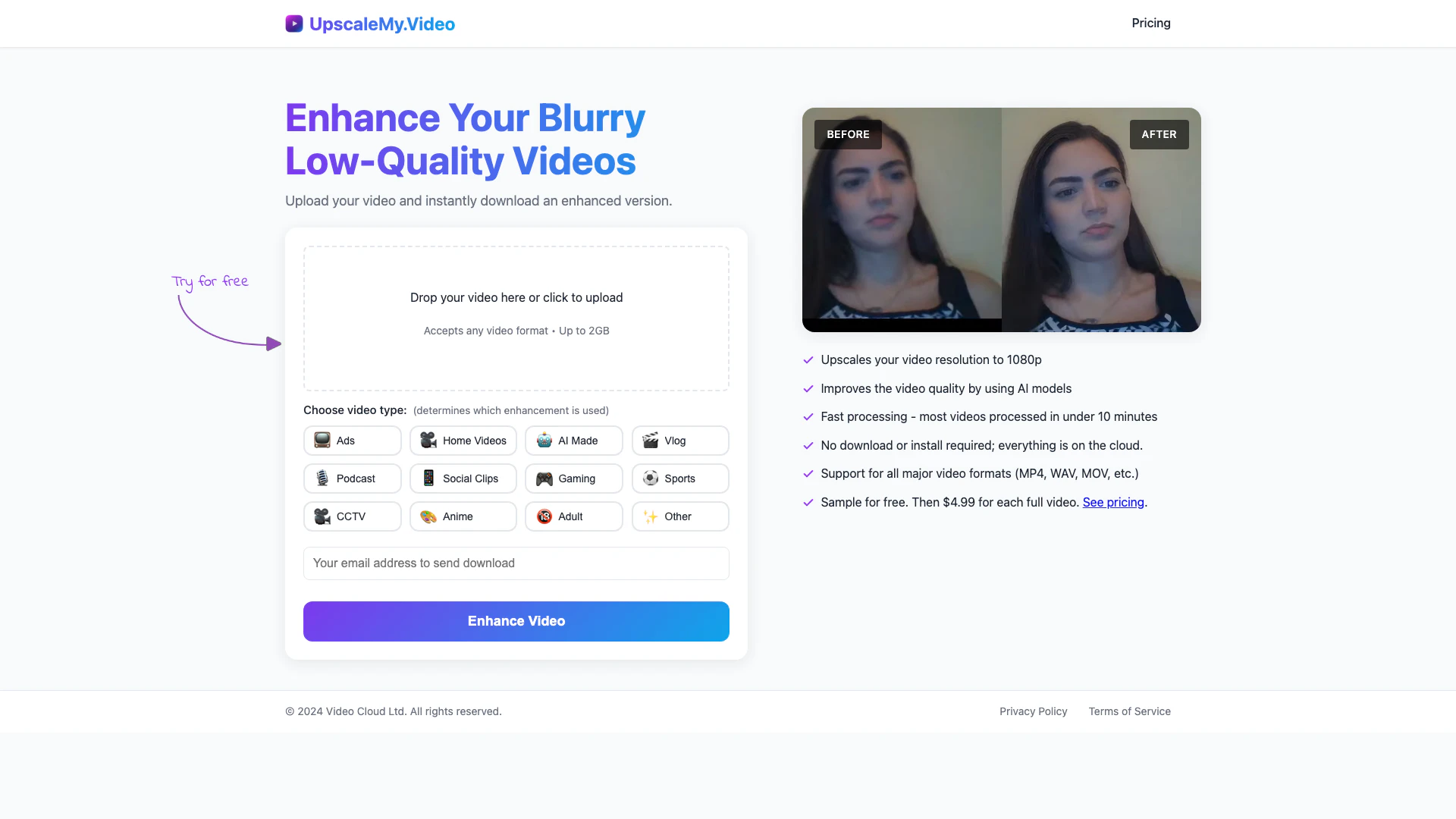
Upscalemy is an innovative AI-powered[2] video enhancement[1] tool designed to instantly upscale low-quality videos to HD quality[3]. With its user-friendly interface, users can upload videos of any format, up to 2GB, and receive an enhanced version with improved resolution and clarity. The tool leverages advanced AI models to enhance video quality, making it suitable for a variety of content types, from personal videos to marketing materials. Upscalemy offers a free trial for the first video, followed by affordable pricing options for subsequent enhancements.
How to use Upscalemy?
- Visit the Upscalemy website and locate the video upload section.
- Click on the upload area or drag and drop your video file into the designated space.
- Select the type of video you are enhancing to apply the appropriate AI model.
- Wait for the processing to complete, which typically takes under 10 minutes.
- Download the enhanced HD version of your video.
What are the main features of Upscalemy?
- Instant video enhancement to 1080p resolution.
- Utilizes AI models to improve video quality.
- Fast processing time, with most videos ready in under 10 minutes.
- Cloud-based service[5], no downloads or installations required.
- Supports all major video formats[4] including MP4, WAV, and MOV.
Who is Upscalemy for?
Upscalemy is ideal for content creators, marketers, and anyone looking to improve the quality of their videos. This includes vloggers, social media influencers, businesses producing promotional content, and individuals wanting to enhance personal videos or family moments. It caters to a wide range of video types, from AI-generated content to sports footage and podcasts.
What are the use cases of Upscalemy?
- Enhancing promotional videos for businesses to improve viewer engagement.
- Upscaling family videos to preserve memories in higher quality.
- Improving the quality of vlogs and YouTube content for better audience retention.
- Enhancing gameplay footage for streamers to showcase on platforms like Twitch.
- Upgrading old or low-quality security footage for better clarity.
Product Images

Upscalemy Pros and Cons
Pros
- Instant HD Video Enhancement: Enhance your videos to HD quality instantly, making them look professional without lengthy processing times.
- AI-Powered Quality Improvement: Utilizes advanced AI models to significantly improve video quality, ensuring clear and vibrant visuals.
- User-Friendly Cloud Solution: No downloads or installations required; users can enhance videos directly in the cloud, making it accessible from any device.
Cons
No cons data detected for this tool
Upscalemy Pricing
Single Video
Perfect for occasional use to enhance a single video without committing. One video up to 1 minute length.
Unlimited
Ideal for users with multiple videos to enhance and prefer to enjoy 50% savings. Unlimited videos with 10 minutes total.
For the latest pricing, please visit this link: https://www.upscalemy.video/pricing.html
Prices are subject to change. Please visit the official website for the most up-to-date pricing information.
Upscalemy Compare
| Tool Name | Introduction | Pricing | Type | Rating | Launch Date | Learn more |
|---|---|---|---|---|---|---|
 | Try on any outfits using AI! | Free | 🙋♂️Personal🎨Creativity | January 7, 2023 | Get deal | |
 | AutoDraw | Free | 🎨Creativity | January 2, 1998 | Get deal | |
 | Explore Prompt Vibes to create unique prompts with our ChatGPT Prompt generator. Discover a collection of the best prompts designed for various uses. | Free | 🙋♂️Personal🎨Creativity | February 25, 2023 | Get deal |
Info current as of post date. Offers and availability may vary by location and are subject to change.
Upscalemy Alternatives
- Video & Animation
- AI Video Editor
- AI Video Generator
Introducing NUI the Natural User Interface, aimed at revolutionizing how people interact with anything digital leveraging the power of AI
- Image Generation & Editing
- AI Image Generator
- AI Image Recognition
- AI Design Generator

Point Drift
- Image Generation & Editing
- AI Image Generator
- AI Design Generator
- AI Video Editor