Uxsniff





What is UXsniff?
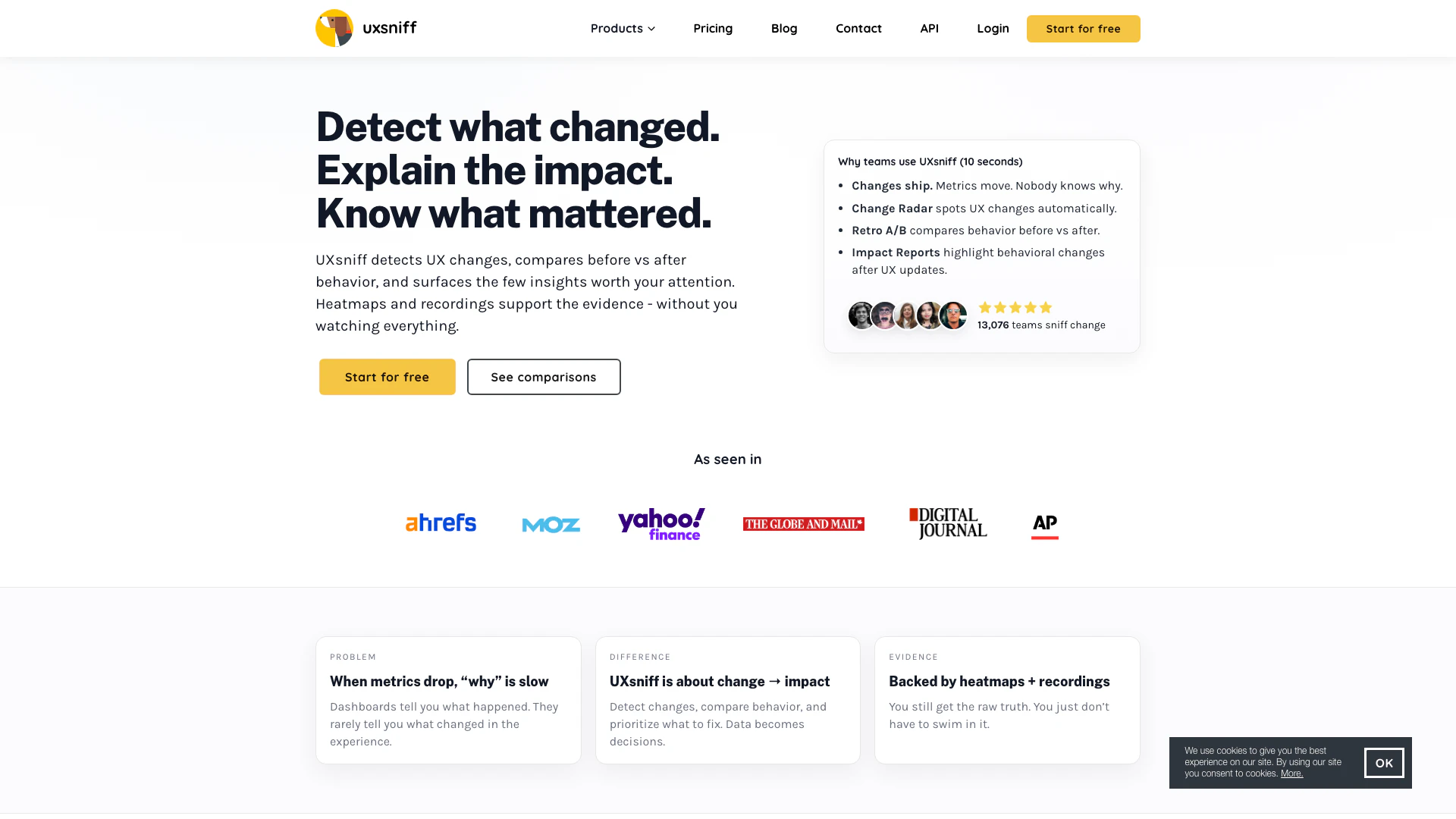
UXsniff is an innovative tool designed to automatically detect user experience (UX) changes on websites, analyze their impact on user behavior, and help teams understand the significance of these changes after they are implemented. By utilizing features like Change Radar and Impact Reports, UXsniff provides actionable insights into what actually matters, allowing teams to make informed decisions based on real user data rather than assumptions. This tool is especially valuable for organizations that want to optimize their user experience without the need for extensive manual analysis or traditional A/B testing.
How to use UXsniff?
- Install the Tracking Script: Add a lightweight tracking script provided by UXsniff to your website to start collecting user behavior data automatically.
- Monitor Changes: Utilize the Change Radar feature to continuously monitor your website for any UX changes that may occur.
- Analyze Behavior: After changes are detected, use the Retro A/B functionality to compare user behavior before and after the change.
- Review Impact Reports: Access Impact Reports to understand how the detected changes have affected user actions, helping prioritize what to address next.
What are the main features of UXsniff?
- Change Radar: Automatically detects UX changes and flags significant shifts in user behavior.
- Retro A/B Testing: Compares user behavior before and after changes without needing prior setup or split traffic.
- Impact Reports: Provides summaries of what changed and its potential impact on user behavior, helping teams focus on what matters.
- Session Recordings: Offers detailed recordings of user interactions to visualize behavior and identify pain points.
- Website Heatmaps: Displays visual representations of user interactions on your site, highlighting areas of interest and confusion.
Who is UXsniff for?
UXsniff is tailored for product teams, UX designers, and marketers who need rapid insights into user behavior changes without the overhead of manual analysis. It is ideal for organizations that frequently deploy updates and want to understand the immediate impact of those changes on user experience. Additionally, it benefits teams that require a clear understanding of user interactions to enhance website performance and user satisfaction.
What are the use cases of UXsniff?
- Detecting Checkout Issues: Quickly identify and resolve problems in the checkout process that could lead to significant drops in conversion rates.
- Analyzing UX Changes: Evaluate the impact of design changes or new features on user engagement and behavior, allowing for informed decision-making.
- Monitoring Website Performance: Continuously assess user interactions to ensure that updates do not negatively affect the overall user experience.
Product Images




Analytics of Uxsniff
Uxsniff Reviews
We shipped a small checkout change right before Christmas and didn’t realize it broke the checkout button. UXsniff’s Change Radar caught it immediately, and the Impact Report showed that checkout rate had dropped nearly 80%. We knew exactly what we shipped and rolled it back within minutes.
Absolutely satisfied how Time-Travel A/B saved tons of dev work! We've pit today’s pricing page against last quarter’s snapshot in an afternoon. Sign-ups lifted 7%, confirmed by heatmaps and session recordings. Exciting simplicity!
UXsniff is an AI alternative to HotJar that provides comprehensive insights into how users interact with my site. It combines heatmaps, session recordings, and AI analytics to optimize user experience and boost SEO.
For more reviews, visit this link: https://uxsniff.com/#reviews
Uxsniff Compare
| Tool Name | Introduction | Pricing | Type | Rating | Launch Date | Learn more |
|---|---|---|---|---|---|---|
 | 1st things 1st - Intuitive and Smart Prioritization Toolset for Personal and Work Decisions | Free | 🙋♂️Personal💼Work | October 26, 2017 | Get deal | |
 | Generate unique, lifelike faces with AI. | Free | 🎨Creativity | November 22, 2023 | Get deal | |
 | Streamline customer support with AI automation. | Free | 💼Work🎨Creativity | August 3, 2023 | Get deal |
Info current as of post date. Offers and availability may vary by location and are subject to change.
Uxsniff Q&A
Installation takes just a few minutes: Add a lightweight tracking script to your site. UXsniff starts collecting data automatically. No framework lock-in. No complex setup.
For more FAQs, please visit this link: https://uxsniff.com/#faq