

Crevcli





What is Crevcli?
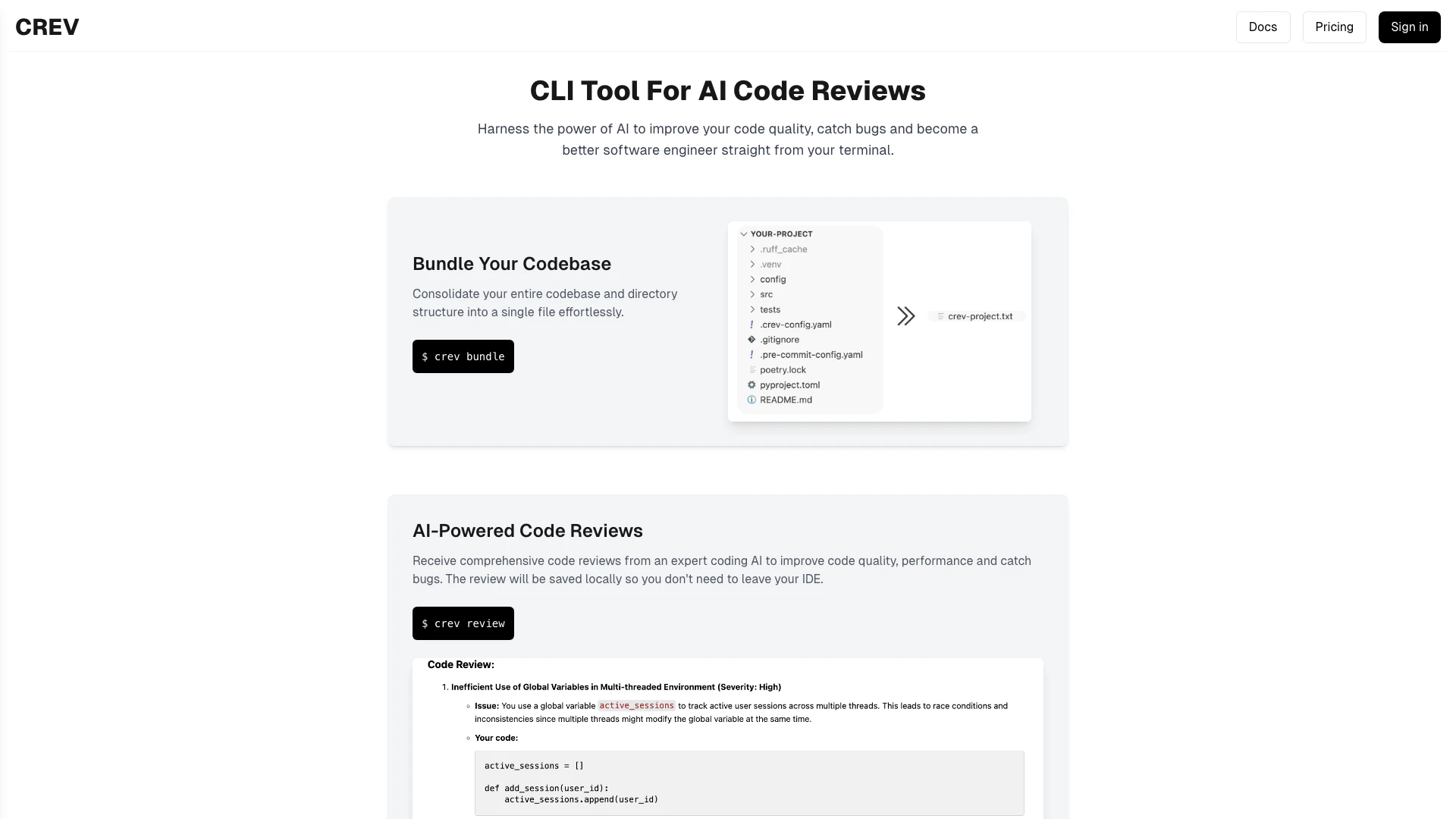
Crevcli is an innovative command-line interface[3] (CLI) tool designed to enhance code quality[4] by providing AI-driven code reviews[2] directly from your terminal. It allows developers to leverage artificial intelligence to catch bugs early and improve their coding skills without leaving their integrated development environment (IDE). With features that consolidate codebases and deliver comprehensive reviews, Crevcli positions itself as a vital asset for software engineers looking to enhance their coding practices.
How to use Crevcli?
- Install Crevcli: Download and install Crevcli from the official website to get started.
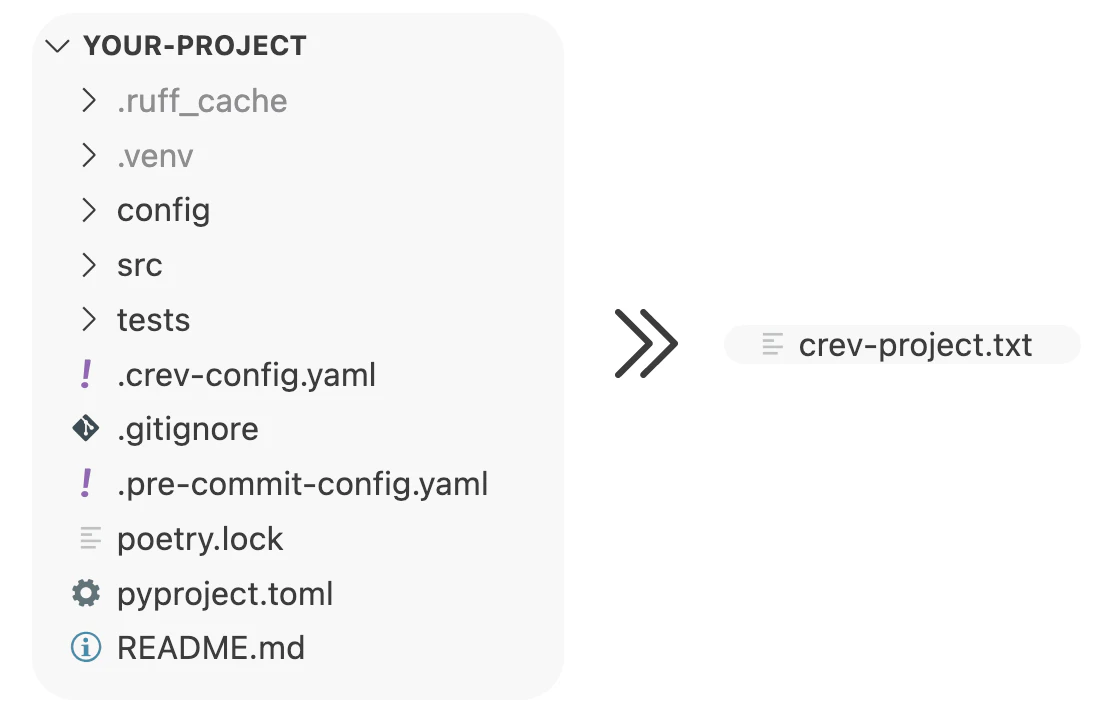
- Bundle Your Codebase: Use the command `crev bundle` to consolidate your entire codebase and directory structure into a single file.
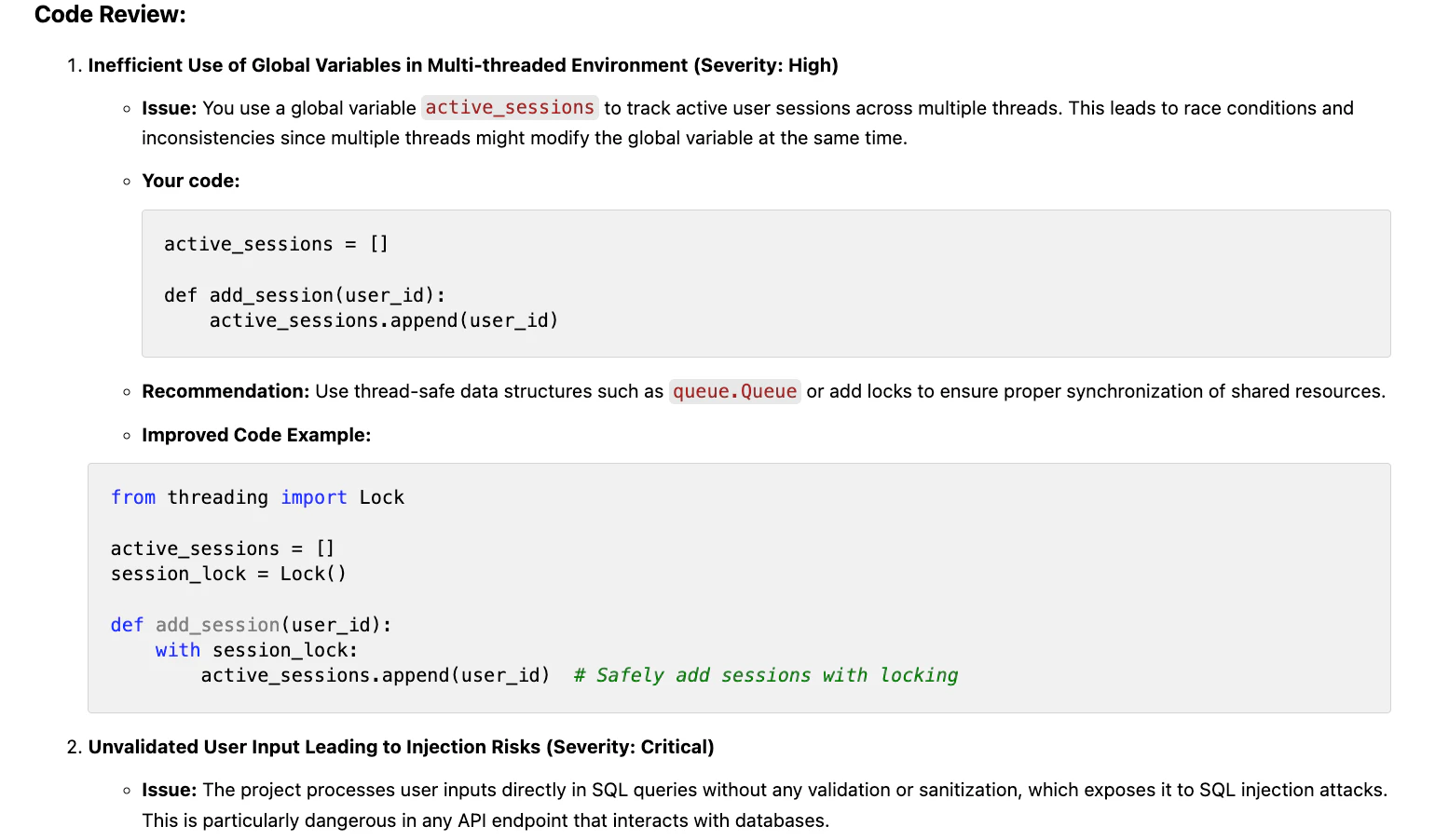
- Receive Code Reviews: Run the command `crev review` to receive AI-powered[1] code reviews that will help you improve code quality, performance, and security.
What are the main features of Crevcli?
- AI-Powered Code Reviews: Get detailed feedback on your code from an expert AI, helping to identify bugs and improve overall quality.
- Seamless CLI Integration: Enjoy a smooth experience by accessing code reviews directly within your terminal.
- Bundling Capability: Effortlessly consolidate your entire codebase into a single file for simplified sharing and review.
- Cross-Platform Compatibility: Built with Golang, Crevcli is fast and efficient, compatible with Windows, Mac, and Linux.
Who is Crevcli for?
Crevcli is designed for software engineers, developers, and programmers who seek to improve their coding skills and ensure high-quality code. It is especially beneficial for those who prefer working within a command-line environment and want immediate feedback on their code quality, performance, and security. Whether you are a novice looking to learn best practices or an experienced developer aiming to refine your skills, Crevcli provides valuable insights to enhance your coding journey.
What are the use cases of Crevcli?
- Early Bug Detection: Use Crevcli to identify and rectify bugs in your code before they escalate into larger issues.
- Code Quality Improvement: Regularly receive feedback on your coding practices, helping you to write cleaner and more efficient code.
- Learning Tool for New Developers: New software engineers can utilize Crevcli to gain insights and feedback on their code, accelerating their learning process.
Product Images
Crevcli Pros and Cons
Pros
- AI-Powered Code Reviews: Receive comprehensive code reviews from an expert AI to enhance code quality and performance, catching bugs early.
- Seamless CLI Integration: Integrates directly with your terminal, allowing users to get AI code reviews without leaving their CLI environment.
- Cross-Platform Compatibility: Written in Golang, Crev is fast and efficient, supporting Windows, Mac, and Linux for a wide range of users.
Cons
No cons data detected for this tool
Crevcli Compare
| Tool Name | Introduction | Pricing | Type | Rating | Launch Date | Learn more |
|---|---|---|---|---|---|---|
2Mn+ readymade ChatGPT prompt ideas built by prompt engineers, using insights from eCommerce experts - that really work! | Free | February 6, 2023 | Get deal | |||
🧠 AI-powered image resizer for social media | Free | June 8, 2021 | Get deal | |||
AI-Based Cloud Cost Reduction Platform | Profisea Labs | Free | May 1, 2020 | Get deal |



Info current as of post date. Offers and availability may vary by location and are subject to change.
Crevcli Alternatives

DeepSeek focuses on pioneering general AI technologies and models.
- Other
- Large Language Models (LLMs)
- AI Development Tools
- Ai Model Fine Tuning Tools

Explore cutting-edge AI models with Deepseek.
- Developer Tools
- AI Development Tools
- Ai Model Fine Tuning Tools
- AI Cloud Computing Platforms

OpenAI Codex enhances coding efficiency with AI-driven task support.
- Developer Tools
- AI Coding Assistants
- AI Development Tools
- AI Prompt Engineering Tools