

Kimi Copilot 网页总结助手 - Chrome Extension
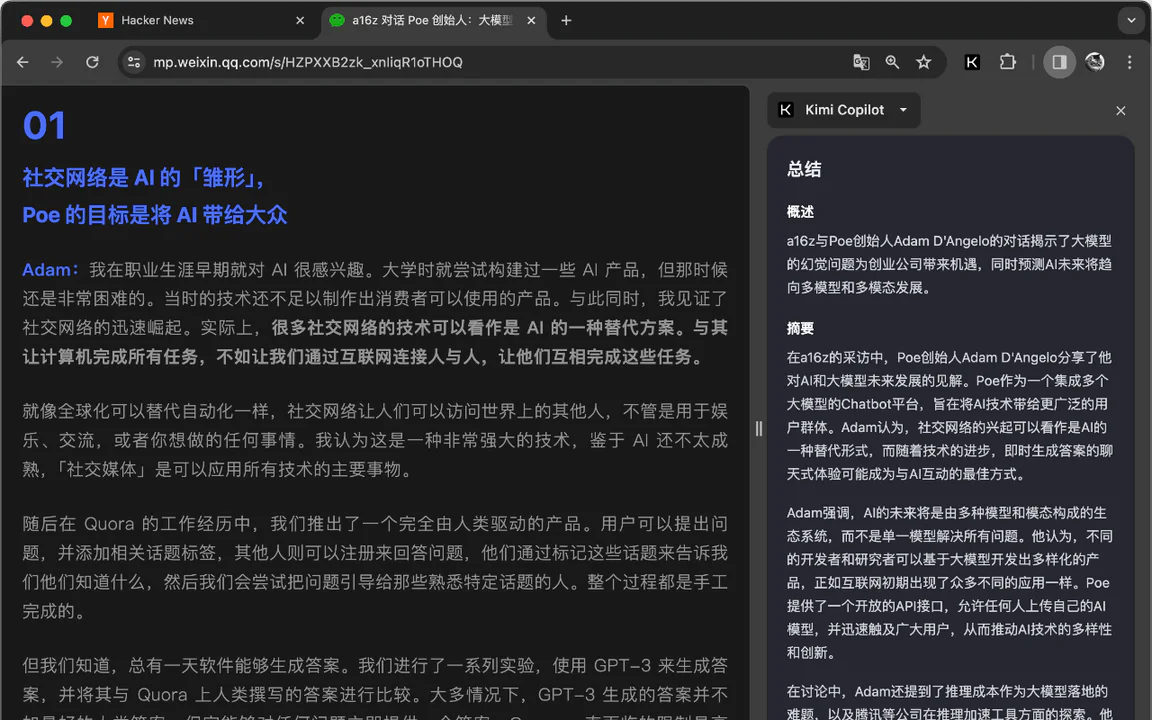



What is Kimi Copilot?
Kimi Copilot is a powerful web summarization tool designed to help users quickly digest web content. By simply clicking on the extension icon or using the shortcut Ctrl/Cmd+Shift+K, users can summon Kimi.ai to generate comprehensive summaries of web pages, articles, and videos. This tool leverages a long-text large model to provide detailed and well-rounded summaries, making it an invaluable resource for anyone looking to save time while browsing the internet.
How to use Kimi Copilot?
- Install the Kimi Copilot extension from the Chrome Web Store.
- Navigate to any web page you want to summarize.
- Click on the Kimi Copilot icon in the browser toolbar or press Ctrl/Cmd+Shift+K to activate the tool.
- Wait for Kimi.ai to process the content and deliver a concise summary.
What are the main features of Kimi Copilot?
- Free to use with unlimited access upon logging into a Kimi account.
- Utilizes Kimi's long-text large model for comprehensive summaries.
- User-friendly interface with a minimalistic design focused solely on summarization.
- Capable of summarizing content from websites that Kimi cannot directly access.
- Supports summarization of YouTube and Bilibili videos.
- Allows summarization of PDF documents, such as academic papers from arXiv.
- Features a dark mode for user comfort.
- Customizable prompts for tailored summarization.
Who is Kimi Copilot for?
Kimi Copilot is ideal for students, researchers, professionals, and anyone who frequently consumes large amounts of online content. It caters to individuals who wish to enhance their productivity by quickly grasping key points from lengthy articles, videos, or documents without the need to read everything in detail. Whether for academic purposes, professional research, or general knowledge acquisition, Kimi Copilot serves a wide range of users looking for efficiency in their information consumption.
What are the use cases of Kimi Copilot?
- Summarizing lengthy research articles or papers for quick understanding and review.
- Generating concise summaries of online lectures or video content from platforms like YouTube.
- Quickly extracting key points from news articles or blog posts during research or study sessions.
Kimi Copilot 网页总结助手 - Chrome Extension Pricing
Free
Unlimited use after logging into a Kimi account.
For the latest pricing, please visit this link: https://chromewebstore.google.com/detail/kimi-copilot-%E7%BD%91%E9%A1%B5%E6%80%BB%E7%BB%93%E5%8A%A9%E6%89%8B/icmdpfpmbfijfllafmfogmdabhijlehn
Prices are subject to change. Please visit the official website for the most up-to-date pricing information.
Kimi Copilot 网页总结助手 Compare
| Tool Name | Introduction | Pricing | Type | Rating | Launch Date | Learn more |
|---|---|---|---|---|---|---|
Pull Request Review Helper - Chrome Web Store | Free | December 31, 1984 | Get deal | |||
TACQ AI | Linkedin Prospecting - Chrome Web Store | Free | December 31, 1984 | Get deal | |||
Ultimate LinkedIn AI Tool for Smart, Elevated Lead Generation! Built for Sales and Recruitment. | Free | December 31, 1984 | Get deal |



Info current as of post date. Offers and availability may vary by location and are subject to change.
FAQ from Kimi Copilot 网页总结助手 AI
Kimi Copilot offers several features including the ability to summarize web content with a single click, support for summarizing YouTube and Bilibili videos, and the capability to summarize PDF pages. It also includes a dark mode and allows users to customize the prompts used for summarization.
Alternative of Kimi Copilot 网页总结助手 AI Chrome Extension

Chrome Web Store
- Writing & Editing
- AI Prompt Generator
- AI Text Generator
- AI Writing Assistants
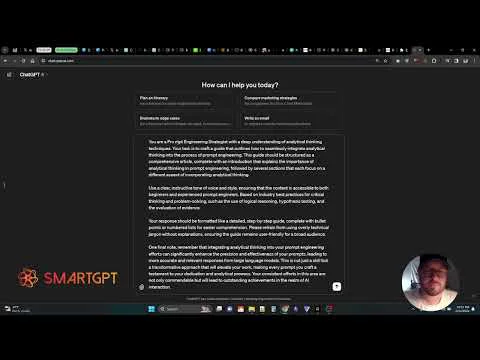
SmartGPT Prompt Enhancer boosts your prompts with expert techniques for better AI interactions.
- Writing & Editing
- AI Prompt Generator
- AI Writing Assistants
- Prompt Engineering Tools
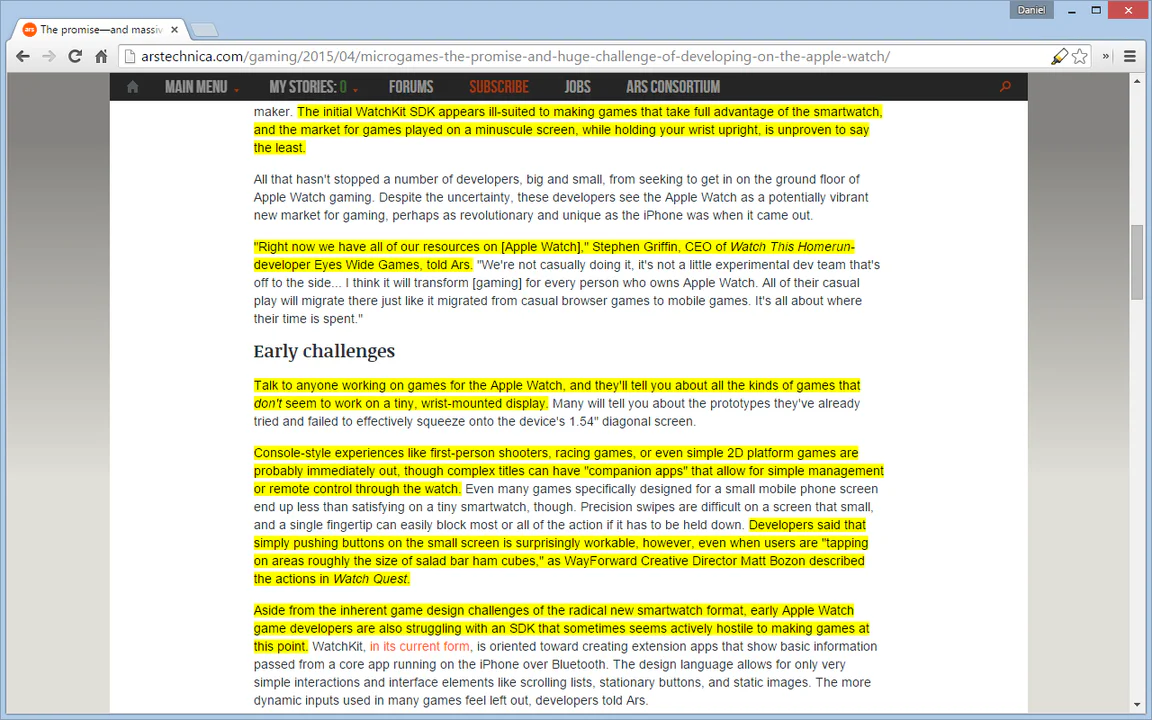
Auto Highlight efficiently highlights key content on articles, enhancing reading experiences.
- Writing & Editing
- AI Grammar Checker
- AI Summarizer
- AI Writing Assistants