

Kovvid
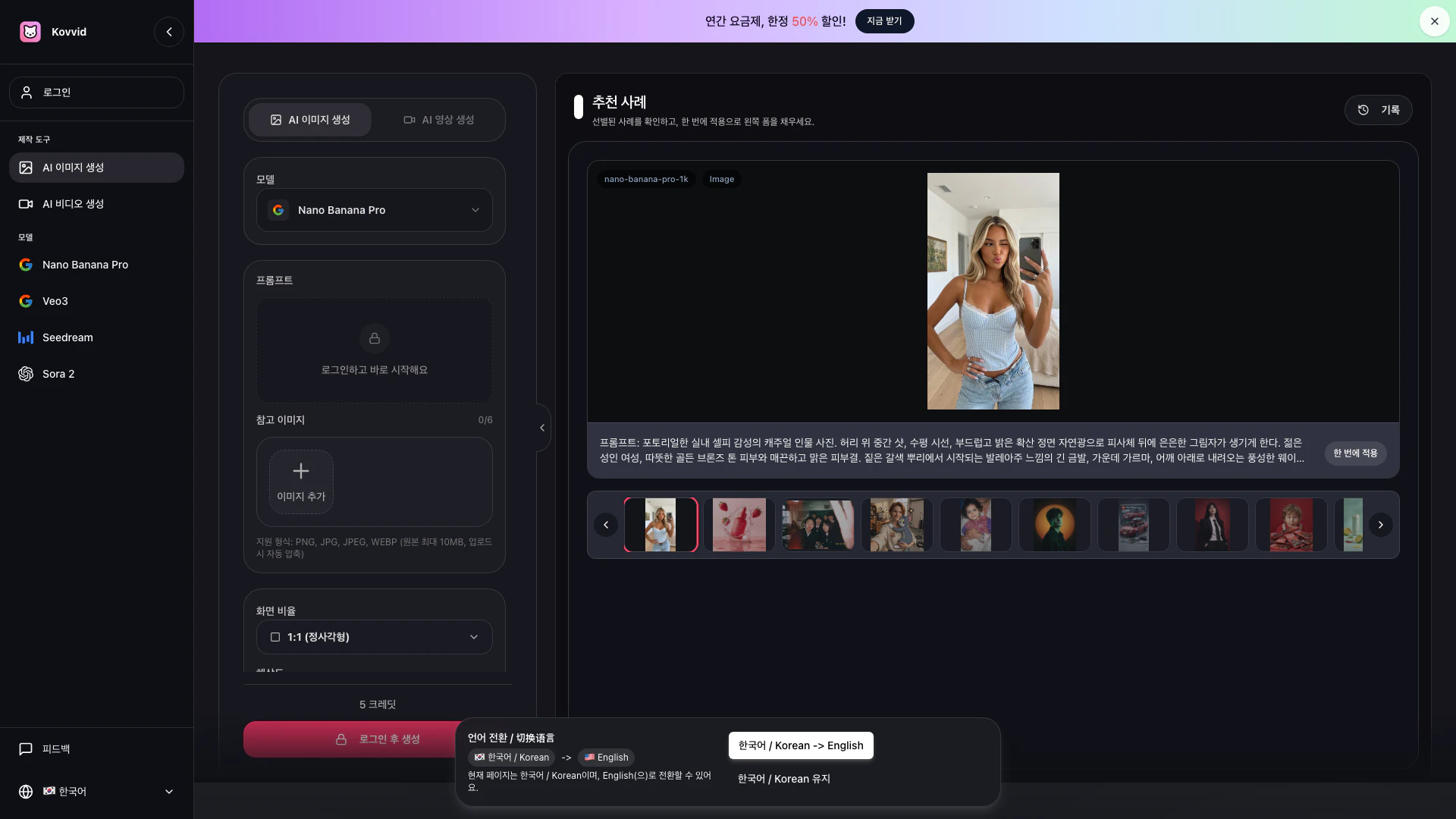




What is Kovvid[1]?
Kovvid is an all-in-one AI creation platform that enables users to generate both images and videos effortlessly. It supports a range of functionalities including text-to-image creation, image editing, text-to-video generation, and image-based video creation. Kovvid stands out by allowing users to compare different AI models such as Nano Banana Pro, Veo3, Seedream 4.5, and Sora 2 in one interface, making it ideal for creators, marketers, and designers looking for efficiency in their workflows.
How to use Kovvid?
- Select Mode and Model: Decide whether you want to create an image or a video, and then choose the appropriate AI model. For images, you can select Nano Banana Pro or Seedream 4.5; for videos, Sora 2 or Veo3 are recommended.
- Input Prompt or Upload Reference Image: Enter your desired scene, mood, or movement in the prompt box. If you are using image editing or image-based video generation, you can upload a reference image. For start/end frame videos, specify both scenes.
- Generate & Download: Most results can be generated within 1-2 minutes. You can compare multiple outputs and download the desired version. If generation fails, credits are not deducted.
What are the main features of Kovvid?
- AI Image and Video Generation: Quickly create product visuals, posters, and short-form videos based on text prompts or reference images.
- Image Editing: Modify existing images or create videos from static images to enhance visual content.
- Start/End Frame Video Creation: Design videos with specified starting and ending frames for seamless transitions.
- Model Comparison: Easily compare results from different AI models to select the best output for your project.
- User-Friendly Interface: A streamlined workflow that eliminates the need for multiple tools, making it suitable for commercial projects.
Who is Kovvid for?
Kovvid is designed for a diverse audience including content creators, marketers, designers, and businesses that require efficient visual content creation. It caters to users who need high-quality images and videos for product marketing, social media, advertisements, and more. The platform is ideal for those looking to streamline their creative processes without the hassle of switching between multiple tools.
What are the use cases of Kovvid?
- Creating Product Visuals: Generate high-quality images for e-commerce product listings or promotional materials.
- Social Media Content: Quickly produce eye-catching graphics and videos for social media platforms to enhance engagement.
- Marketing Campaigns: Develop compelling visuals and video ads for marketing campaigns that require quick turnaround times.
Product Images



Kovvid Pros and Cons
Pros
- All-in-One AI Creation Platform: Kovvid offers a comprehensive platform for both AI image and video generation, allowing users to create product visuals, posters, and short-form videos seamlessly in one place.
- Fast Generation Speed: Users can quickly generate images and videos by simply entering prompts or uploading reference images, with results typically available within 1-2 minutes.
- Multiple Model Comparisons: The platform allows users to compare different AI models side by side, helping them choose the best option for their specific project needs.
Cons
No cons data detected for this tool
Kovvid Compare
| Tool Name | Introduction | Pricing | Type | Rating | Launch Date | Learn more |
|---|---|---|---|---|---|---|
Configure it once and automate your images forever without intervention—no need to review. Photos are ready to publish. Adjust backgrounds, lighting, banners, and more to fit your company branding. | Free | October 5, 2021 | Get deal | |||
Edit your selfies to get the results you want with powerful and easy-to-use tools. Give your selfies the VIP treatment. Touch up, reshape & apply digital makeup. | Free | December 1, 2012 | Get deal | |||
2Mn+ readymade ChatGPT prompt ideas built by prompt engineers, using insights from eCommerce experts - that really work! | Free | February 6, 2023 | Get deal |



Info current as of post date. Offers and availability may vary by location and are subject to change.
Kovvid Q&A
Kovvid AI is an all-in-one AI creation platform that allows users to create images and videos. It supports text-to-image generation, image editing, text-to-video creation, image-based video generation, and start/end frame video creation, allowing users to compare models like Sora 2, Veo 3, Nano Banana Pro, Seedream 4.5, and Kling AI in one place.
For more FAQs, please visit this link: https://kovvid.com/#tool-section
Kovvid Alternatives

AI Time Manager offers AI-driven tools for better time management.
- Other
- AI Tools Directory
- Large Language Models (LLMs)
- Other AI Tools
xAI advances scientific discovery using AI.
- Other
- Other AI Tools
- Scientific AI Tools
- Exploratory AI Tools

AI Detector - Trusted AI Checker for ChatGPT, GPT4 & Gemini
- AI Content Detection
- AI Detection Bypass
- Ai Apis
- Ai Developer Tools