

Mochify



What is Mochify?
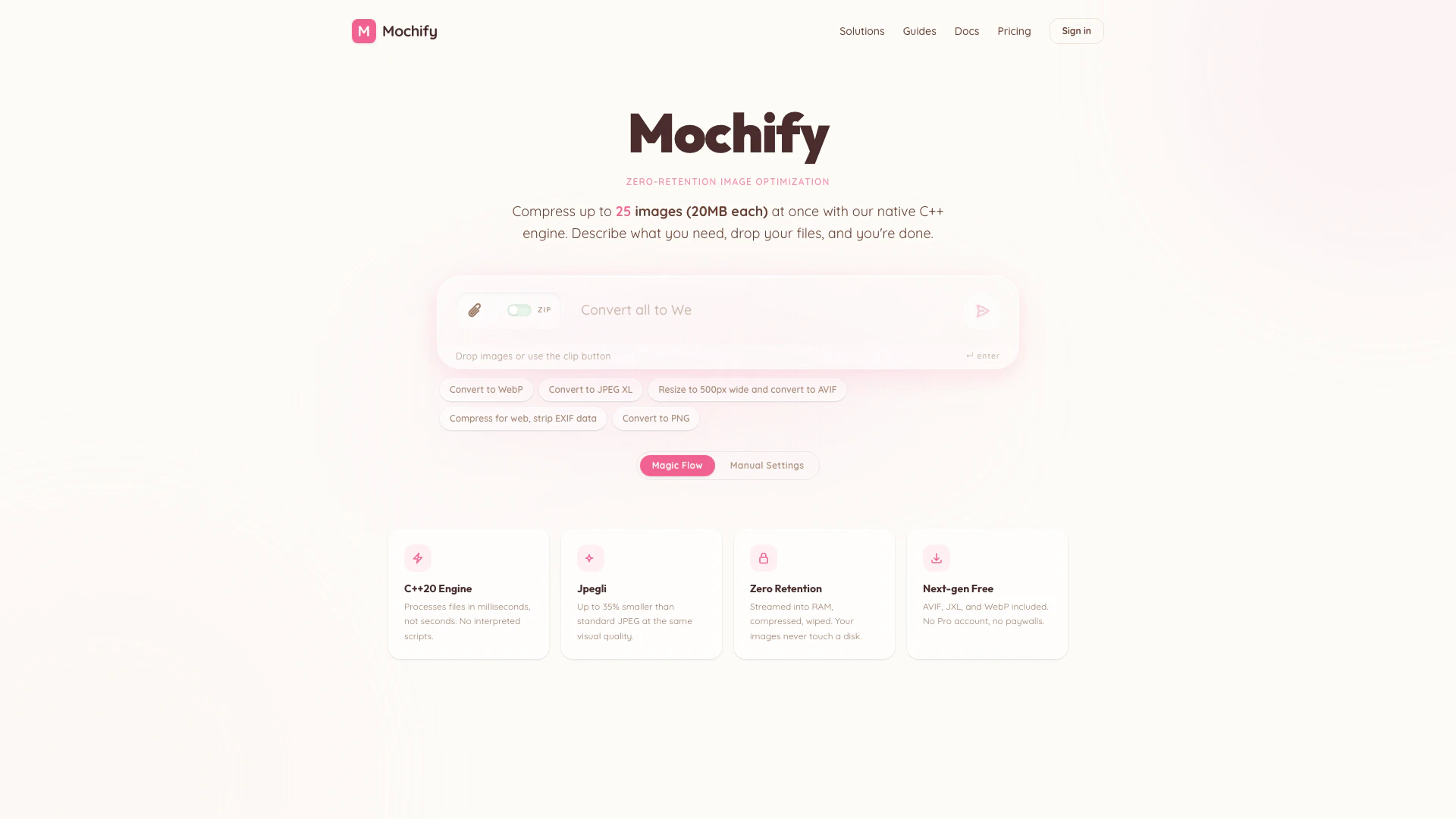
Mochify is a free bulk image compressor designed for optimizing images in formats such as WebP, HEIC, JXL, and AVIF. It allows users to compress up to 25 files at once, each with a maximum size of 20MB, without compromising on quality. Utilizing a native C++ engine, Mochify processes images quickly and efficiently, ensuring a fast and private experience. The tool is particularly suitable for Shopify users, providing seamless integration for e-commerce platforms.
How to use Mochify?
- Visit the Mochify website at https://mochify.xyz/.
- Drag and drop your images into the designated area or use the clip button to select files.
- Choose your desired output format (WebP, JPEG XL, AVIF, etc.) and any other settings.
- Click the 'Compress' button to start the optimization process.
- Once completed, download your optimized images.
What are the main features of Mochify?
- Bulk Compression: Compress up to 25 images simultaneously, with each file up to 20MB.
- Zero Retention: Images are processed in RAM without being saved to disk, ensuring privacy.
- Fast Processing: Utilizes a C++ engine for quick image optimization, processing files in milliseconds.
- Support for Next-gen Formats: Compress images in AVIF, JXL, and WebP formats, along with traditional formats like JPEG and PNG.
- No Paywalls: All features are available for free, with no need for a Pro account.
Who is Mochify for?
Mochify is ideal for web developers, graphic designers, and e-commerce businesses, especially those using Shopify. It caters to anyone needing to optimize images for faster web performance without sacrificing quality. Whether you are looking to enhance your website's loading speed or reduce storage costs, Mochify provides an efficient solution for bulk image compression.
What are the use cases of Mochify?
- E-commerce Optimization: Use Mochify to compress product images for your Shopify store, improving load times and user experience.
- Web Development: Web developers can utilize Mochify to optimize images for websites, ensuring faster page loads and better SEO performance.
- Graphic Design Projects: Graphic designers can compress images before sharing or uploading them to maintain quality while reducing file sizes.
Mochify Pros and Cons
Pros
- Bulk Compression Capability: Compress up to 25 images simultaneously, each up to 20MB, making it efficient for large projects.
- Zero Quality Loss: Utilizes advanced compression techniques to ensure no quality loss during the image optimization process.
- Fast Processing Speed: Powered by a native C++ engine, Mochify processes images in milliseconds, significantly faster than many alternatives.
Cons
No cons data detected for this tool
Mochify Pricing
Free
No account required. Just drag, drop, and go. 25 operations per day. All image formats — JPG, WEBP, AVIF, PNG, JXL, HEIC (upload). Resize, rotate & crop. MCP & API access.
Pro
1,000 operations per month. All image formats — JPG, WEBP, AVIF, PNG, JXL, HEIC (upload). Resize, rotate & crop. MCP & API access.
For the latest pricing, please visit this link: https://mochify.xyz/pricing
Prices are subject to change. Please visit the official website for the most up-to-date pricing information.
Mochify Compare
| Tool Name | Introduction | Pricing | Type | Rating | Launch Date | Learn more |
|---|---|---|---|---|---|---|
Paraphrasing Tool (Ad-Free and No Sign-up Required) - QuillBot AI | Free | December 31, 1984 | Get deal | |||
Edit your selfies to get the results you want with powerful and easy-to-use tools. Give your selfies the VIP treatment. Touch up, reshape & apply digital makeup. | Free | December 1, 2012 | Get deal | |||
Lunit develops AI solutions that detect early-stage cancer and optimize cancer treatment for saving lives through technology. | Free | August 10, 2015 | Get deal |

Info current as of post date. Offers and availability may vary by location and are subject to change.
Mochify Alternatives

Adobe Firefly is an AI-driven tool for creating unique images, videos, and audio.
- Image Generation & Editing
- AI Image Generator
- AI Photo Editor
- AI Realistic Image Generator

Picsart is a versatile platform for creating stunning visual content using AI tools.
- Image Generation & Editing
- AI Image Generator
- AI Photo Editor
- Gallery Creation Tool

Pixelbin.io is free online photo editor. Use PixelBin to edit, crop, enhance, or add background to your images. A mobile app is also available for editing.
- Image Generation & Editing
- AI Smart Crop
- AI Image Enhancer
- AI Photo Editor