
PDF Scanner and Converter - iOS App




What is PDF Scanner and Converter?
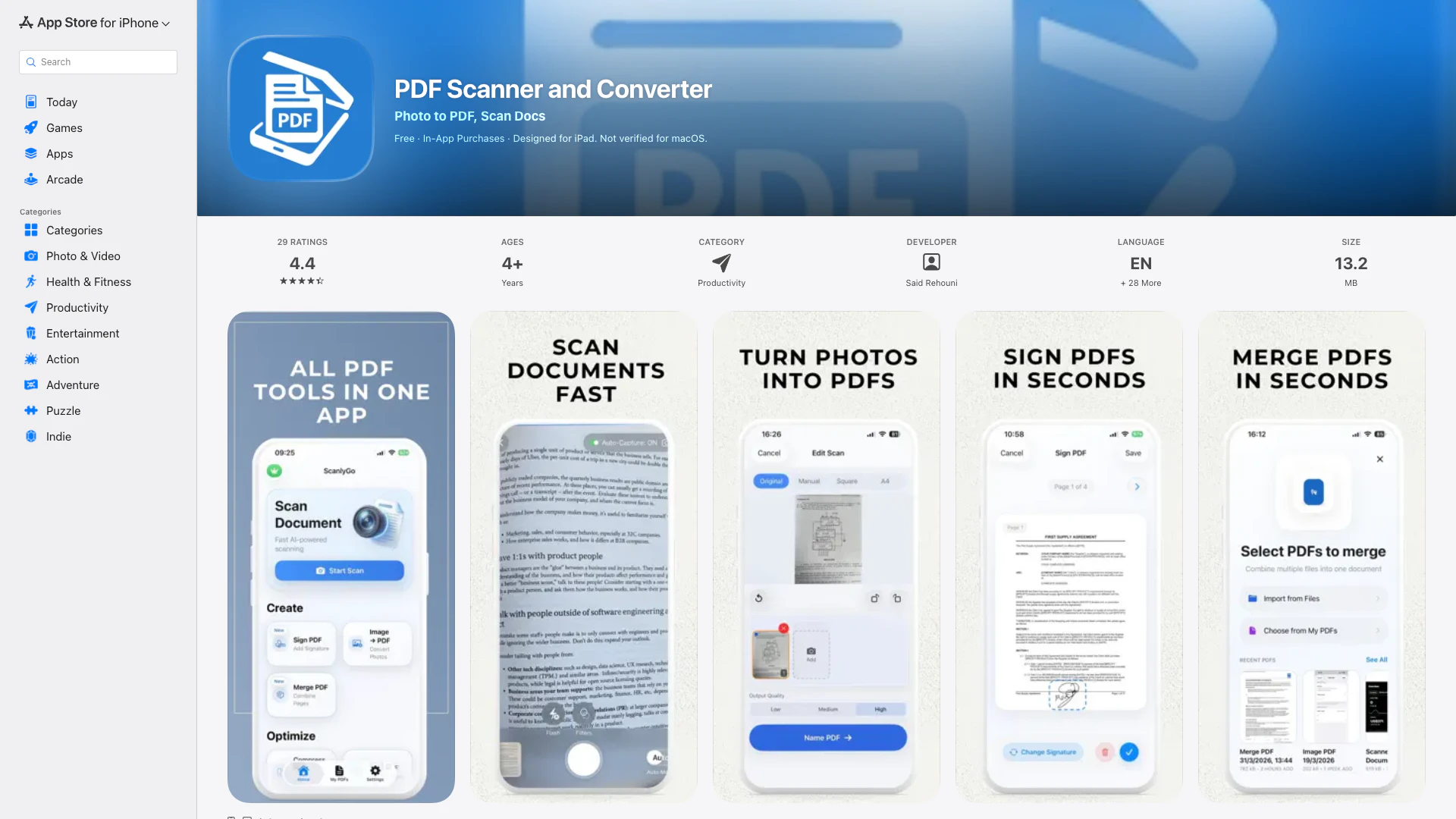
PDF Scanner and Converter, also known as ScanlyGo, is a versatile all-in-one PDF toolkit designed to simplify the management of PDF documents. This innovative application allows users to quickly scan physical documents into clean PDF format, convert images into PDFs, sign documents electronically, and perform essential manipulations like merging, compressing, splitting, protecting, and unlocking PDF files. Ideal for everyday use, it caters to various document types including receipts, notes, contracts, and forms, making it an indispensable tool for anyone who frequently works with PDF files.
How to use PDF Scanner and Converter?
- Download and install the PDF Scanner and Converter app from the App Store.
- Open the app and select the feature you need (e.g., Scan, Convert, Sign).
- For scanning, point your camera at the document and capture the image; adjust as necessary.
- For converting, upload your image file and select the PDF format to convert it into.
- Use the Sign feature to create or add a signature to your PDF document.
- Explore additional options to merge, split, compress, protect, or unlock PDFs as required.
- Save your documents locally or share them easily via email or other applications.
What are the main features of PDF Scanner and Converter?
- PDF Scanner: Quickly scan documents and create high-quality PDFs in seconds.
- Image to PDF Converter: Seamlessly convert images or photos into PDF files.
- Sign PDF Pages: Create reusable signatures for effortless signing of documents.
- Merge PDFs: Combine multiple PDF files into one, reorder or add pages as needed.
- Split PDFs: Efficiently extract specific pages and divide one PDF into several files.
- Compress PDFs: Reduce the size of PDF files to make sharing easier.
- Protect PDFs: Add passwords to ensure the security of sensitive documents.
- Unlock PDFs: Access password-protected PDFs you have permission to open.
- Save and Share: Conveniently save and share PDFs across various platforms.
Who is PDF Scanner and Converter for?
PDF Scanner and Converter is designed for a wide range of users, including students, professionals, and anyone in need of efficient document management. It is especially beneficial for individuals handling multiple paperwork types such as school assignments, invoices, contracts, and receipts. Whether you are a business owner needing to manage contracts, a student submitting homework, or a professional sharing important documents, ScanlyGo offers the functionalities required to streamline these tasks effectively.
What are the use cases of PDF Scanner and Converter?
- Document Archiving: Scan and convert important receipts and financial documents to maintain an organized digital archive.
- Homework Submission: Easily convert notes and homework into PDFs for hassle-free submission.
- Contract Management: Sign and store contracts digitally to ensure secure and efficient document handling.
- Invoice Creation: Compile and merge various invoices into a single document for clear presentation and easier tracking.
- Form Filling: Sign and manage forms that require electronic signatures or need to be submitted in digital format.
PDF Scanner and Converter Pros and Cons
Pros
- All-in-One PDF Toolkit: ScanlyGo offers a comprehensive set of tools for scanning, converting, signing, and managing PDFs, making it suitable for various document needs.
- Fast Document Scanning: The PDF scanner feature allows users to quickly scan documents and create clean PDFs in seconds, enhancing productivity.
- Multi-Functionality: Users can convert images to PDFs, merge multiple files, split PDFs, compress large files, and protect documents with passwords, all within one app.
Cons
No cons data detected for this tool
PDF Scanner and Converter Pricing
PDF Scanner and Converter
Additional features for enhanced scanning capabilities.
PDF Scanner and Converter Lifetime
One-time payment for lifetime access to the app's features.
For the latest pricing, please visit this link: https://scanlygo.com/
Prices are subject to change. Please visit the official website for the most up-to-date pricing information.
PDF Scanner and Converter Compare
Info current as of post date. Offers and availability may vary by location and are subject to change.
PDF Scanner and Converter Q&A
ScanlyGo offers a variety of features including PDF scanning, image to PDF conversion, PDF signing, merging PDFs, compressing PDFs, splitting PDFs, protecting PDFs with passwords, and unlocking password-protected PDFs.
PDF Scanner and Converter Alternatives
LearnMate: Homework Solver on the App Store
- Education
- AI Homework Helper
- Ai Productivity Tools
- AI Tools Directory
Stryde Workout Planner on the App Store
- Lifestyle & Utilities
- Ai Fitness Coach
- Ai Productivity Tools
Translate Now - AI Translator on the App Store
- Education
- AI Language Learning
- Ai Productivity Tools