

Recall Ai





What is Recall Ai?
Recall Ai is an advanced API designed for capturing and processing meeting data, including transcripts, recordings, and metadata. It serves as a comprehensive solution for businesses seeking to streamline their meeting documentation and enhance collaboration. With its robust infrastructure, Recall Ai processes billions of minutes annually, supporting various conversation intelligence products. The tool integrates seamlessly with popular platforms like Zoom, Google Meet, Microsoft Teams, and Slack, making it a versatile choice for organizations looking to improve their meeting efficiency.
How to use Recall Ai?
- Sign Up: Create an account on the Recall Ai website and choose the appropriate API or SDK for your needs.
- Integration: Integrate the Recall Ai API into your existing applications or systems using the provided documentation and SDKs for desktop or mobile.
- Configure Settings: Set up your preferences for recording, transcription, and data management through the API settings.
- Start Recording: Initiate recordings during meetings using the Meeting Bot API or the Desktop/Mobile Recording SDK.
- Access Data: Retrieve transcripts, recordings, and metadata from the Recall Ai platform for further analysis or sharing.
What are the main features of Recall Ai?
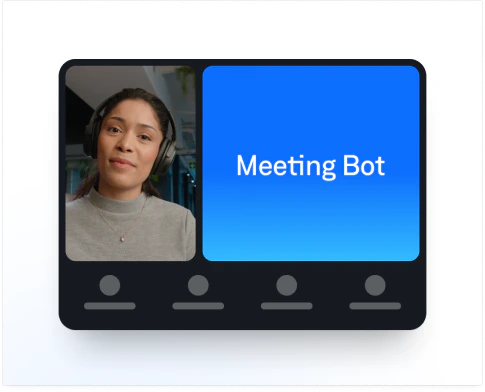
- Meeting Bot API: Automates the process of recording and transcribing meetings across various platforms.
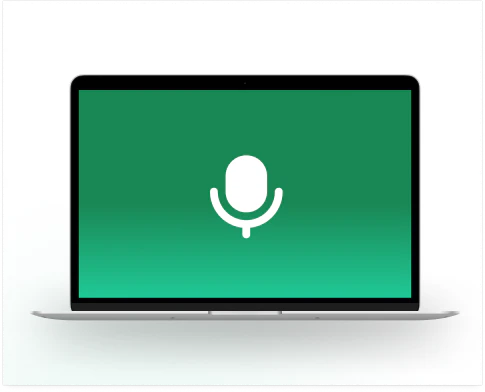
- Desktop Recording SDK: Allows for seamless recording of virtual and in-person meetings directly from desktop applications.
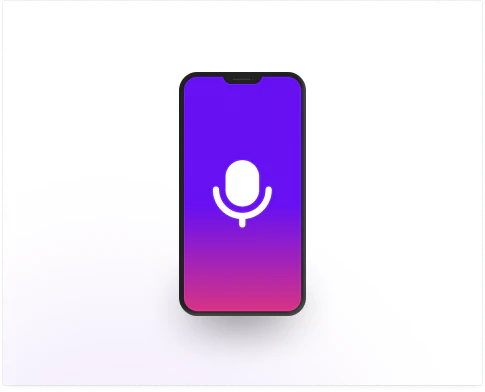
- Mobile Recording SDK: Facilitates recording of meetings and calls on mobile devices, including system audio.
- Real-time Transcription: Provides immediate transcription during meetings for quick access to information.
- Participant Management: Captures participant emails and manages attendance data for enhanced meeting organization.
Who is Recall Ai for?
Recall Ai is designed for businesses and organizations of all sizes that rely on meetings for collaboration and communication. It is particularly beneficial for teams in industries such as technology, legal, finance, and healthcare, where accurate meeting documentation is critical. Additionally, product managers, developers, and engineers looking to integrate meeting data into their applications will find Recall Ai's APIs and SDKs invaluable.
What are the use cases of Recall Ai?
- Meeting Transcription: Automatically generate transcripts for team meetings to ensure everyone has access to the discussion points and decisions made.
- Integration with AI Tools: Use Recall Ai's data to feed AI-powered applications, such as virtual assistants or note-taking bots, enhancing their functionality.
- Compliance and Record Keeping: Maintain accurate records of meetings for compliance purposes, particularly in regulated industries like finance and healthcare.
Product Images




Recall Ai Pros and Cons
Pros
- Comprehensive Meeting Data: Recall.ai provides access to over 100 pieces of meeting data through its API, enhancing the functionality and insights from meetings.
- Multiple Integration Options: The tool integrates with a wide range of platforms including Google Meet, Microsoft Teams, Zoom, and Slack, making it versatile for different users.
- High Reliability: Users have reported that the service is reliable and saves significant engineering time, allowing them to focus on other features.
Cons
No cons data detected for this tool
Recall Ai Compare


Info current as of post date. Offers and availability may vary by location and are subject to change.
Recall Ai Q&A
Recall.ai is an API that provides transcripts, recordings, and metadata from meetings.
Recall Ai Alternatives
AI Time Manager offers AI-driven tools for better time management.
- Other
- AI Tools Directory
- Large Language Models (LLMs)
- Other AI Tools

AI Detector - Trusted AI Checker for ChatGPT, GPT4 & Gemini
- AI Content Detection
- AI Detection Bypass
- Ai Apis
- Ai Developer Tools

Humanize AI Content | Bypass AI Detection | Get 100% Human Score
- Writing & Editing
- AI Text Generator
- AI Writing Assistants
- AI Detection Bypass