

Renderlog


What is Renderlog?
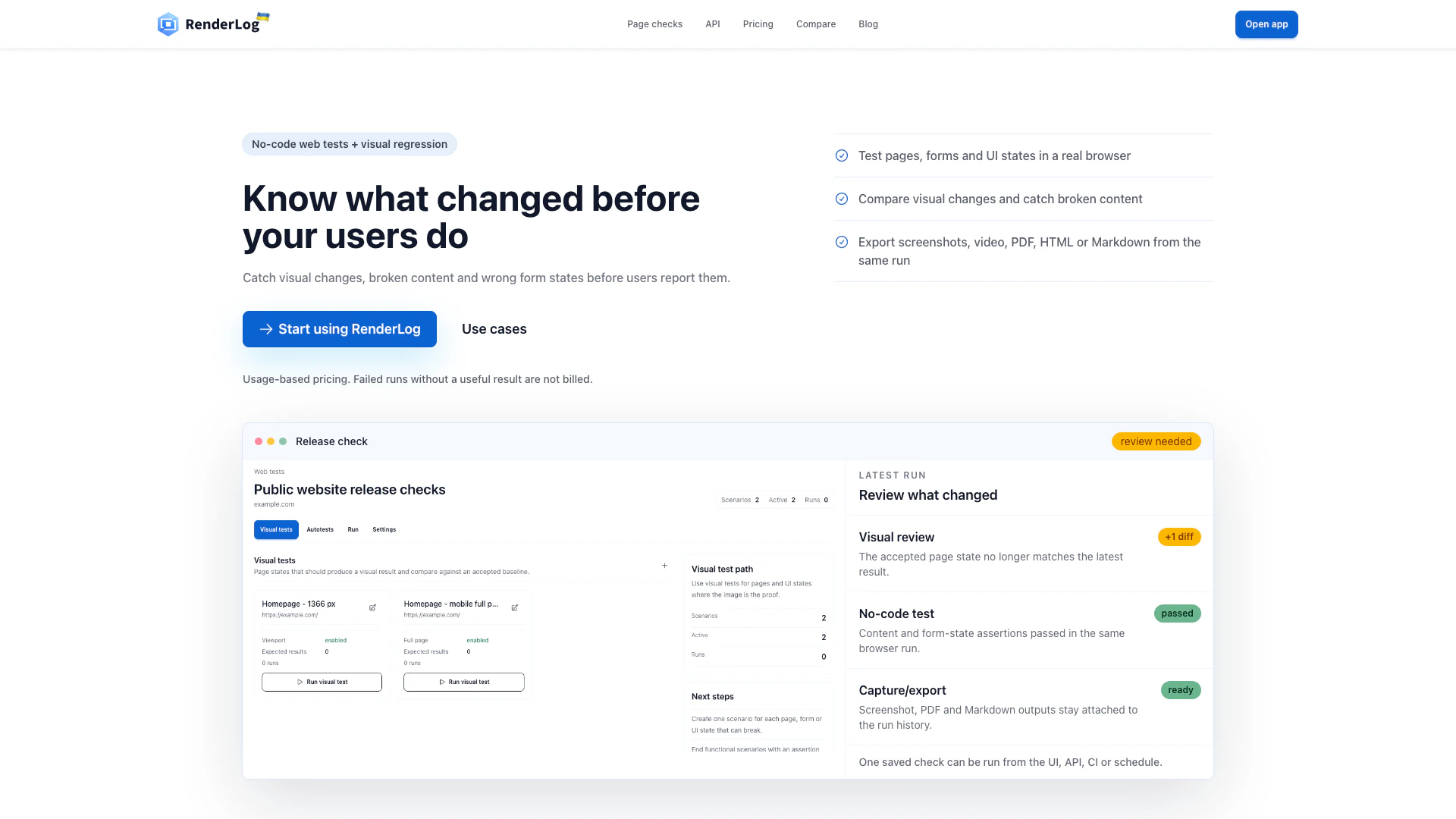
Renderlog is a no-code web testing tool designed for visual regression testing, automated UI checks, and content assertions. It provides users with the ability to perform comprehensive checks on websites, web applications, and UI kits without the need for coding expertise. With features such as baselines, alerts, and run history, Renderlog streamlines the testing process, enabling teams to ensure that their web interfaces remain consistent and functional over time.
How to use Renderlog?
- Create your workspace: Begin by setting up your workspace on Renderlog and generate an API key for access.
- Set targets: Define the URLs, selectors, and viewports that you want to test for each target within your workspace.
- Tune rendering: Adjust headers, cookies, and wait times for pages that may require additional rendering time.
- Lock a baseline: Choose a baseline for your tests, or allow the most recent capture to serve as the default baseline.
- Automate checks: Schedule regular captures and configure webhooks to notify you of any changes detected during testing.
- Review diffs: Utilize the dashboard to review historical data and compare different versions of your web pages.
What are the main features of Renderlog?
- No-code web testing capabilities that allow users to perform tests without programming knowledge.
- Visual regression testing to identify UI changes over time.
- Automated UI checks that streamline the testing process.
- Content assertions to verify that the expected content is present on the page.
- Baseline management to compare current results against approved states.
- Alerts and notifications for detected changes in the UI.
- Comprehensive run history to track testing outcomes and decisions.
Who is Renderlog for?
Renderlog is designed for teams and individuals involved in web development, quality assurance, and digital marketing. It is particularly beneficial for agencies that need to maintain client websites, developers who require consistent UI checks, and content teams that must ensure accurate representation of web content. The tool is suitable for both technical and non-technical users, making it accessible for a wide range of professionals who need to ensure the quality and consistency of web interfaces.
What are the use cases of Renderlog?
- Product releases: Trigger web tests post-release to review UI changes and ensure that critical elements like pricing and checkout processes function correctly.
- Marketing sites: Monitor marketing websites to catch visual discrepancies caused by CMS updates or SEO changes, ensuring that calls to action remain effective.
- Client work: Agencies can utilize Renderlog to provide clients with visual reports of their site states, showcasing changes and maintaining transparency during updates.
- Content verification: Content teams can check that critical elements like headings and metadata are preserved during updates or translations, safeguarding against unnoticed changes.
Renderlog Pros and Cons
Pros
- No-Code Testing Automation: RenderLog allows users to perform web testing without any coding knowledge, making it accessible for teams without technical expertise.
- Comprehensive Visual Regression Testing: The tool provides visual regression testing capabilities, enabling users to track UI changes over time and ensure consistency across web applications.
- Flexible Pricing Model: RenderLog features a low entry price and a pay-for-results model, allowing users to scale their usage based on actual needs without upfront costs.
Cons
No cons data detected for this tool
Renderlog Compare



Info current as of post date. Offers and availability may vary by location and are subject to change.
Renderlog Alternatives

AB Testing on Autopilot
- Developer Tools
- Ai Testing Tools
- AI Ad Creative Generator
- AI Marketing Tools

TestGenAI – AI Test Case Generator | Home
- Developer Tools
- Ai Code Generator
- Ai Testing Tools

CustomFit.ai | No-Code A/B Testing & Website Personalization CRO Platform
- Developer Tools
- Ai Testing Tools
- No Code Low Code
- AI Tools Directory