

Topazlabs





What is Topaz Video?
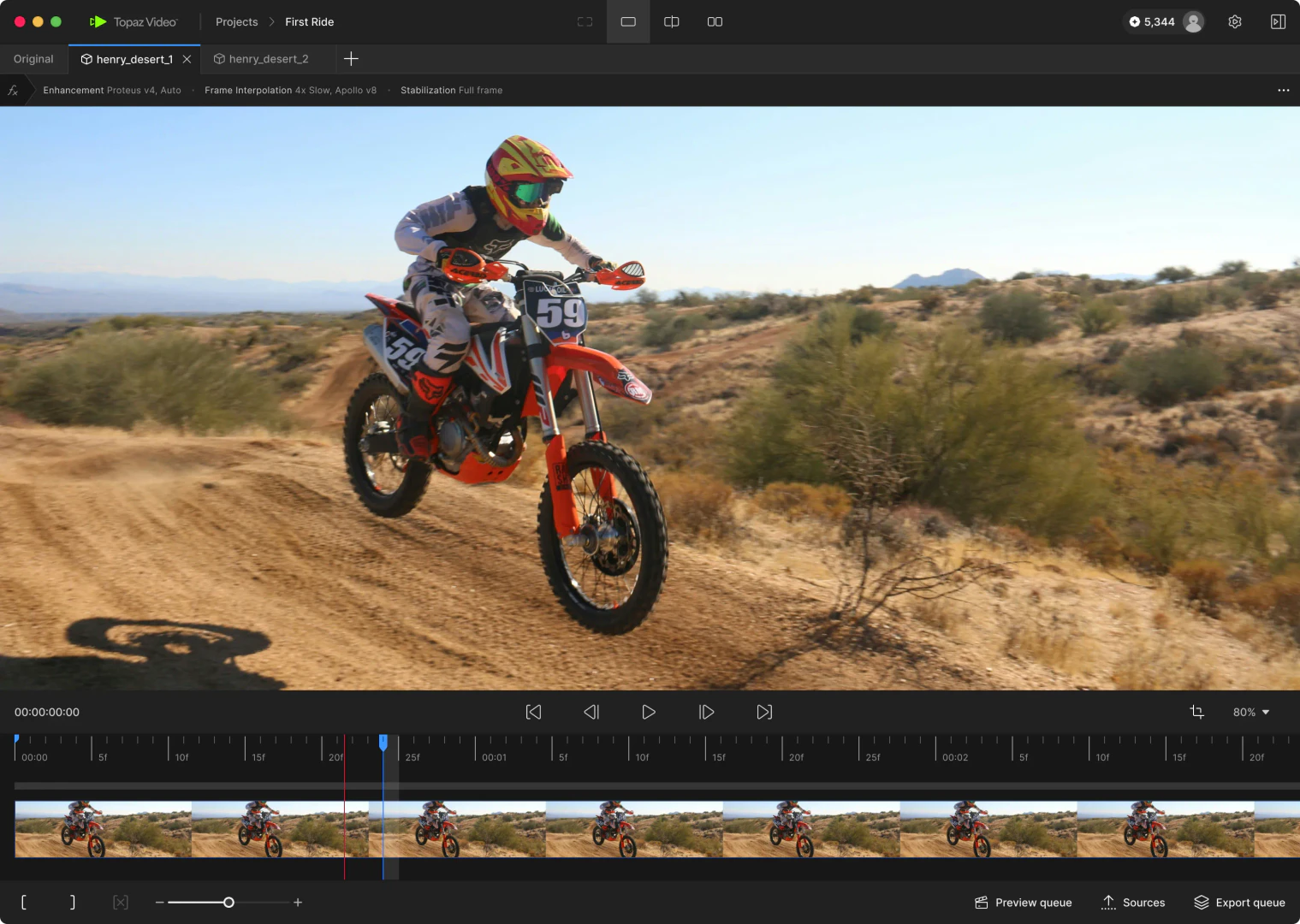
Topaz Video is a professional-grade video enhancement[2] software designed to elevate the quality of your video content using advanced AI models. It offers users the ability to upscale, enhance, stabilize, and smooth footage, achieving cinema-grade results with ease. The software is particularly beneficial for filmmakers, editors, and content creators who require high-quality video outputs. With features such as denoising[4], frame interpolation[6], and stabilization[5], Topaz Video empowers users to transform low-quality footage into stunning visuals, making it a trusted tool among creative professionals.
How to use Topaz Video?
- Download and install Topaz Video from the official website.
- Launch the application and import your video file by clicking on the 'Import' button.
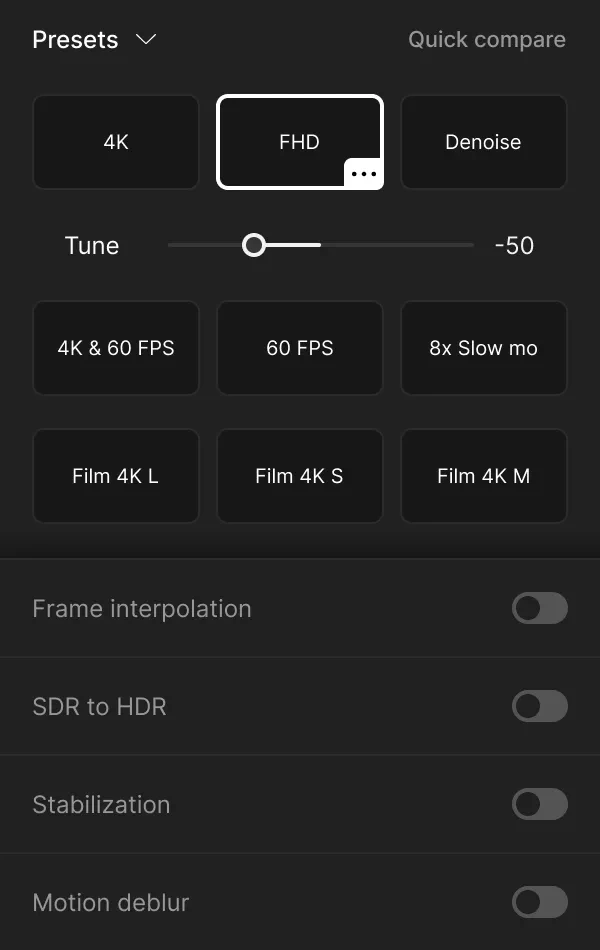
- Choose the desired enhancement model from the available options, such as Upscale, Denoise, or Stabilize.
- Adjust the settings according to your preferences for the selected model.
- Preview the changes in real-time to see how your video improves.
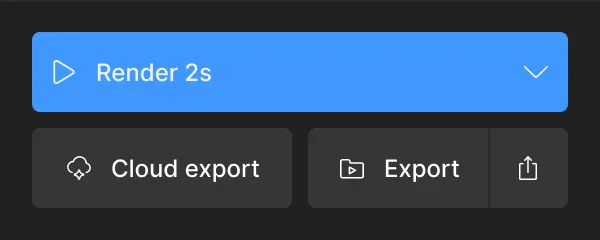
- Once satisfied, click on the 'Export' button to save the enhanced video to your desired format.
What are the main features of Topaz Video?
- AI-Powered[1] Enhancement Models: Utilize advanced AI algorithms for various enhancements like upscaling[3], denoising, and stabilization.
- Video Upscaling: Increase the resolution of videos up to 4K and beyond, improving clarity and detail.
- Denoising Capabilities: Effectively reduce noise in low-light footage, enhancing overall video quality.
- Frame Interpolation: Create smooth slow-motion effects by generating additional frames between existing ones.
- Stabilization Tools: Correct shaky footage to produce smooth and professional-looking videos.
Who is Topaz Video for?
Topaz Video is tailored for a diverse audience, including: - Filmmakers and Editors: Professionals seeking to enhance the quality of their video projects for post-production. - Archivists and Historians: Individuals focused on preserving and restoring archival footage, ensuring clarity in historical recordings. - Creators and Influencers: Content creators looking to improve the quality of their social media videos, making them more engaging and visually appealing. - Hobbyists and Enthusiasts: Casual users who wish to enhance personal video collections or family memories, bringing them to life with modern quality.
What are the use cases of Topaz Video?
- Restoring Old Footage: Revive and upscale old family videos or archival films to modern resolutions.
- Professional Video Editing: Enhance video projects for filmmakers by improving clarity, reducing noise, and stabilizing shaky shots.
- Social Media Content Creation: Create high-quality videos for platforms like YouTube and Instagram, ensuring vibrant visuals and smooth playback.
Product Images
Topazlabs Pros and Cons
Pros
- Advanced AI Models: Topaz Video utilizes 19 advanced AI models for video enhancement, allowing users to upscale, denoise, and stabilize footage with cinema-grade quality.
- Local and Cloud Rendering: Offers both local rendering for privacy and cloud rendering for faster processing, providing flexibility based on user needs.
- User-Friendly Interface: Designed for ease of use, Topaz Video allows users with minimal technical knowledge to achieve professional results effortlessly.
- Multi-Platform Support: Compatible with both Mac and Windows operating systems, making it accessible to a wider range of users.
Cons
No cons data detected for this tool
Topazlabs Pricing
Personal
Unlimited local rendering, Standard models (Proteus, Iris, Nyx, Rhea, Rhea XL, Artemis, Gaia, Theia, Apollo, Chronos, Aion, Themis, SDR to HDR, Stabilization), Nyx XL model, Starlight Mini (Cloud) model, Starlight Sharp (Cloud) model, 299 USD billed annually, Limited commercial use for organizations under $1M USD annual revenue.
Pro
Personal features plus seat management, Starlight Mini (Local) model, Starlight Sharp (Local) model, 699 USD billed annually, Full commercial use.
Topaz Studio
All apps (Topaz Video, Topaz Photo, Topaz Gigapixel, Bloom, Astra, Express, Mosaic), Unlimited local rendering, Unlimited cloud image rendering, 399 USD billed annually, 300 monthly video cloud credits, 2-image cloud concurrency, 32MP cloud export limit, Limited commercial use for organizations under $1M USD annual revenue.
For the latest pricing, please visit this link: https://www.topazlabs.com/pricing
Prices are subject to change. Please visit the official website for the most up-to-date pricing information.
Analytics of Topazlabs
Topazlabs Website Traffic Analysis
Visits Over Time
Traffic Sources
Nov 2025 - Jan 2026 Worldwide Desktop Only
- Direct: 48.17%
- Search: 46.03%
- Referrals: 3.65%
- Social: 1.67%
- Paid Referrals: 0.42%
- Mail: 0.05%
Top Regions
| Region | Percentage |
|---|---|
🇺🇸 United States | 24.12% |
🇮🇳 India | 7.52% |
🇨🇳 China | 5.01% |
🇩🇪 Germany | 3.67% |
🇬🇧 United Kingdom | 3.64% |
- United States: 24.12%
- India: 7.52%
- China: 5.01%
- Germany: 3.67%
- United Kingdom: 3.64%
Top Keywords
| Keyword | Volume | CPC | Estimated Value |
|---|---|---|---|
| topaz | 236.95K | $0.68 | $187620.00 |
| topaz video ai | 167.01K | $0.68 | $180460.00 |
| topaz photo ai | 63.81K | $0.97 | $39520.00 |
| topaz labs | 61.02K | $1.42 | $78230.00 |
| topaz ai | 50.00K | $0.81 | $53760.00 |
Topazlabs Reviews
Amazing software for enhancing and upscaling video and footage in bad condition. A real gem even with zero technical knowledge.
Easy to use and a quality booster. I needed to get the "noise' out of some of the darker spaces on a large set and it did not disappoint! Where have you been all my editing life?
I have never experienced such power to perfect videos and photos. It’s absolutely amazing to witness such clarity and perfection.
For more reviews, visit this link: https://www.topazlabs.com/topaz-video#reviews
Topazlabs Compare


Info current as of post date. Offers and availability may vary by location and are subject to change.
Topazlabs Q&A
Topaz Video is a professional-grade desktop application for enhancing video quality using multiple advanced AI models. Using these models, Topaz Video can be used to sharpen, remove noise and artifacts, restore detail, stabilize shaky footage, and upscale various video files.
For more FAQs, please visit this link: https://docs.topazlabs.com/
Topazlabs Alternatives

CapCut is a comprehensive online creative suite for video editing and graphic design.
- Video & Animation
- AI Video Editor
- AI Video Creation Suite
- AI Creative Video Production

Animaker is an online AI animation generator and video maker that brings studio quality video content within everyone's reach. Animated Videos, Done Right!
- Video & Animation
- AI Video Editor
- AI Video Generator