

Updf


What is UPDF?
UPDF is a powerful AI-powered PDF editor designed to streamline the management of PDF documents. It offers users a comprehensive set of features that include editing, converting, OCR (Optical Character Recognition), and summarizing PDFs. With a focus on user-friendliness and efficiency, UPDF allows individuals to handle complex PDF tasks seamlessly across multiple platforms, including Windows, Mac, iOS, and Android. The tool is currently available at a promotional discount of 50% off, enabling users to access its full range of features without limitations.
How to use UPDF?
- Download and Install: Visit the UPDF website and download the version suitable for your device (Windows, Mac, iOS, or Android). Install the application by following the on-screen instructions.
- Create an Account: Open UPDF and create an account or log in if you already have one. This will give you access to all features, including the AI tools.
- Upload a PDF Document: Click on the 'Open File' option to upload the PDF you want to edit or convert.
- Choose Your Task: Select from various options like editing, converting, or using AI features like summarizing or OCR. Follow the prompts to complete your task.
- Save or Share: After making your changes, save the document to your device or share it directly from UPDF.
What are the main features of UPDF?
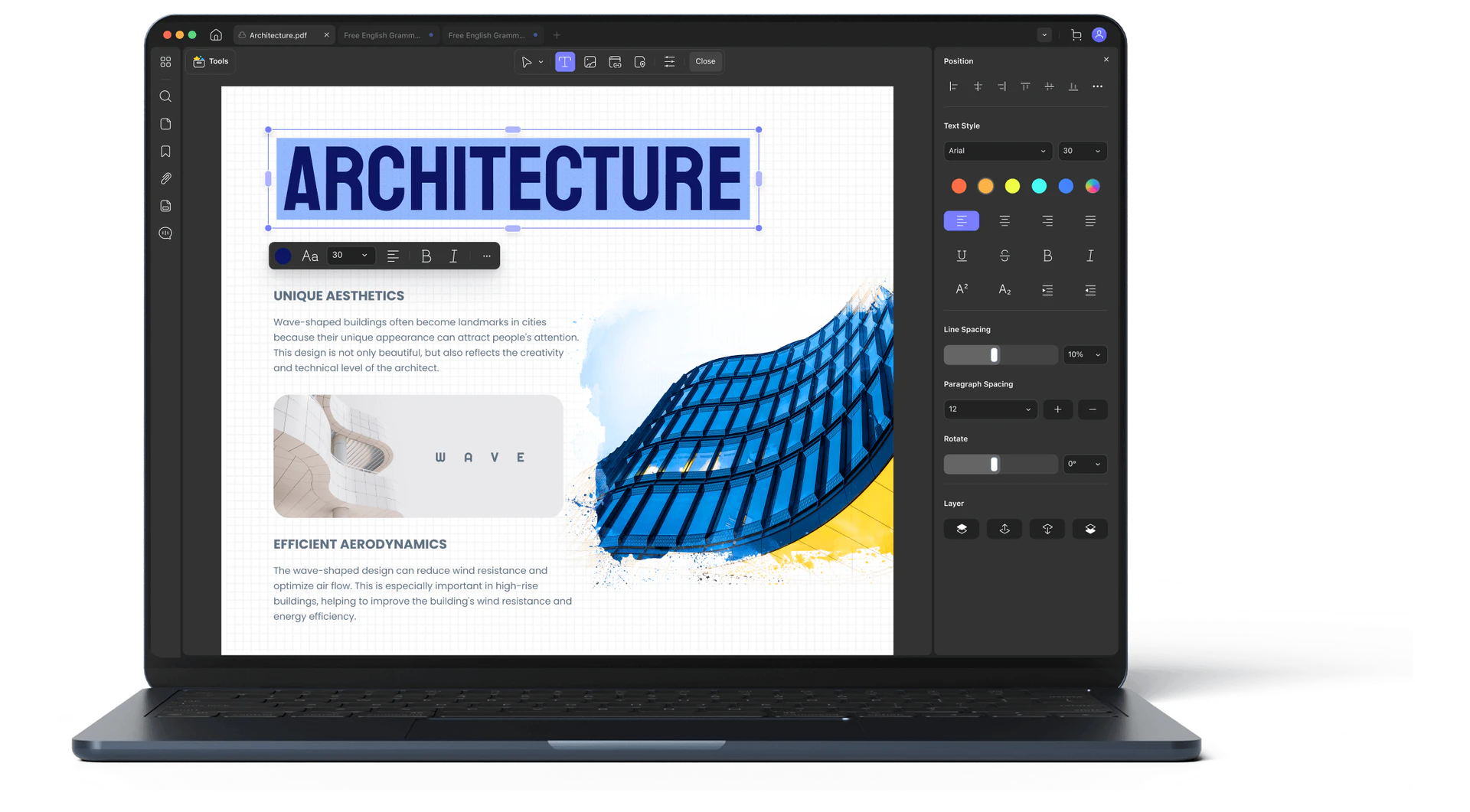
- PDF Editing: Modify text, images, and links within your PDFs effortlessly.
- OCR Functionality: Convert scanned documents into editable and searchable text.
- PDF Conversion: Transform PDFs into various formats such as Word, Excel, and images.
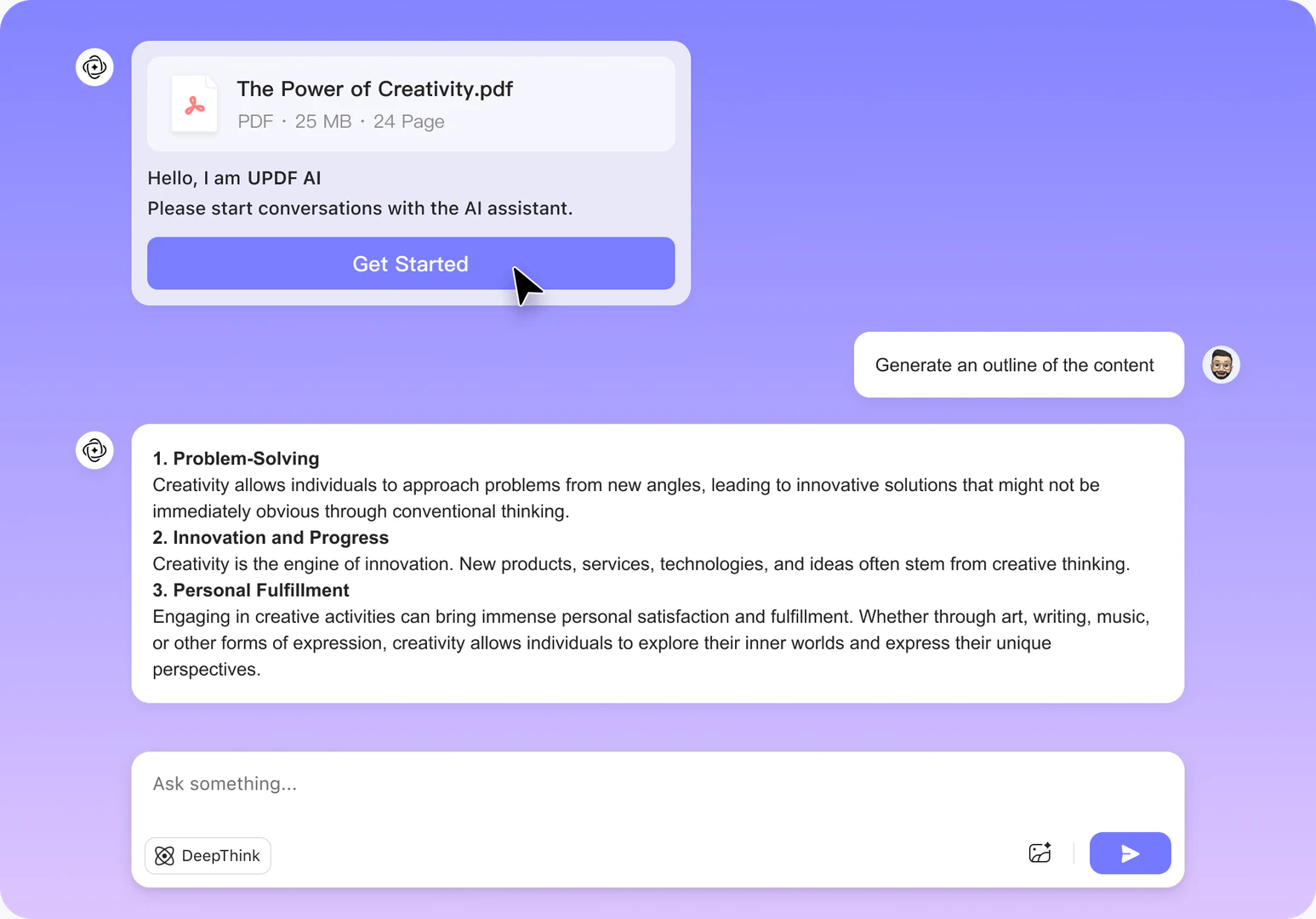
- Summarizing Tool: Use AI to summarize lengthy documents quickly.
- Annotation Tools: Highlight, comment, and mark up PDFs for better collaboration.
- Organize Pages: Rearrange, split, merge, and crop pages as needed.
- Security Features: Protect your documents with passwords and redaction options.
Who is UPDF for?
UPDF is ideal for a diverse range of users, including students, professionals, educators, and businesses. Students can utilize UPDF to manage their study materials effectively, while professionals can benefit from its robust editing and conversion capabilities for reports and presentations. Educators can use UPDF to create and share interactive learning materials, and businesses can streamline their document management processes. The versatile features make UPDF suitable for anyone who frequently interacts with PDF documents.
What are the use cases of UPDF?
- Editing Academic Papers: Students can edit and annotate their research papers or essays directly in PDF format.
- Converting Business Proposals: Professionals can convert PDF proposals into Word or Excel formats for easy editing and collaboration.
- Summarizing Reports: Use the AI summarizing feature to quickly digest long reports or research papers, saving time and enhancing productivity.
Product Images
Updf Pros and Cons
Pros
- Comprehensive PDF Editing Features: UPDF offers extensive features for editing PDFs, including text and image editing, annotation, and form filling, making it a versatile tool for document management.
- AI-Powered Functionality: The AI assistant in UPDF can summarize documents, create mind maps, and facilitate interactive chats with PDFs, enhancing user productivity.
- Cross-Platform Compatibility: UPDF is available on multiple platforms, including Windows, Mac, iOS, and Android, allowing users to access their documents from any device.
Cons
No cons data detected for this tool
Updf Pricing
UPDF Pro
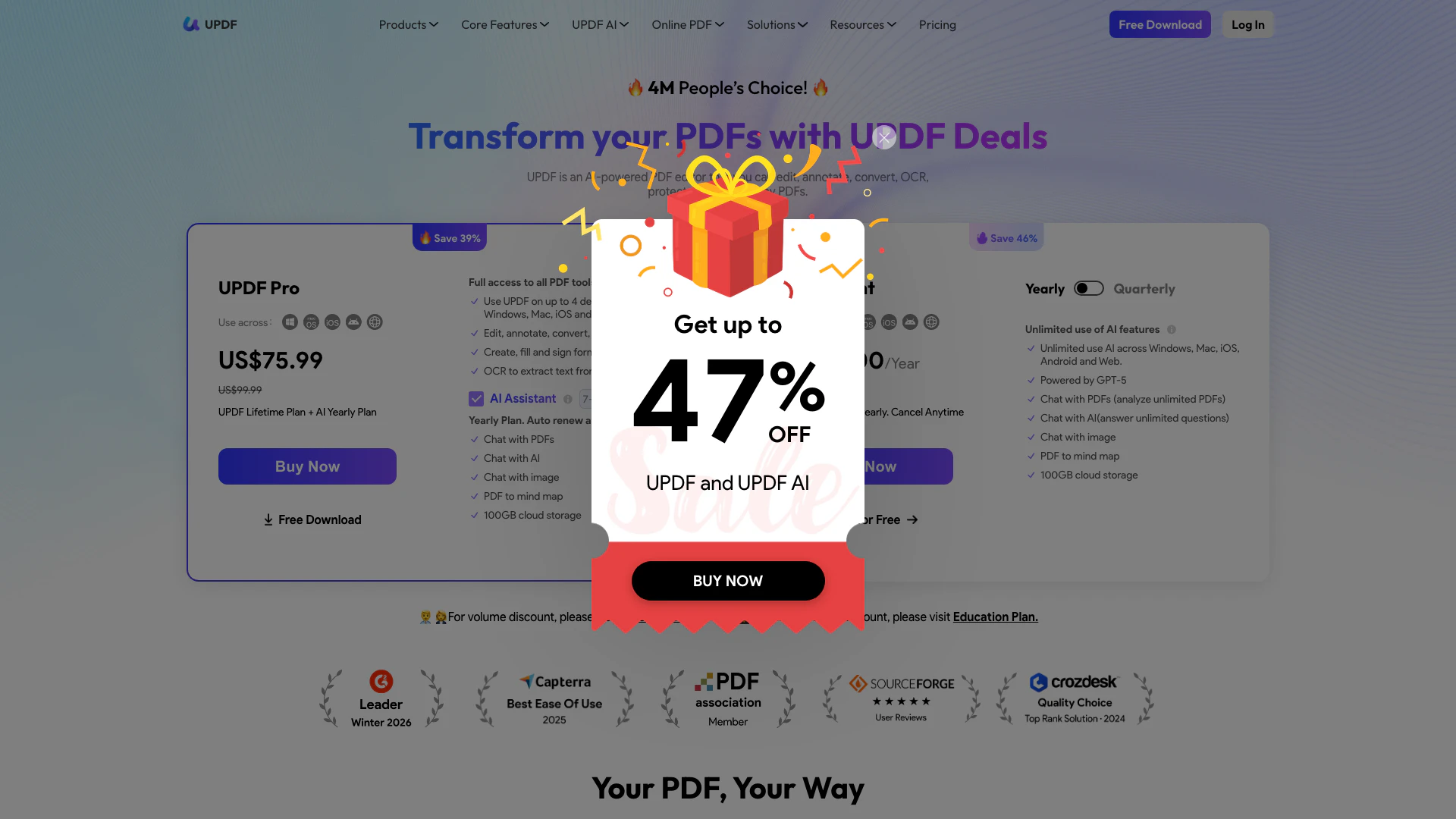
Use on 4 devices across Windows, Mac, iOS, and Android. Full access to all PDF tools in UPDF: Edit text, images, links in PDF, Convert PDF to other formats, Annotate PDFs, OCR PDFs to recognize text, Organize PDF pages, 10GB cloud storage. 7-day free trial, then auto renew at US$69.00/year.
UPDF Pro Lifetime
Pay once, use forever. Full access to all PDF tools in UPDF: Edit text, images, links in PDF, Convert PDF to other formats, Annotate PDFs, OCR PDFs to recognize text, Organize PDF pages, 2GB cloud storage. 7-day free trial, then auto renew at US$69.00/year.
AI Assistant
GPT-5 Powered. Unlimited use of AI features: Chat with PDF, Chat with image, PDF to mind map, Chat with AI, 100GB cloud storage. 7-day free trial, then auto renew at US$69.00/year.
UPDF Sign
Legally binding digital signature. 300 signature requests per year. 20GB cloud storage. Auto renew, billed yearly.
For the latest pricing, please visit this link: https://updf.com/pricing-individuals/?source=website_updf&channel=oversea-promo¤cy=USD&language=en-US
Prices are subject to change. Please visit the official website for the most up-to-date pricing information.
Analytics of Updf
Updf Compare
| Tool Name | Introduction | Pricing | Type | Rating | Launch Date | Learn more |
|---|---|---|---|---|---|---|
AutoDraw | Free | January 2, 1998 | Get deal | |||
Generate AI lesson plans, PowerPoints, and more with Copilot! Use Copilot to breeze through your unit planning and material creation! | Free | November 13, 2022 | Get deal | |||
AiSofiya offers AI-powered tools, chatbots, and automation to help websites and businesses work smarter, faster, and 24/7. | Free | January 10, 2023 | Get deal |



Info current as of post date. Offers and availability may vary by location and are subject to change.
Updf Q&A
When you purchase UPDF, you can use it on up to 4 devices: 2 desktops (either 1 Windows and 1 Mac, 2 Windows, or 2 Macs) and 2 mobile devices (1 iOS and 1 Android, 2 iOS, or 2 Android). If you opt for the license with AI Assistant, you can access the AI features on up to 6 devices: 2 desktops (1 Windows and 1 Mac, 2 Windows, or 2 Macs), 2 mobile devices (1 iOS and 1 Android, 2 iOS, or 2 Android), and 2 webs (ai.updf.com). You’re also allowed to reinstall on a new device when replacing an old one.
For more FAQs, please visit this link: https://updf.com/updf-faqs/
Updf Alternatives

Gemini is Google’s AI assistant for writing and brainstorming.
- Writing & Editing
- AI Writing Assistants
- AI Chatbot
- AI Creativity and Productivity Enhancer
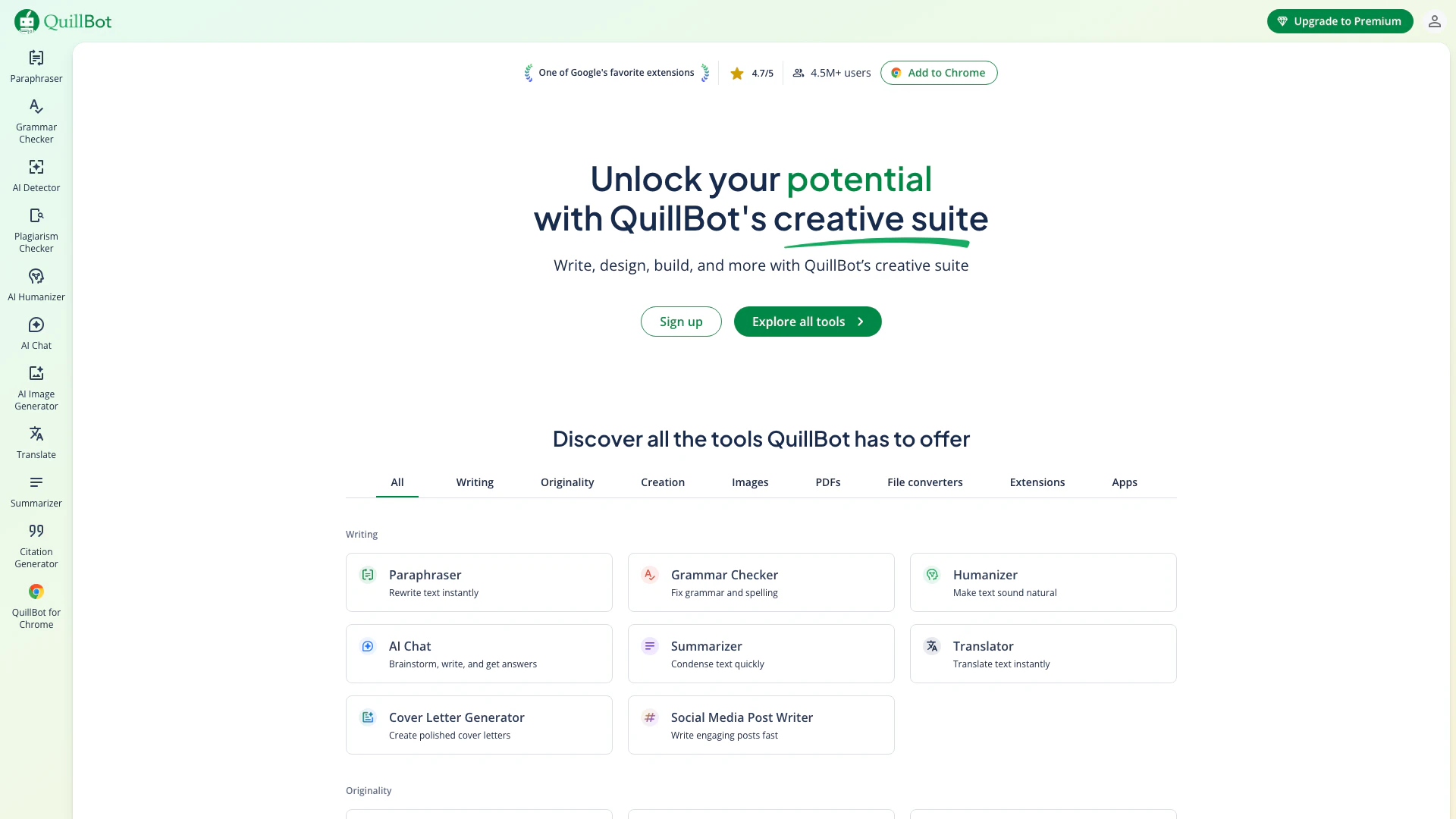
QuillBot enhances your writing with AI tools for paraphrasing, grammar checking, and more.
- Writing & Editing
- AI Grammar Checker
- AI Paraphraser & Rewriter
- AI Writing Assistants

Play and create AI-generated adventures with infinite possibilities.
- Writing & Editing
- AI Text Generator
- AI Writing Assistants