

Webmaker





What is Webmaker?
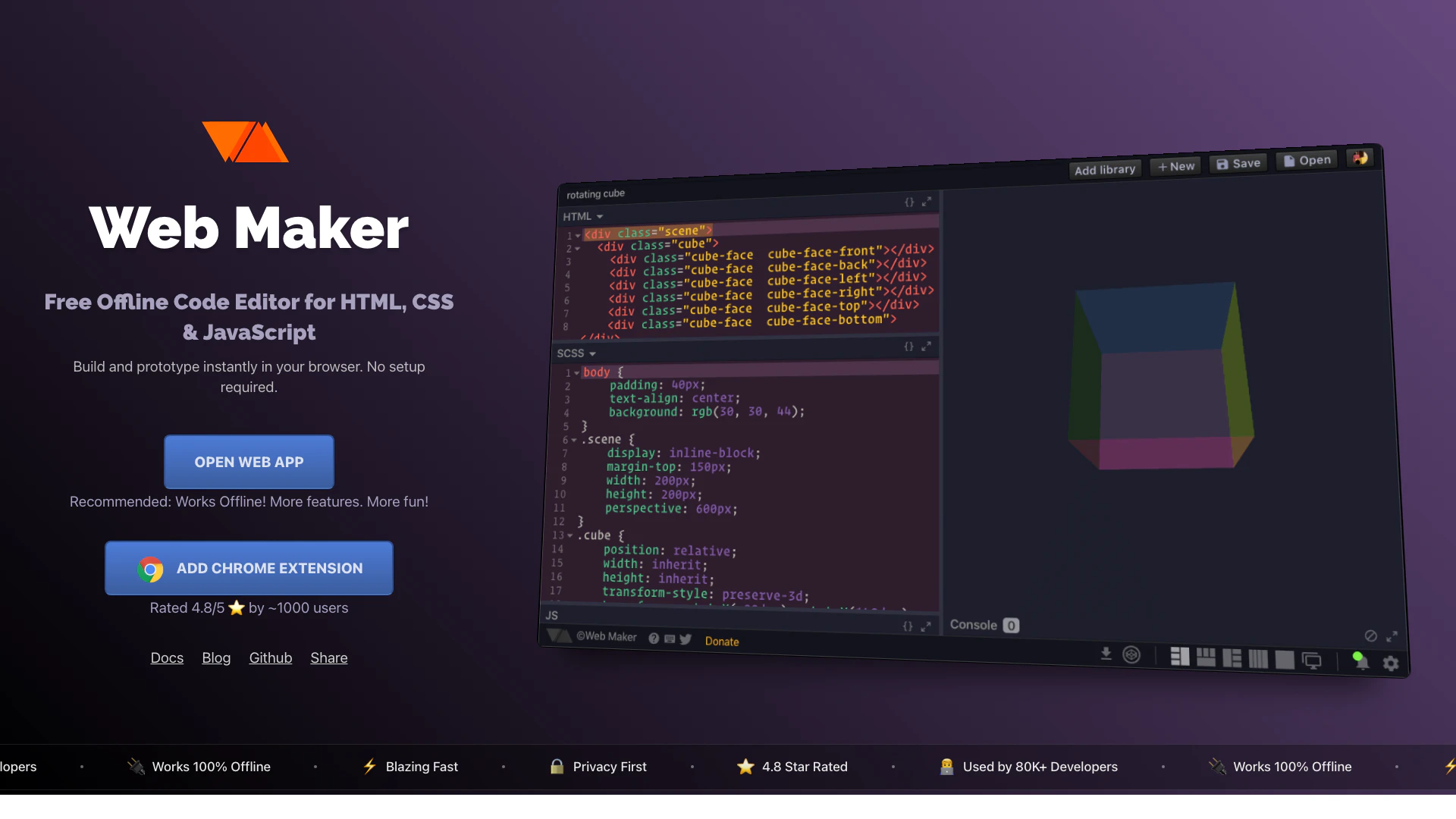
Webmaker is a free offline code editor designed for HTML, CSS, and JavaScript development. It enables users to build, experiment, and prototype code instantly within their web browser without the need for any setup. This tool is particularly advantageous for developers who require a fast and efficient coding environment that works offline, making it ideal for situations where internet access is limited. Webmaker supports various languages and preprocessors, including SCSS, TypeScript, and Pug, enhancing its versatility for modern web development.
How to use Webmaker?
- Visit the Webmaker website and click on 'Open Web App' to launch the coding environment in your browser.
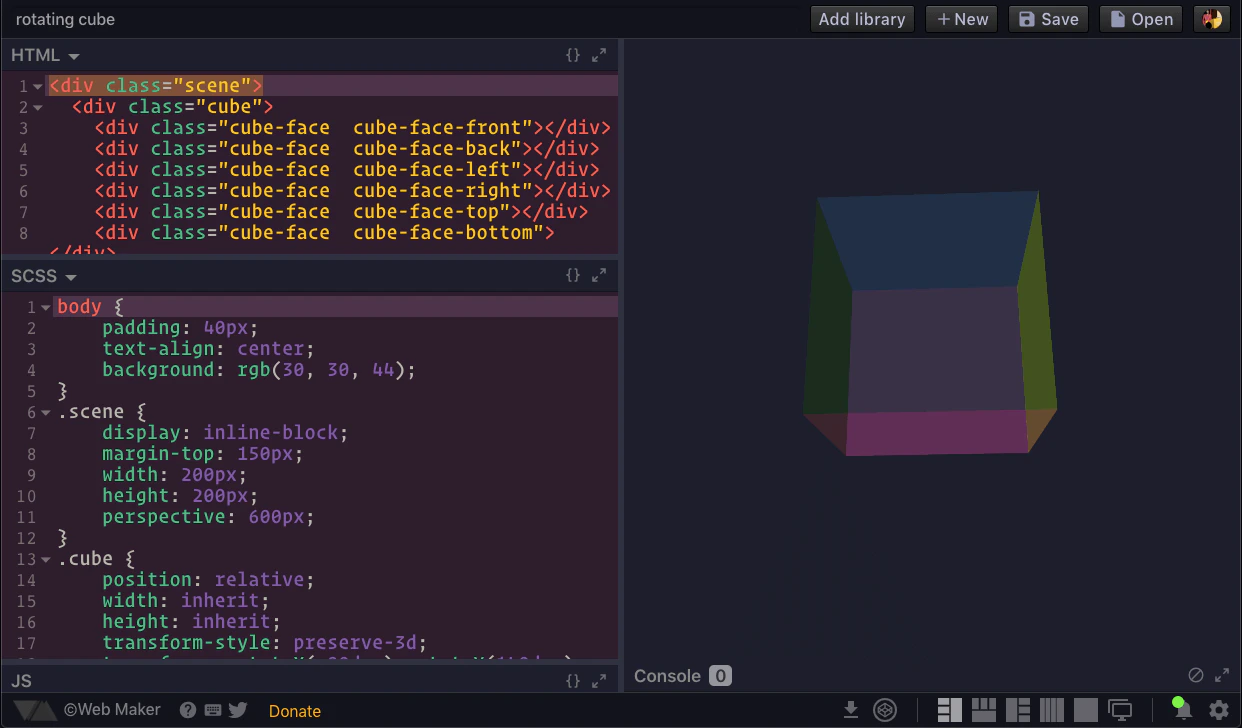
- Choose your preferred layout for coding (side-by-side, stacked, or full-screen) to suit your workflow.
- Start coding in HTML, CSS, or JavaScript directly in the browser, utilizing the built-in features and tools.
- If needed, add libraries like React or Vue by including them via CDN URLs.
- Use the built-in dev tools for debugging and formatting your code as you work.
- Save your work and capture screenshots of your creations to share or document your projects.
What are the main features of Webmaker?
- Offline Functionality: Operates entirely within the browser without needing an internet connection.
- Real-time Collaboration: Allows multiple users to code together in real-time.
- Support for Multiple Languages: Includes support for SCSS, TypeScript, Pug, and other preprocessors.
- Flexible Layout Options: Users can choose from different editor layouts to enhance their coding experience.
- File Management: Functions like a file-based environment, similar to IDEs like VS Code.
- Screenshot Capture: Easy one-click screenshot feature for sharing projects.
- Export to CodePen: Quickly export your projects to CodePen for sharing.
Who is Webmaker for?
Webmaker is designed for a wide range of users including web developers, students learning web development, educators conducting coding workshops, and professionals needing a reliable tool for technical interviews. Its offline capabilities make it particularly useful for those who work in environments with limited internet access. Additionally, it caters to individuals who prefer a fast and privacy-focused coding experience without the need for account registration.
What are the use cases of Webmaker?
- Learning Web Development: Ideal for beginners to practice HTML, CSS, and JavaScript with instant feedback.
- Quick Prototyping: Enables rapid development and testing of ideas without setup time.
- Technical Interviews: Facilitates live coding sessions with real-time collaboration features.
- Teaching & Workshops: Perfect for educators to demonstrate coding concepts and share code with students.
Product Images
Webmaker Pros and Cons
Pros
- Offline Functionality: Web Maker operates completely offline, allowing users to code and preview their projects without an internet connection, making it ideal for use in various environments.
- Real-time Collaboration: The tool supports real-time collaboration, enabling multiple users to work together on projects simultaneously, which is great for pair programming and teaching.
- Wide Language Support: Web Maker includes built-in support for various languages and preprocessors like SCSS, TypeScript, and Pug, enhancing its versatility for developers.
Cons
No cons data detected for this tool
Webmaker Reviews
Really enjoying using Web Maker - super fast offline web playground.
This is something I will be using a lot. Thank you! :D
It's fantastic! I'm glad I've discovered it! Thanks!
For more reviews, visit this link: https://webmaker.app#reviews
Webmaker Compare
| Tool Name | Introduction | Pricing | Type | Rating | Launch Date | Learn more |
|---|---|---|---|---|---|---|
Explore Prompt Vibes to create unique prompts with our ChatGPT Prompt generator. Discover a collection of the best prompts designed for various uses. | Free | February 25, 2023 | Get deal | |||
Tutor AI - Your personal AI tutor to learn anything | Free | September 23, 2007 | Get deal | |||
Explore AI Lawyer for easy, quick, and budget-friendly legal help. Empowering consumers and lawyers with AI-driven solutions for all your legal needs. | Free | February 11, 2023 | Get deal |


Info current as of post date. Offers and availability may vary by location and are subject to change.
Webmaker Alternatives

DeepSeek focuses on pioneering general AI technologies and models.
- Other
- Large Language Models (LLMs)
- AI Development Tools
- Ai Model Fine Tuning Tools

Explore cutting-edge AI models with Deepseek.
- Developer Tools
- AI Development Tools
- Ai Model Fine Tuning Tools
- AI Cloud Computing Platforms

OpenAI Codex enhances coding efficiency with AI-driven task support.
- Developer Tools
- AI Coding Assistants
- AI Development Tools
- AI Prompt Engineering Tools