

Linaflow



What is LinaFlow?
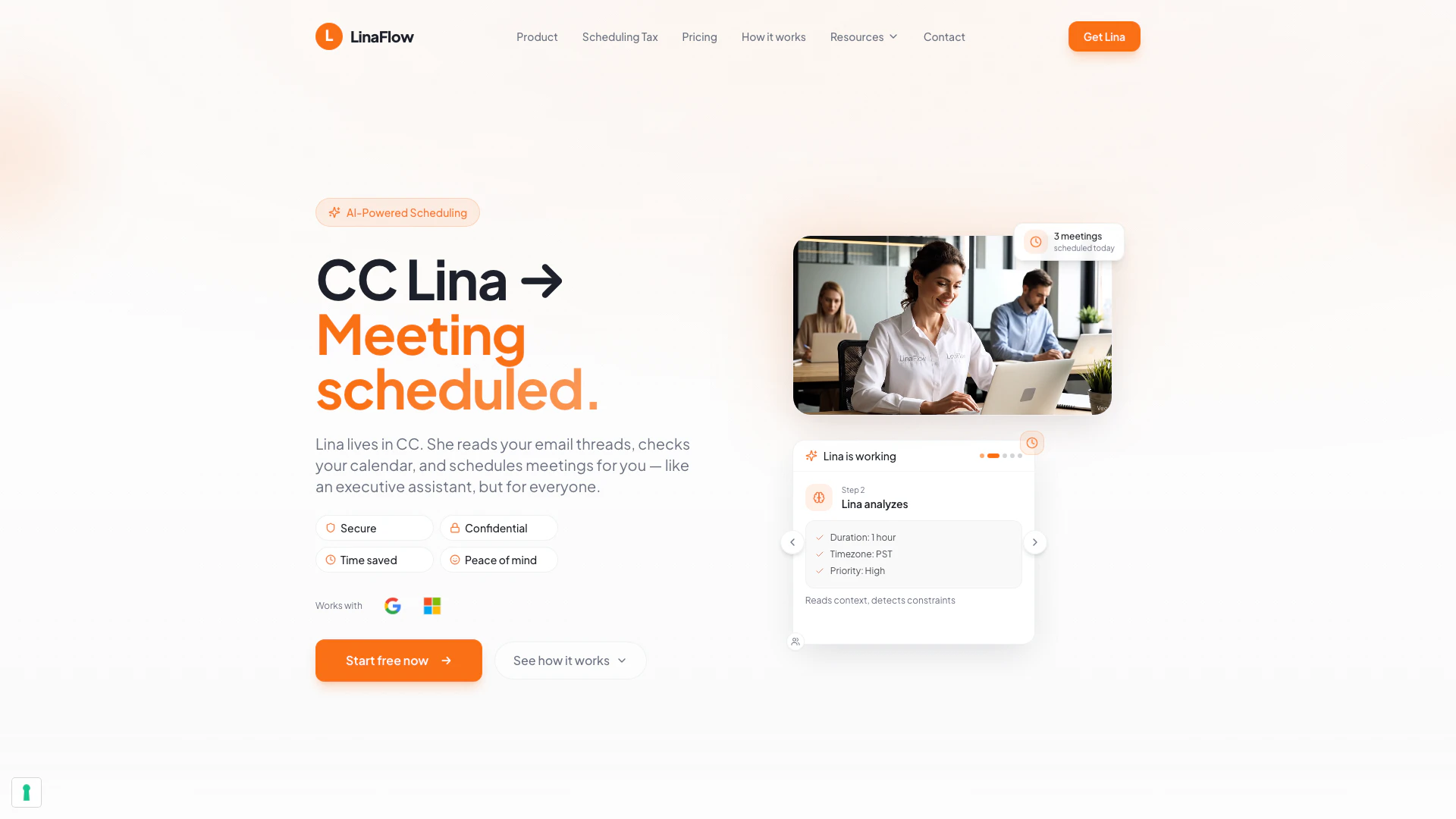
LinaFlow is an innovative AI scheduling[1] assistant designed to streamline the process of setting up meetings. Unlike traditional scheduling tools, LinaFlow operates seamlessly in the background, turning emails into scheduled meetings without the need to read through your inbox or access your calendar details. This executive-level scheduling solution is suitable for professionals at all levels, enabling them to save time and enhance productivity by automating meeting coordination. By simply CC'ing Lina in your email correspondence, you can delegate the tedious task of scheduling, allowing you to focus on more important responsibilities.
How to use LinaFlow?
- CC Lina in your email: When you receive a meeting request, simply reply to the email and add Lina's email address (lina@linaflow.eu) in CC. This is your only step to initiate the scheduling process.
- Lina proposes meeting times: Lina will read the email thread and check your availability (without accessing your event details). She will then respond with a selection of optimal time slots for the meeting based on your preferences.
- Confirm the meeting: Once the guest selects a time slot, Lina automatically sends a calendar invite to all participants, including a video link, finalizing the meeting without any further back-and-forth.
What are the main features of LinaFlow?
- Instant Booking[2]: If both parties use Lina, the meeting is booked automatically without any emails.
- Booking Links: Easily share a link for guests to select their preferred meeting time, eliminating the need for back-and-forth emails.
- Multi-Calendar Support[3]: Sync multiple calendars to prevent double-bookings and manage personal and professional schedules seamlessly.
- Auto Follow-ups: Lina automatically follows up with unresponsive guests, saving you the hassle of chasing them down.
- Time Zone Awareness: Schedule meetings across different time zones effortlessly, without needing to calculate time differences.
- Provisional Holds: Temporarily block time slots while waiting for guest confirmation, automatically releasing them if declined.
Who is LinaFlow for?
LinaFlow is designed for busy professionals who want to enhance their scheduling efficiency without the overhead of hiring a personal assistant. It caters to a wide range of users, including executives who need to manage their time effectively amidst a busy inbox, managers juggling multiple team schedules and client meetings, and entrepreneurs or consultants who require executive-level support without the cost of a full-time assistant. Whether you are leading a company, managing projects, or consulting, LinaFlow adapts to your workflow, making it an ideal solution for anyone looking to save time on scheduling.
What are the use cases of LinaFlow?
- Corporate Meetings: Use LinaFlow to schedule team meetings, ensuring all participants can find a suitable time without endless email exchanges.
- Client Consultations: Streamline the process of setting up meetings with clients, allowing them to pick their preferred times easily.
- Multi-Party Coordination: For meetings involving multiple stakeholders, LinaFlow simplifies the scheduling process, coordinating across different calendars and time zones.
Product Images



Linaflow Pros and Cons
Pros
- AI-Powered Scheduling: LinaFlow automates the scheduling process by turning emails into meetings without needing to read your inbox, saving time and effort.
- Seamless Integration: Works with major platforms like Google Workspace and Microsoft 365, allowing users to connect multiple calendars and avoid double bookings.
- User-Friendly Experience: No new apps or complex setups are required; simply CC Lina in your emails to schedule meetings effortlessly.
Cons
No cons data detected for this tool
Linaflow Pricing
Free
Get 10 free meetings scheduled every month. Use Lina by CC'ing lina@linaflow.eu. Privacy and cybersecurity-first architecture. Upgrade anytime.
Basic
Unlimited meetings for 1 user. Full Lina intelligence. Ideal for more than 3 meetings per week. Use Lina by CC'ing lina@linaflow.eu. Full access to Lina's scheduling intelligence. Ideal for consultants and solo-entrepreneurs.
Premium
All features from the Basic plan. Custom actions like 'Clear the rest of my day', and many more. Tone and behaviour: Set up Lina to sound like you expect. Advance settings: Keep full control of your agenda with your preferences. The full value of LinaFlow: executive-level experience, at software cost.
For the latest pricing, please visit this link: https://linaflow.eu/pricing
Prices are subject to change. Please visit the official website for the most up-to-date pricing information.
Linaflow Reviews
I used to spend 30 minutes a day just scheduling. Now I CC Lina and forget about it.
Lina paid for itself in the first week. My clients love how fast I respond to meeting requests.
Between 3 calendars and clients in 4 time zones, scheduling was a nightmare. Lina just handles it.
For more reviews, visit this link: https://linaflow.eu#reviews
Linaflow Compare
| Tool Name | Introduction | Pricing | Type | Rating | Launch Date | Learn more |
|---|---|---|---|---|---|---|
Generate AI lesson plans, PowerPoints, and more with Copilot! Use Copilot to breeze through your unit planning and material creation! | Free | November 13, 2022 | Get deal | |||
Civitai: The Home of Open-Source Generative AI | Free | November 2, 2022 | Get deal | |||
Tutor AI - Your personal AI tutor to learn anything | Free | September 23, 2007 | Get deal |


Info current as of post date. Offers and availability may vary by location and are subject to change.
Linaflow Q&A
No, Lina does not read your emails. She handles scheduling by coordinating through the emails you CC her on, without accessing your inbox or reading the content of your emails.
Linaflow Alternatives

Cal.ai | AI Scheduling Assistant
- Productivity & Office
- Ai Scheduling Tools
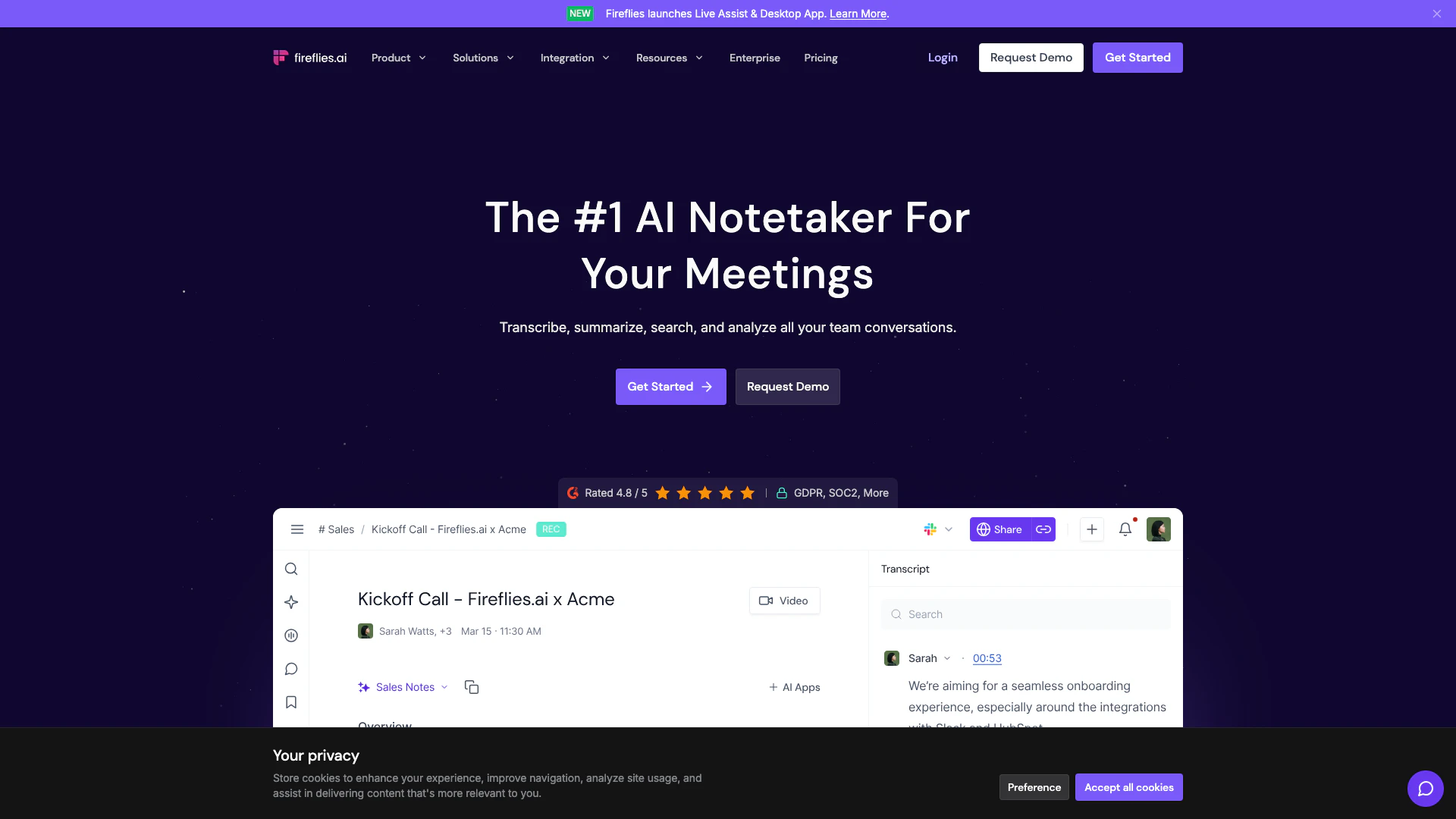
Streamline your meetings with AI-powered notes and insights.
- Productivity & Office
- Ai Meeting Assistant
- Ai Note Taker
- AI Meeting Insights Tools

Znote – Notes that Think with You
- Writing & Editing
- AI Writing Assistants
- AI Design Generator
- Ai Assistant